1
General setup
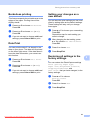
Setting the Dim Timer for the
backlight
Mode Timer
1
1
You can set how long the LCD backlight stays
on after the last key press.
a
b
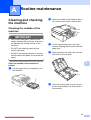
Press Menu.
c
Press a or b to choose LCD Settings.
Press OK.
d
Press a or b to choose Dim Timer.
Press OK.
e
Press a or b to choose 10Secs,
20Secs, 30Secs or Off.
Press OK.
f
Press Stop/Exit.
Press a or b to choose
General Setup.
Press OK.
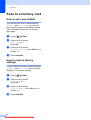
The machine has four temporary mode keys
on the control panel: FAX, SCAN, COPY and
PHOTO CAPTURE. You can change the
amount of time the machine takes after the
last Scan, Copy or PhotoCapture operation
before it returns to Fax mode. If you choose
Off, the machine stays in the mode you used
last.
a
b
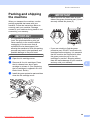
Press Menu.
c
Press a or b to choose Mode Timer.
Press OK.
d
Press a or b to choose 0Sec, 30Secs,
1Min, 2Mins, 5Mins or Off.
Press OK.
e
Press Stop/Exit.
Press a or b to choose
General Setup.
Press OK.
3
Downloaded from ManualsPrinter.com Manuals
1