1
Use the
region
ratings
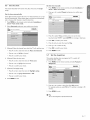
This section describes
on downloaded
how to control access to digital programs
based
region ratings.
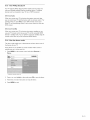
Before you download
broadcast.
1.
5.9
lock
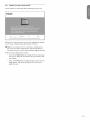
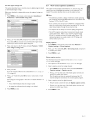
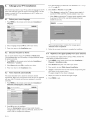
a ratings table, ensure that regional ratings are
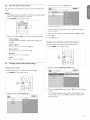
Press MENU
on the remote
control
Preferences
> Downloaded
and select
rating
table.
Downloaded
rating
|nstal[ation
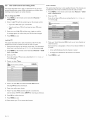
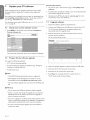
The caption
service
caption
text
can be displayed
muted.
This section
Preferences
displays transmitted
CC-,T-,
permanently
describes
and CS- text.
The
or only when the TV is
how to use the caption
service.
Note
>
• This television provides a display of television closed captioning
that conforms with the EIA-608 standard and in accordance with
Sections 15.119 of the FCC rules.
PHILIP$
TV menu I Installation
View closed captions (subtitles)
table
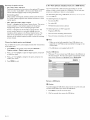
If you connect
your
input, you cannot
select
closed
caption
The
captions
Not
all TV programs
caption
do
set-top
select
not
information.
box via HDMI or component
closed
through
always
caption
through
the set-top
use
correct
and product
video
the TV. You can
box only.
spelling
commercials
and
grammar.
include closed
Refer to your area TV program
for the TV channels and times of closed caption
listings
shows. The
captioned programs are usually noted in the TV listings with
service marks such as 'CC'.
2.
Press
A or _' to select
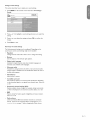
If you select
table
On, and press
Off, you choose
and you cannot
_1 to confirm
not to download
use the region
your
choice.
the region
rating
Display
rating lock.
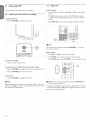
1.
3.
Press
lock
_1 to return
> Region
to the TV menu
ratings
and select
Features
> Child
TVmenu
MENU
Caption
on
the
settings
remote
control
> Closed
and
select
Features
>
captions.
lock.
2.
_
captions
Press
A or v
to confirm
PNII, IPS
I Features
Child Lock
Press
Region ratings lock
3.
Press
Select
to select
your
MENU
caption
On,
Off
or On
during
mute,
and press
_l
choice.
exit.
to
services
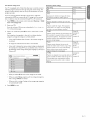
For information
about
the caption
services
see Summary
of caption
services on the next page.
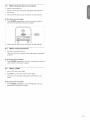
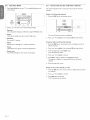
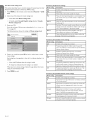
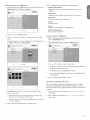
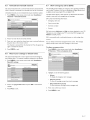
1.
Turn captions on as described
2.
Select a caption service for analog channels:
•
Enter your
PIN.
If you do not have a PIN, set one as described
A or T and then
•
press
OK to loci< or unlock
one or more
in front of it to indicate whether
it is
3.
•
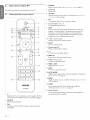
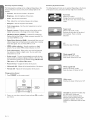
A box with X indicates
that the rating is locked
•
An empty
that the rating is not locked
Press
MENU
A or T to select
_1 to confirm
to exit.
•
4.
your
and select Features
>
service.
services
one of the listed caption
service
are necessarily
being used
of a closed
caption
_' and _ to enter
the menu for Digital
Press
A or T to select
one of the listed caption
press
_1 to confirm
MENU
and
by a TV
program.
for digital channels:
Press
Press
services
choice.
during the transmission
Select a caption
•
6.
Press
channel
box indicates
control
> Caption
press
Not all caption
rat| ngs.
Each rating has a box-graphic
locked:
on the remote
settings
in Set or change your
PIN on page 18.
Press
Press MENU
Caption
in Display captions on this page.
your
caption
services,
service.
and
choice.
to exit.
EN-21