1
Company:
ZENEC by ACR AG · Bohrturmweg 1 · CH-5330 Bad Zurzach · Switzerland · Email: [email protected]
W W W. Z E N E C . C O M
© Copyright ZENEC · Subject to changes and errors. October 2014 · Rev. A
TO U C H A N OT H E R WO R L D
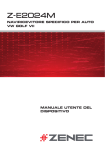
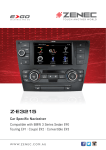
Z-E2024M
Car Specific Naviceiver
Compatible with VW Golf VII
EXC
Panel frames with OE look
Steering wheel remote control integration
On-board computer integration
For the Z-E2024M, five different panel frames
with OE look are available. The metal texture
versions ”dark rhodium“ or ”satinschwarz/new
brushed“ are availabe as well, Golf VII owners will
not have to settle for any aesthetic compromises.
The E>GO is connected via the vehicle-specific
CAN bus interface to the factory installed steering
wheel remote control. The audio and telephony
functions of the steering wheel remote control
remain intact.
The vehicle specific on-board computer integration makes sure that all vehicle adjustment and
menu setting options remain fully accessible and
functional, independent of vehicle trim lines and
other factory installed OE equipment.
Parking sensors
A/C control status info integration
Up-to-date navigation
Perfect integration into each target vehicle – data
present in the CAN net for factory installed parking
radar sensors is read, processed and displayed
via the ZENEC OPS (Optical Parking System) on
the touchscreen of the E>GO.
The status data of the Climatronic, if installed in
the respective vehicle and present in the CAN net,
are displayed as a pop-up info on your E>GO’s
touchscreen display during adjustment of any
A/C related function.
The multisensor dead reckoning GPS navigation
system ensures pin-point accuracy of route guidance everywhere and anytime. The full EU navigation package on 8 GB SD card deploys a customized
2.0 Primo navigation engine and contains 6.5 million Premium POI as well as other useful add-ons.
FM Tuner with DSP
Nav splitscreen
Day/night mode HMI
The analog radio receiver front-end of ZENEC‘s
E>GO naviceiver features a DSP software algo rithm to provide noise masking for low level FM
station broadcast signals and radio playback of
improved clarity.
Always keep track: The E>GO naviceiver allows
navigation splitscreen mode on the TFT LCD
screen for various audio sources, including the
Bluetooth hands-free source mode.
The E>GO offers a day/night mode HMI. Switching
modes can be adjusted for in the System Settings.
This provides maximum contrast of the display
for daylight conditions and does reduce glare at
night.
Gracenote Playlist Plus
Simple connection of iPod/iPhone
Easy parking and maneuvering
The Gracenote “More Like This” feature stands for
the “one-click“ generation of style and genre based
playlists for USB data carriers by simple selection
of one song/track.
Connect your iPod or iPhone to the E>GO device
via the USB hub. The display of Apple Album Art
is integrated in the iPod/iPhone menu. This menu
also gives you the facility to search for a title or an
artist alphabetically.
You can also easily connect a rear-view camera to
the E>GO and conveniently control it via the touchscreen. The extensive ZENEC range of accessories
offers you a large selection of different models like
car specific cameras for your car.
ZENEC E>GO Z-E2024M – Perfect Integration Into Your VW Golf VII
In 2008, ZENEC brought the first E>GO onto the market, thereby immediately establishing a completely new category of device: the vehiclespecific naviceiver. Today, ZENEC is the market leader in the German
speaking area for in-car multimedia navigation devices. And with the new
product range there are E>GOs to fit into over 60 models of vehicle.
E>GO – clever design, perfect system solution
The E>GO concept, honored with two innovation prizes, is a system solution without equal for realizing in-car multimedia and navigation in an
ingeniously simple way: E>GOs are a perfect fit – visually and technically – in the respective target vehicle. Of particular importance is the
perfect integration into the existing vehicle electronics.
E>GO Z-E2024M – custom-fit to your VW Golf VII
The specific construction, the white/red button illumination and the
customized styling of the front panel makes ZENEC’s top naviceiver
blend in perfectly with the VW Golf VII. For the main device, five different
panel frames with OE look are available. Golf VII owners will not have to
settle for any aesthetic compromises.
The Z-E2024M is also effortlessly integrated into the existing automotive
electronics. The E>GO is linked to the steering wheel remote control, onboard computer, Optical Park System (OPS), and the Climatronic control
status via the vehicle-specific CAN bus interface.
Total multimedia
Enjoy the whole range of digital entertainment – a USB hub (with iPhone/
iPod connection) allows for the playback of all the current media and
A/V formats: MP3, WMA, Xvid, and AVI.
The FM RDS tuner offers crystal clear sound quality by DSP post-processing of the audio signal.
The Bluetooth suite of the Z-E2024M comes from Parrot, guarantor for
comfortable call handling. The E>GO also supports A2DP AVRCP 1.4 and
audio streaming and allows stereo audio playback via Bluetooth. The
protocol supports, i.e. the functions play, track skip forward/backward
as well as title/artist info.
High performance navigation system
The Z-E2024M combines up-to-date entertainment features with an innovative SD card based multisensor dead reckoning GPS navigation system. Detailed maps of all European countries, realistic display of 3D terrains and 3D landmarks, more than 6.5 million Premium POIs, TMC, integrated trip computer, Auto Zoom, Lane Assistant, Smart Mode – thanks
to the latest customized Primo 2.0 nav-software the Z-E2024M impresses
with its diversity of functions and with accurate route guidance.
The map data can be updated via SD card at any time – thus the Z-E2024M
is an up-to date mutimedia navigation by today’s standards, and will stay
cutting edge also in the future.
Features
A2DP
7"/17.8 cm
+AVRCP 1.4
DSP
HPF/LPF
MULTISENSOR
DEAD
RECKONING
CROSSOVER
ON BOARD
COMPUTER
INTEGRATION
High-resolution 3D maps
Topographic maps
Real Junction View
Nav Day/Night Mode
The high-resolution WVGA display of
the E>GO ensures that all maps appear pin-sharp. 3D orientation points
and very realistic 3D city maps make
navigation in big cities even more
comfortable.
Realistic 3D landscape views lead you
through complex terrains. Choose between different designs for day and
night. Thanks to GPS time acquisition, the E>GO can also automatically
switch between day and night modes.
Features like the new photo-realistic
Real Junction View of exit points on
freeways, the Lane Assist and the
Smart-zoom function at junctions and
exit points facilitate orientation, particularly in complex traffic situations.
In navigation mode, the E>GO also features an automatic day/night mode
switching, controlled via GPS signal.
This provides maximum contrast for
daylight conditions and does reduce
glare at night.
Navigation Features
Your Perfect Navigator
The Z-E2024M combines up-to-date entertainment features with an
innovative SD card based multisensor dead reckoning GPS navigation
system. This ensures pin-point accuracy of route guidance everywhere
and anytime.
ZENEC’s innovative navigation software makes the destination and route
selection even easier and more intuitive. The “Quick Menu“ provides
straight access to all sat nav functions. Fastest, easiest and shortest
route calculation modes provide the user with a choice to suit personal
driving habits.
The Z-E2024M naviceiver allows navigation splitscreen mode on the TFT
LCD screen for all audio sources, including the Bluetooth hands-free
source mode: For best overview, a turnkey arrow screen insertion can
be displayed during active route guidance.
With the “Parking Around“ function appropriate parking spots near you
will start to show up, once you approach your final destination.
Features like the Real Junction View function, the Lane Assistant or the
Auto Zoom at crossings and junctions facilitate orientation in more complex traffic situations. Part of the extensive feature set is the display
of traffic information/guidelines when entering an EU country and the
visual and audible warning to indicate speed limits on major roads.
The TMC function keeps you up to date regarding potential traffic jams
on the chosen route, while automatic re-calculation of a suitable detour
is a function covered as well.
• SD card based 3D High Definition splitscreen navigation with map
data for all European countries (on 8 GB memory card)
• Premium POI bundle with over 6.5 million points-of-interest
• Multi sensor dead reckoning for accurate navigation performance
• TMC receiver for free TMC data services*
• Voice guidance in 28 different languages
• 2D or 3D map view with auto-zoom and realistic display of 3D
terrains and 3D landmarks
• Smart-zoom function at intersections and crossings
• Real Junction View and highway mode with Real Signpost rendering
• Tunnel mode
• Smart Route Planning
• Calculation of Real-Time Route Alternatives
• Detour Hint function
• Outlook address import
• “Where-Am-I” function
• Parking Around Algorithm
• Display of traffic information/guidelines when entering an
EU country
• Visual and audible warning to indicate speed limits on major
roads
• Trip computer: configurable display of three additional pieces of
information, with the choice of arrival time, journey time, speed,
direction, height above sea level, etc.
• 30 days Latest Map Guarantee
• Map updates via the online-portal: www.zenec.naviextras.com
*Extendable functionality via separate TMC pay service providers (country specific).
A congested intersection or a traffic jam, simply reported too late by
TMC? The Z-E2024M is well informed, proposing alternative routes in
real-time, recommending best route options.
You can update the naviceiver’s content package, expand the navi-section with additional maps, POI or download the newest 3D city maps using the www.zenec.naviextras.com portal: anytime, even in the middle
of the night or abroad during a journey.
Reach Points Of Interests fast
Intelligent destination input
Intelligent route planning
Practical trip computer
The E>GO has a Premium POI database
with more than 6.5 million entries. Using
the well designed search menu makes it
easy to select special destinations.
To select a destination, you need to
enter only a few letters – the E>GO
completes your input and automatically
proposes appropriate destinations.
So that you can optimize the route exactly as you want, you have a choice
between various route calculation
methods: fastest, easiest and shortest.
The trip computer gives you a summary of the most important trip data,
such as your average speed, arrival
time or real travel time to destination.
www.zenec.naviextras.com
Navigate through Europe the clever way
Detailed maps of all European countries give
you perfect orientation throughout Europe. For
menu and voice navigation there are 28 different languages to choose from.
W W W. Z E N E C . C O M
TMC
The TMC* function gives you timely information about traffic jams on your route and possible detours.
*Extendable functionality via separate TMC pay service providers
(country specific).
Latest Map Guarantee
ZENEC’s 30 days Latest Map Guarantee: If updated maps are available within 30 days of your
first use of the device on the road, you can download them from www.zenec.naviextras.com for
free and install them on your ZENEC device.
Where Am I? function
Informed in timely manner
Importing your Outlook contacts
Flexible map updates
With E>GO you are well prepared for
all emergencies: Use the Where Am I?
function to find hospitals, police stations, cash machines, filling stations
and much more in your vicinity – a finger tap is all it takes.
Included in the function package is the
display of advisories when crossing EU
borders, together with various warning
messages: information on speed limits,
legal alcohol limits, requirements to
wear a warning waistcoat etc.
Have you saved important contacts
on your computer in MS Outlook?
You can easily import these contacts
directly into the navigation software
of the E>GO by using the Naviextras
Toolbox.
Via the online portal www.zenec.naviextras.com, you can update the preinstalled map packages at any time or
upgrade it as you wish. Naviextras offers
a large selection of maps for more than
75 countries.
Navigation
RDS Tuner
USB
Camera
iPod/iPhone
Gracenote
Bluetooth
A/V Input
Xvid
Security Code
Navigation
navigate by touchscreen fast and
comfortably in all European countries
(including Eastern Europe)
RDS Tuner
with DSP noise masking for low level
FM station broadcast signals and 30
preset stations (18 FM/12 AM)
USB 2.0 hub
to provide connectivity for three USB
2.0 memory devices and one interface for iPod/iPhone connection
Camera
rear-view camera input, manually or
automatically activated by putting
the car in reverse
iPod/iPhone
iPod/iPhone direct connection via
an optional interface, operation via
touchscreen
Gracenote Playlist Plus
The “More Like This” feature enables
to generate style and genre based
playlists in USB playback mode
Bluetooth/A2DP
integrated Parrot Bluetooth module
for hands-free operation and audio
streaming, upgradable firmware
A/V input
A/V port (RCA) for the connection
of other external A/V devices like
gaming consoles, etc.
Xvid
Xvid is the container format of choice:
Over 90% of present-day AVI files are
encoded with Xvid
Security code
intelligent anti-theft protection
based on software monitoring of the
power supply
Connection Options: Limitless Connectivity
Due to the USB hub and the various A/V in- and outputs, there is almost nothing that cannot be connected to the E>GO naviceiver. The ZENEC
program has a wide palette of multimedia-based additional components that are optimally suited to the E>GO naviceiver. All equipment – external
monitors, DVB-T and DAB+ reiceivers or rear-view cameras – can be connected to the naviceiver and operated via touchscreen.
Wireless communication via Bluetooth
ZENEC‘s naviceiver enables comprehensive connectivity and the convenience of operating a Bluetooth-capable mobile phone. The E>GO is
equipped with a Bluetooth module from Parrot, the specialist for mobile communications – a hands-free unit, that guarantees you a wide
range of functions and maximum compatibility with many mobile phone
models.
Make calls without noise interference
With ZENEC you can make phone calls in excellent quality – either using the integrated microphone or the freely positionable, external microphone supplied with the E>GO. Thanks to the innovative audio DSP,
unwanted ambient sounds are filtered out more efficiently, to offer improved intelligibility.
Easy to operate
ZENEC makes for very easy operation when driving. The caller‘s number, phone book entries and other information are clearly shown on the
naviceiver‘s display. The address book of the naviceiver is automatically synchronized with the mobile phone as well. You can easily search
for phone book entries – simply tap in the initial letters of the contact
you want to dial. This search function is really an enormous benefit for
professional use. Even special characters are no problem thanks to the
multilingual keypad.
Bluetooth always up to date
The firmware of the Bluetooth component can be conveniently updated
using a USB stick, for example if you would like to use a brand new
mobile phone model. Thus, the palette of compatible mobile telephones
can be expanded, keeping the device future proof.
Bluetooth Features:
• Connection of up to 3 mobile phones • synchronization of up to 1,000
contacts with max. 5 telephone numbers per contact • alphabetical
search function for contacts • multilingual input keypad, including special characters and special letters • Quick Dial menu for up to 6 favorite
contacts • memory for dialed and received calls • redialing • switch
between hands-free and mobile phone • BT-music streaming via A2DP
with AVRCP 1.4 • internal and external microphone • future-proof upgradable Bluetooth firmware
USB 2.0 hub
Connection of iPod/iPhone
Rear view cameras
Especially practical: There is a cable extension
that can be plugged in on the E>GO’s backside, to
connect the USB hub that is contained in the set.
The USB hub allows to connect three USB memory
devices (up to 32 GB each) and the separately available iPod/iPhone interfaces ZE-NC-IPS or ZE-NCIPS5.
iPod and iPhone can be connected to the USB hub
with the separately available interfaces ZE-NC-IPS
or ZE-NC-IPS5 (for iPhone 5). This connection not
only allows for quick access of all files, but also
for their control via the naviceiver‘s touchscreen.
Naturally the iPod and iPhone are being charged
during playback.
The ZENEC produt range includes additional items
perfectly matched to each other. For example,
various rear view camera models that impress with
their universal installation options and outstanding
image quality. ZENEC cameras can conveniently be
operated via touchscreen and are triggered automatically when reverse gear is engaged.
Main Features Z-E2024M
NAVIGATION
3D High-Definition splitscreen navigation
Multi sensor dead reckoning for accurate
navigation performance
SD card based navigation system (on 8 GB
memory card)
Premium POI bundle with over 6.5 million
points-of-interest
Voice guidance in 28 different languages
Realistic 3D rendering of terrains and landmarks,
Tunnel-View, 3D Auto-Zoom for crossings and
roundabouts, Real Junction View
Making calls in the car in comfort
Easy connections
Music over your mobile phone
Clear management
Use the clear Bluetooth menu to comfortably control all telephone functions – a touch is all it takes to transform your car into a telecommunications center.
You can connect up to 3 mobile phones
to the E>GO, each having 1,000 contacts. The address book of your mobile
synchronizes with the E>GO automatically.
Music stored in your mobile phone can
be played back via the E>GO thanks
to A2DP and AVRCP 1.4. The playback
is comfortably controlled via touchscreen.
With the E>GO you never lose track: at
a glance you can see all the connected
mobile phones and manage these
conveniently via the touchscreen of
the naviceiver.
Fastest, Shortest and Easiest route planning
options, Calculation of Real-Time Route Alternatives, Parking Around Algorithm, Detour Hint
functions, etc.
Outlook address import, etc.
TMC receiver for free TMC data services*1
30 Days Latest Map Guarantee
Synchronization of up to 1,000 phonebook entries with 5 numbers per entry
FM RDS tuner with DSP noise masking and 30
preset stations (18 FM/12 AM)*2
Advanced phonebook contact search function
1 x IR-remote control
Selectable internal or external BT microphone
CONNECTIVITY
MULTIMEDIA/AUDIO
USB hub allocating three USB 2.0 memory
devices (up to 64 GB)
4.2 RCA preamp line outputs (4 V)
1 x RCA A/V-input (CVBS)
Compatible USB file formats: MP3, WMA, AVI,
Xvid
1 x RCA video input for rear view camera (CVBS)
with auto-switching function
Gracenote “More Like This” for USB audio
source and “one-click” generation of playlists by
selection of one track
Connectivity for touchscreen compatible DAB+
or DVB-T devices
BT-music streaming via A2DP with AVRCP 1.4
VEHICLE INTEGRATION FEATURES
DSP crossover with HPF / LPF function
Dynamic and equipment options specific assignment of board computer and vehicle adjustment
options
4 x 50 watts amplifier
24 bit D/A converter
Made for iPod and iPhone
BLUETOOTH
Parrot Bluetooth hands-free module
GENERAL FEATURES
DSP audio processing for background noise
masking
7”/17.8 cm 16:9 TFT-LCD touchscreen with
HMI for 24 different languages
Steering wheel remote control integration via
CAN
Optical Park System (OPS) integration via CAN*3
Climatronic control status integration via CAN*3
Selectable key illumination: red/white
Vehicle integration disclaimer:
*1 Extendable functionality via separate TMC pay service providers (country specific).
*2 For vehicles fitted with a phase diversity antenna system, a suitable diversity adapter should be deployed.
*3 Functionality provided only, if required embedded hardware is present and CAN data is available, respectively.
Fast contact entry search
Quick-Dial menu
Comfortable contact management
No missed calls
The alphabetic search function makes
finding a contact easier: simply tap in
the initial letters. You can search using
up to 15 initial letters.
Phone numbers that you use frequently can simply be saved as favorites –
so you have fast access to your most
important contacts at all times.
You can search for a contact in the
phone book or in the favorites list. But
you can also display the list of outgoing/incoming or missed calls.
The E>GO Bluetooth system allows
broker calls so that you can conveniently switch back and forth between
two active telephone calls.
Model
Model Type
VW Golf VII*1,2,3,4 AU
*1
*2
*3
*4
Model Year
as of 2013
Device installation requires purchase of a separate ZENEC Golf VII frame panel, available in different colour and texture versions, matching the interior trim lines of the target vehicles.
he physical dimensions of the factory mounted OE radio have to be identical with the dimensions of the ZENEC device, to allow installation.
The Z-E2024M has been developed to replace the MIB standard systems (Discover Touch and Color). To replace the MIB mid systems (Composition Media and Discover Media) may require additional mounting efforts.
The OE 3.5”/8.9 cm multifunction computer display and the Discover Pro model cannot be replaced by the Z-E2024M.