1
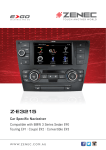
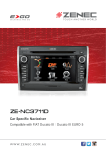
TO U C H A N OT H E R WO R L D Z-E2014M Car Specific Naviceiver Compatible with Volkswagen Amarok I Caddy I Eos I Golf V I Golf VI Jetta I Passat I Passat CC I Polo V I Scirocco I T5 Multivan I Tiguan w w w. z e n e c . c o m . a u EXC Zenec E>GO Z-E2014M - Perfect Integration Into Your Volkswagen In 2008, ZENEC brought the first E>GO onto the market, thereby immediately establishing a completely new category of device: the vehicle-specific naviceiver. Today, ZENEC is Germany’s undisputed market leader for in-car multimedia and navigation devices. And with the new product range there are E>GOs to fit into over 40 models of vehicle. E>GO - Exchange & GO The award winning E>GO concept allows ZENEC to offer a unique solution for those seeking a multimedia and navigation device that integrates into the design aesthetics of the car. The E>GO range is visually and technically a perfect fit in the respective target vehicle, installing without the need for additional facias, adapters and hours of installation work. What makes the E>GOs so special is the perfect integration into the existing vehicles electronics. But not just to allow the use of your steering wheel controls, the E>GO devices are designed to integrate into the vehicles internal CAN data network in a very simple way. But it’s not the straightforward installation, immense range of functions or the easy use of the device that makes the ZENEC E>GO range so unique and successful. It’s that all these features are combined in one unit which fits seemlessly into your car. With the new generation E>GO devices, ZENEC have been able use the information they have learned about each individual vehicle to allow for the best integration possible. The devices have many innovative features and ZENEC’s trademark, a simple, user friendly interface. E>GO Z-E2014M - Tailored to your Volkswagen The Z-E2014M has been specifically developed for your Volkswagen, which is evidenced by the white/red button illumination and customized styling of the front panel, which makes this ZENEC naviceiver blend in perfectly with various Volkswagen models. With the ability to integrate into the existing automotive electronics, the Z-E2014M can be linked to the steering wheel controls, Multi-function Display (MFD+), Optical Park Sensors (OPS) and the Climatronic control status via the vehicle-specific CAN bus interface, provided your vehicle supports these features. E>GO Z-E2014M - communication, navigation, entertainment The Z-E2014M has an integrated Parrot Bluetooth module. Thanks to the innovative audio DSP, unwanted ambient sounds can be filtered out more efficiently and voices understood more clearly. The Z-E2014M also features an innovative SD card based GPS navigation system. High resolution maps of Australia and New Zealand with Premium POIs, Text-to-Speech announcement of street names and many navigation functions make this E>GO the perfect navigator. You can also enjoy high quality audio and video via iPod/iPhone or USB. The Z-E2014M is able to playback digital media in formats such as MP3, WMA, Xvid and AVI. With the optional USB-hub, you connect up to three USB 2.0 devices and an iPod/iPhone (ZE-NC-IPS/5 lead available separately). Features 6.2"/15.7 cm DSP HPF/LPF CROSSOVER PAGE 02 FM TUNER WITH DSP A2DP +AVRCP 1.4 Wireless communication via Bluetooth The Z-E2014M is equipped with a high-tech Bluetooth module from Parrot, the specialist for mobile communications, which gives you the convenience of operating a Bluetooth-capable mobile phone. This guarantees you a wide range of functions and maximum compatibility with many mobile phone models. for those who drive professionally. Even special characters are no problem thanks to the multilingual keypad. Bluetooth always up to date The firmware of the Bluetooth component can be conveniently updated using a USB stick if, for example, you would like to use a brand new mobile phone model. Thus, the range of compatible mobile phones can be expanded, keeping Bluetooth on the device future proof. Make calls without noise interference With ZENEC you can make phone calls in excellent quality - either using the integrated microphone or the multi-directional, freely positionable external microphone supplied with your Z-E2014M. Thanks to the innovative audio DSP, unwanted ambient sounds are filtered out more Bluetooth Features: efficiently to offer improved sound clarity. • Connection of up to 3 mobile phones • synchronization of up to 1,000 contacts with up to 5 telephone numbers per contact • alphabetical Easy to operate search function for contacts • multilingual input keypad, including special The Parrot Bluetooth module makes it very easy to operate when driving. characters and special letters • Quick Dial menu for up to 6 favourite contacts The caller’s number, phone book entries and other information are • memory for dialed, received and missed calls • redialing • switch clearly shown on the naviceiver’s display. The address book of your mobile between hands-free and mobile phone • internal and external microphone phone is automatically synchronized with the naviceiver as well. You can • Bluetooth music streaming via A2DP with AVRCP 1.4 •Upgradable easily search for phone book entries – simply type in the initial letters of Bluetooth firmware the contact you want to dial. This search function is an enormous benefit Making Calls Easy connections Fast contact entry search Comfortable contact management Use the clear Bluetooth menu to easily control all telephone functions - a touch is all it takes. You can connect up to 3 mobile phones to the Z-E2014M, each having 1,000 contacts. The address book of your mobile synchronizes automatically. The alphabetic search function makes finding a contact easier: simply type in the initial letters. You can seach using up to 15 letters. You can search for a contact in the phonebook or in the favourites list. But you can also display the list of outgoing, incoming or missed calls. Quick-Dial menu No missed calls Music over your mobile phone Clear management Phone numbers that you use frequently can simply be saved as favourites – so you have fast access to your most important contacts at all times. The ZENEC Bluetooth system allows for multiple calls so that you can conveniently switch back and forth between two active telephone calls. Music stored in your mobile phone can be played back over the Z-E2014M thanks to A2DP and AVRCP 1.4. The playback is easily controlled via the touchscreen. With the ZENEC naviceiver you never lose track. At a glance you can see all the connected mobile phones and manage these conveniently via the touchscreen. PAGE 03 Your Perfect Navigator The Z-E2014M combines up-to-date entertainment features with an innovative SD card based GPS navigation system. It also allows navigation splitscreen mode on the TFT LCD screen for all audio sources, including Bluetooth. Features like the Real Junction View, the Lane Assistant or the Auto Zoom at crossing and intersections assist orientation in more complex traffic situations. The Z-E2014M also has both visual and audible warnings to indicate speed limits on major roads. The ZENEC unit has the latest maps of Australia and New Zealand (with Premium POI’s and 4WD tracks), which appear highly realistic, thanks to the 3D high-definition rendering of terrain and 3D objects. You can update the Z-E2014M content package, expand the navigation content with additional maps or download the newest 3D city maps anytime, using the www.zenec.naviextras.com portal. ZENEC’s innovative navigation software makes the destination and route selection even easier and more intuitive. The “Quick Menu” provides access to all navigation functions. The “Smart” and “Eco” route calculation modes, for shorter and/or more economical driving, are also great options available. Navigate through Australia & New Zealand the clever way Detailed maps of Australia & New Zealand make sure you know where you are at all times. Choose from 28 different menu and voice languages. PAGE 04 Latest Map Guarantee Have confidence in the navigation knowing that your Z-E2014M comes pre-installed with the latest maps available and complimentary updates for one year. Future map updates can be purchased through ZENEC Australia. High-resolution 3D maps Topographic maps Text-to-Speech Real Junction View The high-resolution WVGA display of the Z-E2014M ensures that all maps appear crystal clear. 3D orientation points and very realistic 3D city maps make navigation in big cities even easier. Realistic 3D landscape views lead you through complex terrains. Choose between different designs for day and night. Thanks to a light sensor, the Z-E2014M can automatically switch between day and night HMIs. The Z-E2014M also displays the names of crossroads. And, if you wish, it will read out the street names to you, thanks to the integrated Text-to-Speech function - in this way you can fully concentrate on the traffic while driving. Features like the new photo-realistic Real Junction View of exit points on freeways, the Lane Assist and the Smart-zoom function at junctions and exit points facilitate orientation, particularly in complex traffic situations. Navigation Features •SD card cased 3D High Definition splitscreen navigation with map data for Australia and New Zealand •Graphical user interface and voice guidance in 28 different languages •Premium POI database •2D or 3D map view with auto-zoom and realistic display of 3D terrains and 3D landmarks •Text-to-Speech function (TTS) Reach Points Of Interests fast Intelligent destination input The Z-E2014M has a Premium POI database with more than 750,000 entries. Using the well designed search menu makes it easy to select special destinations. To select a destination, you need to enter only a few letters – the Z-E2014M completes your input and automatically proposes appropriate destinations. •Eco and Smart Route Planning •Smart-zoom function at intersections and crossings •Tunnel mode •Real Junction View and highway mode with Real Signpost rendering •Detour Hint function •Where-Am-I” function •Trip computer: configurable display of three additional pieces of information, with the choice of arrival time, journey time, speed, direction, height above sea level, etc. Intelligent route planning Practical trip computer So that you can optimize the route exactly as you want, you have a choice between various route calculation methods: short, fast, Eco and easy. The trip computer gives you a summary of the most important trip data, such as your average speed, arrival time or real travel time to destination. Where Am I? function Importing your Outlook contacts With the Z-E2014M you are well prepared for all emergencies. Use the “Where Am I?” function to find hospitals, police stations, ATM's, petrol stations and much more in your vicinity - all available at your finger tip. Have you saved important contacts on your computer in MS Outlook? You can easily import these contacts directly into the navigation software of the Z-E2014M by using the Naviextras Toolbox. •Visual and audible warning to indicate speed limits •Latest Map Guarantee plus 1 year of complimentary navigation updates •Map updates via the online-portal: www.zenec. naviextras.com •External GPS antenna included PAGE 05 FM Tuner WITH DSP FM Tuner with DSP Steering wheel remote control integration Multifunction Display (MFD+) The analog radio receiver of the Z-E2014M naviceiver features a DSP algorithm to minimize noise on low level FM station broadcast signals and radio playback for improved clarity. The Z-E2014M is connected via the vehicle-specific Can bus interface to the factory installed steering wheel remote control. The multimedia functions of the steering wheel remote controls remain intact. The Z-E2014M also supports the Multifunction Display (MFD+) by connecting to the vehicles CAN bus. Navigation prompts, radio station and track information from all audio sources can be displayed. OE parking sensor integration A/C control status info integration Optimized ease of use Data present in the CAN network for factory installed parking sensors is read, processed and displayed via the ZENEC OPS (Optical Park Sensors) on the touchscreen of the device. (Parking guidelines determined by camera.) The status data of the Climatronic, if installed in the respective vehicle and present in the CAN network, is displayed as pop-up information on your Z-E2014M touchscreen display during adjustment of any A/C related functions. The clearly designed menus are self-explanatory and easy to operate. Large control fields and a logically structured navigation ensure that the Z-E2014M can also be controlled safely while you are driving. All-round information Simple connection of iPod/iPhone Gracenote Playlist Plus Thanks to the infobar function, you will be notified of incoming calls and/or audio playback status without leaving the navigation mode. In other playback modes there is also a navigation infobar to keep you updated when to take the next turn or exit. Connect your iPod or iPhone to the E>GO device via the USB port of the USB hub. The display of Apple Album Art is integrated in the iPod/iPhone menu. This menu also gives you the facility to search for a title or an artist alphabetically. The Gracenote “More Like This” feature stands for the “one-click” generation of style and genre based playlists in USB playback mode by pre-selecting a single song/track. DSP HPF/LPF CROSSOVER Day/night mode HMI Nav splitscreen DSP HPF/LPF crossover The E>Go offers a Day/Night mode HMI. Switching modes can be adjusted in the system settings. In addition, the device front panel is fitted with a light sensor for dynamic control of the TFT brightness. The ZENEC naviceiver allows navigation splitscreen mode on the touchscreen for all audio sources, including the Bluetooth source mode. The Z-E2014M features an internal DSP with active crossover functions, processing the pre-amp linelevel signals and the speaker outputs (internal amp) with selectable high- and low-pass frequencies and 12 dB/oct. crossover slopes. This provides for the best integration of active subwoofers in passive/active system configurations. PAGE 06 Navigation RDS Tuner USB Camera iPod/iPhone Gracenote Bluetooth A/V Input Xvid Security Code Navigation navigate by touchscreen quickly and easily throughout Australia & New Zealand RDS Tuner with automatic station search, 30 station memory (18 FM/12 AM) and best station memory USB 2.0 Hub provides connectivity for three USB 2.0 devices and one iPod/iPhone connection Camera rear view camera input, manually or automatically activated by putting the car in reverse iPod/iPhone iPod/iPhone direct connection and operation via touchscreen Gracenote Playlist Plus The “More Like This” feature enables to generate style and genre based playlists in USB playback mode Bluetooth/A2DP integrated Parrot Bluetooth module for hands-free operation and audio streaming, upgradable firmware A/V input A/V port (RCA) for the connection of other external A/V devices like gaming consoles, etc. Xvid Xvid is the format of choice. Over 90% of present-day AVI files are encoded with Xvid Security code intelligent anti-theft protection based on software monitoring of the power supply Limitless Connectivity Due to the integrated USB port and the various A/V in and outputs, there is almost nothing that cannot be connected to the ZENEC naviceiver. The ZENEC program has a wide selection of multimedia-based additional components that are optimally suited to the ZENEC naviceiver. All equipment – external monitors, DVB-T and DAB+ reiceivers or rear view cameras – can be connected directly to the naviceiver and operated via the touchscreen. USB 2.0 Hub Connection of iPod/iPhone Accessories There is a cable extension that can be plugged into the back of the device to connect the optional USB hub. The USB hub allows the connection of up to three USB devices (up to 64 GB each) and the seperately available iPod/iPhone cables ZE-NC-IPS and ZE-NC-IPS5. Your iPod and iPhone can be connected using your USB cable or the optional ZE-NC-IPS or ZE-NC-IPS5 (for iPhone 5). The IPS leads not only allow for quick access to all files, but also the control of audio tracks, videos or Podcasts via the naviceiver’s touchscreen. It will also charge your iPod or iPhone while your car is on. The ZENEC product range includes many accessories that compliment the Z-E2014M such as: •Rear cameras •Digital TV Tuner •DAB+ Tuner •Rear seat entertainment Z-E2014M Main Features Navigation Connectivity Multimedia | Audio • 3D High-Definition splitscreen navigation • SD card based navigation system (on 8 GB memory card) • USB port with 80 cm extension cable for USB 2.0 • Premium POI database • Realistic 3D rendering of terrains and landmarks, • Compatible USB file formats: MP3, WMA, AVI, Xvid • Gracenote “More Like This” for USB audio source Tunnel-View, 3D Auto-Zoom for crossings and roundabouts, Real Junction View • Eco and Smart Route Planning, Calculation of Real-Time Route Alternatives Bluetooth • Parrot Bluetooth hands-free module • DSP audio processing for background noise masking • Synchronization of up to 1,000 phonebook entries with 5 numbers per entry • Advanced phonebook contact search function • Selectable internal or external BT microphone memory devices (up to 64 GB)* and “one-click” generation of playlists by selection of one track • Bluetooth music streaming via A2DP with AVRCP 1.4 • DSP crossover with HPF / LPF function • 4 x 40 watts amplifier • 24 bit D/A converter • Made for iPod / iPhone General Features • 6.2” / 15.7 cm 16:9 TFT-LCD touchscreen with HMI for 22 different languages • FM RDS tuner with DSP noise masking and 30 preset stations (18 FM/12 AM) • 1 x IR-remote control • 4.1 RCA preamp line outputs (4 V)** • 1 x RCA A/V-input (CVBS) • 1 x RCA video input for rear view camera (CVBS) • Connectivity for touch screen compatible DAB+ or DVB-T devices** Vehicle Integration Features • Steering wheel remote control integration via CAN • Multifunctional display (MFD+) integration via CAN*** • Optical Park System (OPS) integration via CAN*** • Climatronic control status integration via CAN*** • Dynaudio soundsystem integration • Selectable key illumination: red/white *Separately available: accessory set Z-EACC-HUB, consisting of a USB hub with 120 cm extension cable for up to three USB 2.0 memory devices (each up to 64 GB) and iPod/iPhone interfaces. **Separately available: accessory package Z-EACC-AV for the connection of DVB-T/DAB+ tuner models and amplifiers. ***Functionality only provided if feature specific CAN data is present. Vehicle Compatibility List Model Type Model Year Model Type Model Year Model Type Model Year VW Golf VI VW Golf V VW Golf VI VW Jetta VW Passat VW Passat VW Passat MK 6 MK 5 Cabrio MK 5/6 B6 B7 CC as of 2009 2003 – 2009 as of 2011 as of 2005 2005 – 2010 as of 2010 2008 – 2012 VW CC VW Beetle VW Caddy VW Tiguan VW Scirocco VW Eos VW Polo Typ 35 n.a. 2K MK3 MK1 MK3 13 n.a. 6R as of 2012 as of 2013 as of 2003 as of 11/2006 as of 2008 as of 2006 as of 03/2010 VW T5 VW Amarok SKODA Oktavia SKODA Rapid SKODA Superb SKODA Yeti T5-GP n.a. MK2 NH 3T n.a. as of 2011 as of 2010 as of 08/2008 as of 2013 as of 2008 as of 2009 The physical dimensions of the OE radio have to be identical with the dimensions of the ZENEC device, to allow installation. PAGE 07 ZENEC Australia Pty Ltd · PO Box 138 Everton Park QLD 4053 Australia Email [email protected] · Phone 1300 493 632 w w w. z e n e c . c o m . a u Disclaimer · Subject to change without notice and errors. Company: