1
C
BEFORE OPERATION
1. Operating the Remote Controller
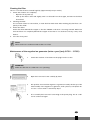
Install / Replace Batteries
Use two dry alkaline batteries (AAA/LR03).
Do not use rechargeable batteries.
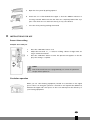
1.
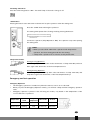
Remove the battery cover on the back of the Remote Control by pulling it
according to the arrow direction shown on the cover.
2.
G
Insert new batteries making sure that the (+) and (-) of battery are installed
correctly.
3.
Reattach the cover by sliding it back into position.
NOTE!
• When replacing batteries, do not use old batteries or a different type battery. This may cause
the remote controller to malfunction.
• If you do not use the remote controller for several weeks remove the batteries. Otherwise
battery leakage may damage the remote controller.
• Replace the batteries when there is no answering beep from the indoor unit or if the
Transmission Indicator light fails to appear.
• Never mix new and old batteries. Never use different battery types (e.g. alkaline and
manganese dioxide) simultaneously.
Storage of the remote control and tips for use
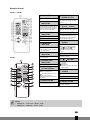
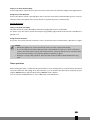
The remote control can be placed in the wall-mounted holder. The wall-mounted holder is delivered together with the unit.
Using the remote control
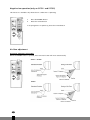
Point the remote control at the receiver on the indoor unit of the air conditioner. The air conditioner can
be operated in this manner up to a distance of approximately 7 meters.
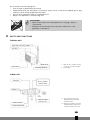
2. Attaching filters
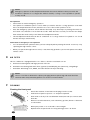
This air conditioner is equipped with a 3 in 1 air filter (Photo-catalytic catechin filter) to clean the circulated
room air.
•
Anti-Dust: Screening dust and large particles in the air.
G
•
Anti-Odor: Deodorizing bad smells from cigarette (acetaldehyde), pets (ammonia), and garbage.
•
Anti-Germ: Preventing E-coli, MRSA, and other bacteria from proliferating.
4
8
COMMENT
• Never use the airconditioner without the air filter.
• Only use suitable Zibro filters. This will prevent damage to your airconditioner.
• Suitable filter packages are available at your dealer.