1
Sounding Good
Background
Surely at least once in your life you have recorded something with a
cassette recorder. You also probably noticed that the signal can let the
overload lamps flash in the bottom parts once in a while, without the music
instantly sounding distorted and unpleasant. On digital audio systems, the
level meter must never reach the overload status. In that case, distortions
would appear instantly. On the other hand, you try to get the signal as loud
as possible, in order to keep the noise floor as low as possible. For every
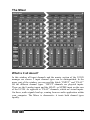
analog signal you’d like to record with the UCON CX, you have to start
with adjusting the level! This happens within the UCON Mixer, with the
help of the gain knob.
How to do it?
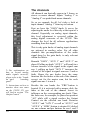
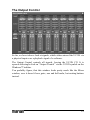
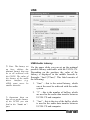
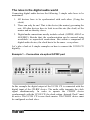
1. Turn on the “PRE”-button in the lower
part of the concerning channel strip. Now
the level meter is independent of the fader
position. That means you hear the signal
with the desired volume, without affecting
or falsifying the level meter.
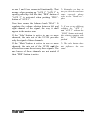
2. Carefully turn up or turn down the
“GAIN”-knob of the channel strip, but
only so far that the red overload indicator
will never light up.
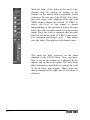
Z If the overload lamp
flashes when using the 4
analog inputs on the front
of the UCON CX, even
though the gain knob is
completely closed, the “20 dB”-switch needs to
be pushed for the
corresponding channel!
Hint:
If you are about to record a drummer let him play a real song, while you do
the leveling. This often comes louder and with much more dynamic. That
really shows you how far you can go, pulling up the gain knob.
43