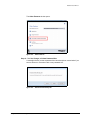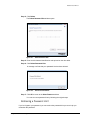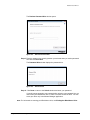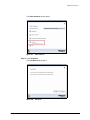
1
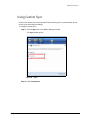
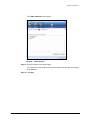
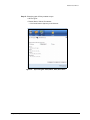
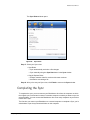
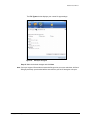
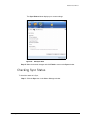
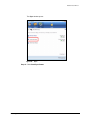
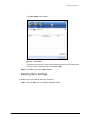
Maxtor BlackArmor
Contents
Getting Started . . . . . . . . . . . . . . . . . . . . . . . . . . . . . . . . . . . . . . . . . . . . . . . . . . . . . . .1
Preparing the BlackArmor Drive for Use . . . . . . . . . . . . . . . . . . . . . . . . . . . .1
Configuring the BlackArmor Drive . . . . . . . . . . . . . . . . . . . . . . . . . . . .1
Installing the Maxtor Manager Software . . . . . . . . . . . . . . . . . . . . . . . .4
Using the Maxtor System Tray Icon . . . . . . . . . . . . . . . . . . . . . . . . . . . . . . . .9
Restoring the System Tray Icon . . . . . . . . . . . . . . . . . . . . . . . . . . . . .10
Managing Your Drives . . . . . . . . . . . . . . . . . . . . . . . . . . . . . . . . . . . . . . . . . . . . . . .12
Adjusting the Power Setting . . . . . . . . . . . . . . . . . . . . . . . . . . . . . . . . . . . . .13
Testing Your Drive . . . . . . . . . . . . . . . . . . . . . . . . . . . . . . . . . . . . . . . . . . . .15
Updating Your Software . . . . . . . . . . . . . . . . . . . . . . . . . . . . . . . . . . . . . . . .19
Backing Up & Restoring Folders . . . . . . . . . . . . . . . . . . . . . . . . . . . . . . . . . . . . .23
Creating a Backup Plan . . . . . . . . . . . . . . . . . . . . . . . . . . . . . . . . . . . . . . . .23
Using Simple Backup . . . . . . . . . . . . . . . . . . . . . . . . . . . . . . . . . . . . .23
Creating a Custom Backup . . . . . . . . . . . . . . . . . . . . . . . . . . . . . . . . .25
Managing Backup Settings . . . . . . . . . . . . . . . . . . . . . . . . . . . . . . . . . . . . . .32
Editing Backup Settings . . . . . . . . . . . . . . . . . . . . . . . . . . . . . . . . . . .32
Deleting a Backup Plan . . . . . . . . . . . . . . . . . . . . . . . . . . . . . . . . . . . .37
Using Scheduled Backup . . . . . . . . . . . . . . . . . . . . . . . . . . . . . . . . . .39
Turning Off Scheduled Backup . . . . . . . . . . . . . . . . . . . . . . . . . 40
Backing Up Manually . . . . . . . . . . . . . . . . . . . . . . . . . . . . . . . . . . . . .40
Viewing the Backup Log . . . . . . . . . . . . . . . . . . . . . . . . . . . . . . . . . . .41
Restoring Files . . . . . . . . . . . . . . . . . . . . . . . . . . . . . . . . . . . . . . . . . . . . . . .43
Restoring an Historical Version . . . . . . . . . . . . . . . . . . . . . . . . . . . . .45
Restoring the Most Recent Version . . . . . . . . . . . . . . . . . . . . . . . . . .46
Synchronizing Folders . . . . . . . . . . . . . . . . . . . . . . . . . . . . . . . . . . . . . . . . . . . . . . .48
Using Simple Sync . . . . . . . . . . . . . . . . . . . . . . . . . . . . . . . . . . . . . . . . . . . .48
Using Custom Sync . . . . . . . . . . . . . . . . . . . . . . . . . . . . . . . . . . . . . . . . . . . .50
Completing the Sync . . . . . . . . . . . . . . . . . . . . . . . . . . . . . . . . . . . . . . . . . . .55
i
Maxtor BlackArmor
Editing Sync Settings . . . . . . . . . . . . . . . . . . . . . . . . . . . . . . . . . . . . . . . . . .57
Checking Sync Status . . . . . . . . . . . . . . . . . . . . . . . . . . . . . . . . . . . . . . . . . .61
Deleting Sync Settings . . . . . . . . . . . . . . . . . . . . . . . . . . . . . . . . . . . .63
Using Automatic Sync . . . . . . . . . . . . . . . . . . . . . . . . . . . . . . . . . . . . . . . . . .65
Using Automatic Overwrite . . . . . . . . . . . . . . . . . . . . . . . . . . . . . . . . . . . . . .67
Using the Sync Preview Window . . . . . . . . . . . . . . . . . . . . . . . . . . . . . . . . .70
Managing BlackArmor™ Security . . . . . . . . . . . . . . . . . . . . . . . . . . . . . . . . . . . .72
Unlocking the BlackArmor Drive . . . . . . . . . . . . . . . . . . . . . . . . . . . . . . . . . .72
Changing your Password . . . . . . . . . . . . . . . . . . . . . . . . . . . . . . . . . . . . . . .74
Using the Password Hint . . . . . . . . . . . . . . . . . . . . . . . . . . . . . . . . . . . . . . . .77
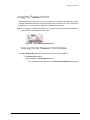
Opening the Set Password Hint Window . . . . . . . . . . . . . . . . . . . . . .77
Setting a Password Hint . . . . . . . . . . . . . . . . . . . . . . . . . . . . . . . . . . .80
Changing a Password Hint . . . . . . . . . . . . . . . . . . . . . . . . . . . . . . . . .82
Deleting a Password Hint . . . . . . . . . . . . . . . . . . . . . . . . . . . . . . . . . .84
Retrieving a Password Hint . . . . . . . . . . . . . . . . . . . . . . . . . . . . . . . . .86
Erasing a BlackArmor Drive . . . . . . . . . . . . . . . . . . . . . . . . . . . . . . . . . . . . .90
Configuring an Erased Drive . . . . . . . . . . . . . . . . . . . . . . . . . . . . . . . .93
Using Administrative Tools to Format an Erased BlackArmor . . . . . .97
Installing the Maxtor Manager Software after Erasing the Drive . . . .99
Using BlackArmor™ Manager . . . . . . . . . . . . . . . . . . . . . . . . . . . . . . . . . . . . . . .101
Configuring the BlackArmor Drive . . . . . . . . . . . . . . . . . . . . . . . . . . . . . . .101
Unlocking the BlackArmor Drive . . . . . . . . . . . . . . . . . . . . . . . . . . . . . . . . .104
Using the BlackArmor Manager Features . . . . . . . . . . . . . . . . . . . . . . . . .105
Changing your Password . . . . . . . . . . . . . . . . . . . . . . . . . . . . . . . . .106
Using the Password Hint . . . . . . . . . . . . . . . . . . . . . . . . . . . . . . . . . .109
Opening the Set Password Hint Window . . . . . . . . . . . . . . . . . 109
Setting a Password Hint . . . . . . . . . . . . . . . . . . . . . . . . . . . . . . 112
Changing a Password Hint . . . . . . . . . . . . . . . . . . . . . . . . . . . . 113
Deleting a Password Hint . . . . . . . . . . . . . . . . . . . . . . . . . . . . . 116
Retrieving a Password Hint . . . . . . . . . . . . . . . . . . . . . . . . . . . 118
Testing your Drive . . . . . . . . . . . . . . . . . . . . . . . . . . . . . . . . . . . . . .121
Index . . . . . . . . . . . . . . . . . . . . . . . . . . . . . . . . . . . . . . . . . . . . . . . . . . . . . . . . . . . . . .124
ii
Maxtor Black Armor
Getting Started
This User Guide is written for both Windows XP and Windows Vista users. The images reflect
the Windows XP environment, but all information is relevant for the Windows Vista
environment as well.
The Maxtor BlackArmor™ drive offers these features:
• BlackArmor security to provide the strongest hardware-based, full disk encryption
available for an external storage device*
• The BlackArmor Manager application to allow you to work with stored data on any
computer
• Backup & Restore to protect your data
• Sync to synchronize one or more folders between two or more computers
• Power management features to conserve energy when your BlackArmor drive isn’t
being used
*Government-grade AES encryption certified by the National Institute of Standards and Technology (NIST)
Preparing the BlackArmor Drive for Use
Two applications provide the features offered by your BlackArmor drive, the BlackArmor
Manager software and the Maxtor Manager software. Before you install the Maxtor Manager
software for the BlackArmor, you must use the BlackArmor Manager application to configure
and unlock your drive.
Configuring the BlackArmor Drive
To configure a BlackArmor drive,
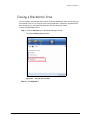
Step 1: Connect the drive to your computer.
Preparing the BlackArmor Drive for Use
1
Maxtor Black Armor
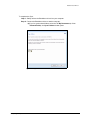
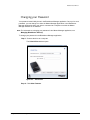
The Configure window opens:
T
Figure 1:
Configure
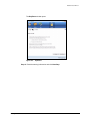
Step 2: Select your BlackArmor drive from the dropdown menu.
Step 3: Enter the 25-character identification code printed on the drive label.
Step 4: Enter and confirm a drive password.
The password must contain between 6 and 32 characters.
Step 5: Click Set.
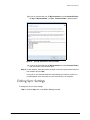
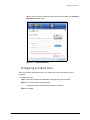
A message confirms that a password has been set successfully and offers the
option of setting a password hint:
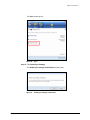
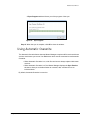
Figure 2:
Password Set Successfully
Step 6: Click Done to close the Black Armor Manager window or Set Password Hint to
create a password hint.
Note: For information on setting a password hint, see Setting a Password Hint.
Preparing the BlackArmor Drive for Use
2
Maxtor Black Armor
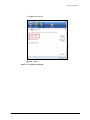
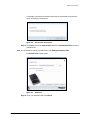
The Unlock Drive window opens:
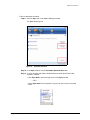
Figure 3:
Unlock Drive
Step 7: Select your BlackArmor drive from the dropdown list, enter your password, and
click Unlock.
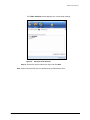
The Unlock Drive window closes and the BlackArmor autostart window opens:
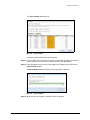
Figure 4:
BlackArmor Autostart Window
Step 8: Select Install Maxtor Manager using the program provided on the device and
click OK.
Preparing the BlackArmor Drive for Use
3
Maxtor Black Armor
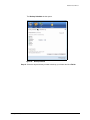
The Maxtor Manager installation window opens:
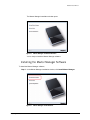
Figure 5:
Maxtor Manager Installation Window
You’re ready to install the Maxtor Manager software.
Installing the Maxtor Manager Software
To install the Maxtor Manager software,
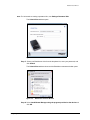
Step 1: In the Maxtor Manager installation window, click Install Maxtor Manager.
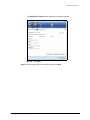
Figure 6:
Preparing the BlackArmor Drive for Use
Maxtor Manager Install Window
4
Maxtor Black Armor
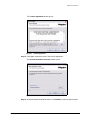
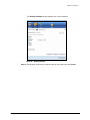
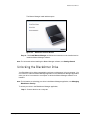
The Welcome window opens:
Figure 7:
Welcome
Step 2: Click Next.
Preparing the BlackArmor Drive for Use
5
Maxtor Black Armor
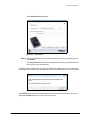
The License Agreement window opens:
Figure 8:
License Agreement
Step 3: Click Yes to accept the terms of the License Agreement.
The Choose Destination Location window opens:
Figure 9:
Select a Destination
Step 4: Accept the default destination folder or click Browse to select a different folder.
Preparing the BlackArmor Drive for Use
6
Maxtor Black Armor
Step 5: Click Next.
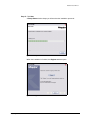
A Setup Status window keeps you informed as the installation proceeds:
Figure 10:
Setup Status
When the installation is finished, the Register window opens:
Figure 11:
Preparing the BlackArmor Drive for Use
Register
7
Maxtor Black Armor
Step 6: Decide whether to register now and click Next.
The InstallShield Wizard Complete window opens:
Figure 12:
InstallShield Wizard Complete
Step 7: Click Finish to restart your computer and complete the installation.
When your computer has restarted, a Maxtor Manager icon appears on your
desktop:
Preparing the BlackArmor Drive for Use
8
Maxtor Black Armor
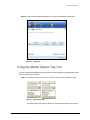
Step 8: Double-click the Maxtor Manager icon to open the BlackArmor application:
Figure 13:
My Drives
Using the Maxtor System Tray Icon
You can use the Maxtor Manager system tray icon to check the status of your BlackArmor drive
and to access the drive features.
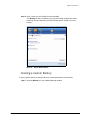
Step 1: To check the status of your drive, roll your mouse over the system tray icon:
Figure 1: System Tray Icons
The information popup confirms the drive’s status and identifies the drive letter.
Using the Maxtor System Tray Icon
9
Maxtor Black Armor
The color of the system tray icon conveys this information:
Figure 14:
System Tray Icon Information
Note: When a backup or sync has failed, the red icon continues to display until the next
successful backup or sync.
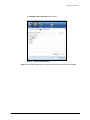
Step 2: To display the Maxtor Manager menu, click the system tray icon:
Figure 2: System Tray Menu
Step 3: Select the feature you want to access or select Exit to close the menu (the
BlackArmor application remains open).
Table 1: Using your Mouse with the Maxtor System Tray Icon
Click the system tray icon to
•
•
•
•
•
•
•
Launch Maxtor Manager
Back Up Now
Sync Now
Edit Backup Settings
View Log
Open Maxtor Encryption
Exit
Run your mouse over the icon to show
• Status Information
• Status for Multiple Events
Restoring the System Tray Icon
If you select Exit from the System Tray menu, the Maxtor icon disappears from the System
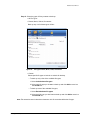
Tray. To restore the Maxtor icon to the System Tray, go to
Start > Programs > Maxtor > Maxtor Status Icon
Using the Maxtor System Tray Icon
10
Maxtor Black Armor
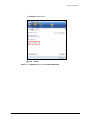
Figure 15:
Using the Maxtor System Tray Icon
Restore Maxtor System Tray Icon
11
Maxtor Black Armor
Managing Your Drives
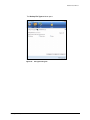
The My Drives window provides a central point from which to manage your Maxtor
BlackArmor™ drives:
Figure 3: My Drives
The icons across the top of the Maxtor Manager window allow you to access your drive
features.
In the My Drives window,
Step 1: Select a drive.
Step 2: Click an option from the icons across the top of the Maxtor Manager window.
Note: External drives are automatically detected and listed in the My Drives window. It can take
a few seconds for the Maxtor Manager software to detect your drive. If your drive doesn’t
appear, make sure it’s properly connected and turned on.
12
Maxtor Black Armor
Adjusting the Power Setting
You can choose how long your drive should remain inactive before it goes into power-saving
mode.
To adjust the power setting,
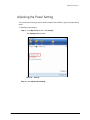
Step 1: In the My Drives window, click Settings.
The Settings window opens:
Figure 16:
Settings
Step 2: Click Adjust Power Setting.
Adjusting the Power Setting
13
Maxtor Black Armor
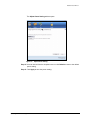
The Adjust Power Setting window opens:
Figure 17:
Adjust Power Setting
Step 3: Select an interval from the dropdown menu or click Default to return to the default
power setting.
Step 4: Click Apply to save the power setting.
Adjusting the Power Setting
14
Maxtor Black Armor
The Adjust Power Setting window confirms that the power setting for your drive
has been changed:
Figure 18:
Power Setting Confirmation
Step 5: Click OK to return to the My Drives window.
Testing Your Drive
Test your drive to check the health of your BlackArmor drive. The diagnostic utility performs its
tests without affecting the data on your drive.
To test your drive,
Step 1: In the My Drives window, click Settings.
Testing Your Drive
15
Maxtor Black Armor
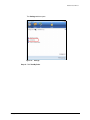
The Settings window opens:
Figure 19:
Settings
Step 2: Click Test My Drive.
Testing Your Drive
16
Maxtor Black Armor
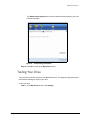
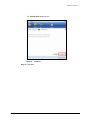
The Test My Drive window opens:
Figure 20:
Test Drive
Step 3: Click Test.
Testing Your Drive
17
Maxtor Black Armor
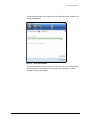
A progress bar indicates the progress of the test. When the test is complete, the
results are displayed:
Figure 21:
Drive Test Complete
The drive pictured above is functioning normally. If an error occurs during testing,
the serial number of the bad device is displayed with instructions to contact
Seagate for service and support:
Testing Your Drive
18
Maxtor Black Armor
Figure 22:
Drive Test - Bad Drive
Step 4: Click OK and contact Seagate Support for further assistance.
Updating Your Software
The Software Update feature automatically informs you when an update is available for your
software. However, you can manually check to see if an update is available or you can turn off
the Software Update feature.
To check for software updates,
Step 1: In the My Drives window, click Settings.
Updating Your Software
19
Maxtor Black Armor
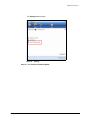
The Settings window opens:
Figure 23:
Settings
Step 2: Click Check for Software Update.
Updating Your Software
20
Maxtor Black Armor
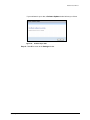
The Software Update window opens:
Figure 24:
Software Update
Check for update automatically is selected by default.
Step 3: To turn off Software Update, unselect Check for updates automatically.
Step 4: To check for updates now, click Check Now.
If an update is available for your software, a Software Update window allows you
to download the update:
Figure 25:
Software Update Available
Step 5: Click Yes to download the software update and follow the Install Wizard
instructions to install it.
Updating Your Software
21
Maxtor Black Armor
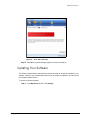
If your software is up to date, a Software Update window informs you of that:
Figure 26:
Software Up to Date
Step 6: Click OK to return to the Settings window.
Updating Your Software
22
Maxtor Black Armor
Backing Up & Restoring Folders
The Maxtor Manager Backup feature allows you to
•
•
•
•
Schedule the backup of selected folders
Edit backup settings
Launch an immediate file backup
Restore backed up files
After the initial backup, the Maxtor Manager software backs up changed files in backed up
folders on a schedule you set or right away when you click Back Up Now in the Backup
window.
Creating a Backup Plan
You can create one Backup Plan for each Maxtor drive connected to your computer. You can
select either of two Backup Plans:
• Simple Backup: Pre-configured to back up your XP My Documents/Vista Personal
Folder folder daily at 10:00 p.m.
— OR —
• Custom Backup: You select the folders to be backed up and set a backup
destination and schedule.
Using Simple Backup
Use Simple Backup to back up your XP My Documents or Vista Personal Folder folder daily
at 10 p.m.
Creating a Backup Plan
23
Maxtor Black Armor
To use Simple Backup,
Step 1: Click the Backup icon in the Maxtor Manager window.
The Backup window opens:
Figure 27:
Backup
Step 2: In the Backup window, click Simple Backup.
A Simple Backup Confirmation window confirms that you’ve selected Simple
Backup and asks you to name this Backup Plan:
Figure 28:
Creating a Backup Plan
Simple Backup Confirmation
24
Maxtor Black Armor
Step 3: Enter a name for your Backup Plan and click OK.
The Backup window now allows you to edit your backup settings and restore
backed up files and describes your Backup Plan and the details of your last
backup.
Figure 29:
Simple Backup Details
Creating a Custom Backup
To select specific folders for backup and set up a backup destination and schedule,
Step 1: Click the Backup icon in the Maxtor Manager window.
Creating a Backup Plan
25
Maxtor Black Armor
The Backup window opens:
Figure 30:
Backup
Step 2: In the Backup window, click Custom Backup.
Creating a Backup Plan
26
Maxtor Black Armor
The Backup Folder Selection window opens:
Figure 31:
Backup Folder Selection
Step 3: Name your Backup Plan, select the folders to be backed up, and click Next.
Creating a Backup Plan
27
Maxtor Black Armor
The Backup File Types window opens:
Figure 32:
Creating a Backup Plan
File Types: All Types
28
Maxtor Black Armor
Step 4: Select the types of files you want to back up:
• All File Types
• Photos, Music, Videos, Documents
Back up any or all of these types of files:
Figure 33:
File Types: Photo, Music, Video, Documents
• Custom
Select specific file types to include or exclude for backup:
— To back up only a few of the available file types,
1.Select Include these file types.
2.Select each file type you do want to back up and click Add to move it to
the Include list.
— To back up most of the available file types,
1.Select Exclude these file types.
2.Select each file type you don’t want to back up and click Add to move it to
the Exclude list.
Note: File extensions are the last three characters of a file name that define the file type.
Creating a Backup Plan
29
Maxtor Black Armor
Figure 34:
File Types: Custom
Step 5: Click Next.
Creating a Backup Plan
30
Maxtor Black Armor
The Backup Schedule window opens:
Figure 35:
Backup Schedule
Step 6: Select the days and time you want to back up your folders and click Finish.
Creating a Backup Plan
31
Maxtor Black Armor
The Backup window now offers the options of editing your backup settings and
restoring backed up files and describes your Backup Plan.
Figure 36:
Custom Backup Details
Managing Backup Settings
Use the Backup window to manage your backup settings:
• Edit your backup settings
• Restore backed up files
•
•
•
•
Delete Backup Plans
Turn Scheduled Backup on or off
Back up a folder manually
View the Backup Log
Editing Backup Settings
To edit the settings for a Backup Plan,
Step 1: Click the Backup icon in the Maxtor Manager window.
Managing Backup Settings
32
Maxtor Black Armor
The Backup window opens:
Figure 37:
Backup
Step 2: In the Backup window, click Edit Backup Settings.
Managing Backup Settings
33
Maxtor Black Armor
The Backup Folder Selection window displays your current Backup Plan name
and folder selection:
Figure 38:
Backup Folder Selection
Step 3: Edit the Backup Plan name and/or the folder selection and click Next.
Managing Backup Settings
34
Maxtor Black Armor
The Backup File Types window displays your file types selection:
Figure 39:
File Types
Step 4: Edit the types of files to be backed up and click Next.
Managing Backup Settings
35
Maxtor Black Armor
The Backup Schedule window displays your current schedule:
Figure 40:
Backup Schedule
Step 5: Edit the days and/or time you want to back up your folders and click Finish.
Managing Backup Settings
36
Maxtor Black Armor
The Backup window now displays your edited Backup Plan.
Figure 41:
Backup
Deleting a Backup Plan
You can delete the Backup Plan for any BlackArmor drive on which you’ve created one, even
if the drive is not connected to your computer.
To delete a Backup Plan,
Step 1: Click the Backup icon in the Maxtor Manager window.
Managing Backup Settings
37
Maxtor Black Armor
The Backup window opens:
Figure 42:
Backup
Step 2: In the Backup window, click Delete Backup Plan.
Managing Backup Settings
38
Maxtor Black Armor
The Delete Backup Plan window opens:
Figure 43:
Delete Backup Plan
Listed is the Backup Plan for each BlackArmor drive connected to your computer.
Step 3: Select the Backup Plan you want to delete and click Delete.
The Backup Plan is deleted.
Note: Your backed up files are NOT deleted.
Using Scheduled Backup
Use Scheduled Backup to back up changes in backed up folders on the days and time you set.
The Scheduled Backup On/Off switch enables or disables the Backup schedule.
By default, Scheduled Backup is turned on.
Managing Backup Settings
39
Maxtor Black Armor
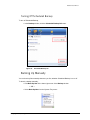
Turning Off Scheduled Backup
To turn off Scheduled Backup,
• In the Backup window, click the Scheduled Backup Off button.
Figure 44:
Scheduled Backup Off
Backing Up Manually
You can back up files manually whenever you like, whether Scheduled Backup is on or off.
To launch a backup manually,
• Click Back Up Now in the lower right corner of the Backup window.
— OR —
• Select Back Up Now from the System Tray menu:
Managing Backup Settings
40
Maxtor Black Armor
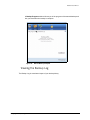
A Backup Progress window informs you of the progress of the manual backup and
lets you know when the backup is complete:
Figure 45:
Manual Backup Complete
Viewing the Backup Log
The Backup Log is a text-based report of your backup history.
Managing Backup Settings
41
Maxtor Black Armor
To view the Backup Log,
Step 1: Click View Log in the Backup window:
Figure 46:
Backup
— OR —
Click the BlackArmor icon in your System Tray to display the BlackArmor popup
menu:
Managing Backup Settings
42
Maxtor Black Armor
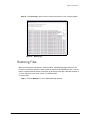
Step 2: Click View Log to open a text file showing the history of your system backups:
Figure 47:
Backup Log
Restoring Files
When you back up the files stored in selected folders, the Maxtor Manager saves ten (10)
previous, or historical, versions of each revised file stored on your BlackArmor drive. You can
restore a saved historical version of a backed up file based on the date it was last modified or
you can restore the most recent version of a backed up file.
To restore files,
Step 1: Click the Backup icon in the Maxtor Manager window.
Restoring Files
43
Maxtor Black Armor
The Backup window opens:
Figure 48:
Backup
Listed beneath Restore Files are the date and time of your most recent backup.
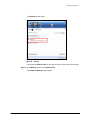
Step 2: In the Backup window, click Restore Files.
The Restore a Backup window opens:
Restoring Files
44
Maxtor Black Armor
Figure 49:
Restore a Backup
Restoring an Historical Version
Step 1: Click Restore historical version of backed up file to restore a previous version
of a file.
Restoring Files
45
Maxtor Black Armor
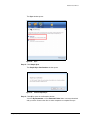
The Restore Historical Version window opens:
Figure 50:
Restore Historical Version
Step 2: Select a file and file version to be restored and click Restore.
The selected file version is restored to the location noted in the Restore
Historical Version window.
Restoring the Most Recent Version
Step 1: Click Restore most recent version to restore the latest version of a file.
Restoring Files
46
Maxtor Black Armor
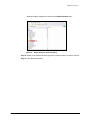
Windows Explorer displays the contents of the Maxtor Backup folder:
Figure 51:
Maxtor Backup in Windows Explorer
Step 2: Browse to the desired file and drag it to the location at which you want it restored.
Step 3: Close Windows Explorer.
Restoring Files
47
Maxtor Black Armor
Synchronizing Folders
Sync is designed to synchronize files in one or more folders between two or more computers.
You can sync selected folders from one computer to your BlackArmor drive and then connect
the drive to another computer to complete the sync.
Note: Files cannot be synchronized between computers running XP and those running Vista.
You have these Sync options:
Simple Sync:
Custom Sync:
Sync XP My Documents or Vista Personal Folder
Select one or more folders to sync
Sync all file types
Select file types to include or exclude
Sync automatically
Select automatic or manual sync
Always overwrite older file versions
Set Sync and Copy & Replace Rules
Note: Make sure all computers participating in the Sync are set to precisely the same time to
ensure that Sync works properly.
Using Simple Sync
Simple Sync is pre-configured to automatically sync all file types in your XP My Documents
or Vista Personal Folder folder. Newer file versions always overwrite older versions.
To select Simple Sync,
Step 1: Click the Sync icon in the Maxtor Manager window.
Using Simple Sync
48
Maxtor Black Armor
The Sync window opens:
Figure 52:
Sync
Step 2: Click Simple Sync.
The Simple Sync Confirmation window opens:
Figure 53:
Confirm Simple Sync
Step 3: Click OK to close the confirmation window.
Your XP My Documents or Vista Personal Folder folder is now synchronized
with your drive. Connect the drive to other computers to complete the sync.
Using Simple Sync
49
Maxtor Black Armor
Using Custom Sync
Custom Sync allows you to select specific folders and file types for synchronization and to
choose sync and encryption settings.
To configure Custom Sync,
Step 1: Click the Sync icon in the Maxtor Manager window.
The Sync window opens:
Figure 54:
Sync
Step 2: Click Custom Sync.
Using Custom Sync
50
Maxtor Black Armor
The Folder Selection window opens:
Figure 55:
Folder Selection
Step 3: Select the folders to be synchronized.
You can select as many folders as you like, but they must all reside on the same
drive (partition).
Step 4: Click Next.
Using Custom Sync
51
Maxtor Black Armor
The File Types window opens:
Figure 56:
Using Custom Sync
Sync All File Types
52
Maxtor Black Armor
Step 5: Select the types of files you want to sync:
• All File Types
• Photos, Music, Videos, Documents
— You can choose to sync any or all of these:
Figure 57:
Using Custom Sync
Sync File Types: Photo, Music, Video, Documents
53
Maxtor Black Armor
• Custom
Select specific file types to include or exclude for sync:
— To sync only a few of the available file types,
1.Select Include these file types.
2.Select each file type you do want to sync and click Add to move it to the
Include window.
— To sync most of the available file types,
1.Select Exclude these file types.
2.Select each file type you don’t want to sync and click Add to move it to the
Exclude window.
Figure 58:
Sync File Types: Custom
Step 6: After you’ve selected the types of files to sync, click Next.
Using Custom Sync
54
Maxtor Black Armor
The Sync Rules window opens:
Figure 59:
Sync Rules
Step 7: Select your Sync rules:
• Sync Rules:
— Sync automatically each time a file changes
— Sync manually using the Sync Now button in the Sync window
• Copy & Replace Rules
— Always overwrite older file versions with newer versions
— Ask before overwriting a file
Step 8: After you’ve set your Sync rules, click Finish to return to the Sync window.
Completing the Sync
To complete the sync, you must remove your BlackArmor drive from the computer on which
the original sync occurred and connect it to another computer on which you want to sync the
selected folders. You can connect the BlackArmor drive to as many computers as you wish to
include in the sync.
The first time you connect your BlackArmor to a second computer to complete a Sync, you’re
asked where to put the synchronized folders on this computer.
Completing the Sync
55
Maxtor Black Armor
To complete the Sync,
Step 1: Safely remove the BlackArmor drive from your computer.
Step 2: Connect the BlackArmor drive to another computer.
(a) If you’ve synchronized folders other than XP My Documents (or Vista
Personal Folder), the Sync Folders window opens:
Figure 60:
Completing the Sync
Sync Folders
56
Maxtor Black Armor
(b) If you’ve synchronized your XP My Documents (or Vista Personal Folder),
the Sync “My Documents” (or Sync “Personal Folder”) window opens:
Figure 61:
Sync My Documents or Personal Folder
(c) If you’ve synchronized both XP My Documents (or Vista Personal Folder)
and other folders, both windows open.
Step 3: In each window, select the location at which to store the synchronized folders on
this computer and click OK.
From now on, the selected folders will automatically sync with the versions on
your BlackArmor drive each time you connect the drive to the computer.
Editing Sync Settings
To change any of your Sync settings,
Step 1: Click the Sync icon in the Maxtor Manager window.
Editing Sync Settings
57
Maxtor Black Armor
The Sync window opens:
Figure 62:
Sync
Step 2: Click Edit Sync Settings.
Editing Sync Settings
58
Maxtor Black Armor
The Folder Selection window displays your current folder settings:
Figure 63:
Edit Sync Folder Selection
Step 3: Add and/or remove folders from Sync and click Next.
Note: Folders removed from Sync are deleted from your BlackArmor drive.
Editing Sync Settings
59
Maxtor Black Armor
The File Types window displays your current file type settings:
Figure 64:
Edit Sync File Types
Step 4: Make the desired changes and click Next.
Note: If you sync a type of file and then remove that file type from your sync selections, all files of
that type previously synchronized will be removed from your drive during the next sync.
Editing Sync Settings
60
Maxtor Black Armor
The Sync Rules window displays your current settings:
Figure 65:
Edit Sync Rules
Step 5: Make the desired changes and click Finish to return to the Sync window.
Checking Sync Status
To check the status of a Sync,
Step 1: Click the Sync icon in the Maxtor Manager window.
Checking Sync Status
61
Maxtor Black Armor
The Sync window opens:
Figure 66:
Sync
Step 2: Click Check Sync Status.
Checking Sync Status
62
Maxtor Black Armor
The Sync Status window opens:
Figure 67:
Sync Status
Listed are the names of the computers on which Sync was set up, the date of the
last Sync, and the Automatic Sync setting (On or Off).
Step 3: Click OK to return to the Sync window.
Deleting Sync Settings
To delete all your Sync settings and create a new set,
Step 1: Click the Sync icon in the Maxtor Manager window.
Checking Sync Status
63
Maxtor Black Armor
The Sync window opens:
Figure 68:
Sync
Step 2: Click Delete Sync Settings.
The Delete Sync Settings Confirmation window opens:
Figure 69:
Checking Sync Status
Delete Sync Settings Confirmation
64
Maxtor Black Armor
Step 3: Click Delete.
The original Sync window opens:
Figure 70:
Sync
Step 4: To create new Sync settings, select Simple Sync or Custom Sync.
Using Automatic Sync
The Automatic Sync feature continuously tracks file changes in synchronized folders and
automatically synchronizes revised versions. Your BlackArmor drive must be connected
during Automatic Sync.
By default, Automatic Sync is turned on. You can turn it off and control when files are
synchronized rather than synchronizing files automatically.
Using Automatic Sync
65
Maxtor Black Armor
To turn off Automatic Sync,
Step 1: Click the Sync icon in the Maxtor Manager window.
The Sync window opens:
Figure 71:
Automatic Sync
Step 2: In the Sync window, click the Automatic Sync Off button.
Step 3: To sync manually when Automatic Sync is off,
• Click Sync Now in the lower right corner of the Sync window.
— OR —
• Select Sync Now from the System Tray menu to Sync on ALL connected
drives:
Using Automatic Sync
66
Maxtor Black Armor
A Sync Progress window informs you of the progress of the sync.
Figure 72:
Sync Progress
Step 4: When the sync is complete, click OK to close the window.
Using Automatic Overwrite
The Automatic Overwrite feature instructs Maxtor Manager to replace old file versions with new
versions each time a sync occurs.Your BlackArmor drive must be connected to use Automatic
Overwrite.
• When Automatic Overwrite is on, older file versions are always replaced with newer
versions.
• When Automatic Overwrite is off, the Maxtor Manager displays the Sync Preview
window to allow you to decide whether to overwrite, add, or delete files on an
individual basis
By default, Automatic Overwrite is turned on.
Using Automatic Overwrite
67
Maxtor Black Armor
To turn off Automatic Overwrite,
Step 1: Click the Sync icon in the Maxtor Manager window.
The Sync window opens:
Figure 73:
Automatic Overwrite
Step 2: In the Sync window, click the Automatic Overwrite Off button.
Step 3: To sync manually and make individual decisions about which files to add,
overwrite, or delete,
• Click Sync Now in the lower right corner of the Sync window.
— OR —
• Select Sync Now from the System Tray menu to Sync on ALL connected
drives:
Using Automatic Overwrite
68
Maxtor Black Armor
The Sync Preview window opens:
Figure 74:
Sync Preview
Listed are the files scheduled to be overwritten.
Step 4: If you do NOT want to overwrite an older file version with a newly-synchronized
version, add a file, or delete a file, uncheck the file in the On column.
Step 5: Click Sync Now to sync your files according to the settings you’ve made in the
Sync Preview window.
A Sync Progress window informs you of the progress of the sync.
Figure 75:
Sync Progress
Step 6: When the sync is complete, click OK to close the window.
Using Automatic Overwrite
69
Maxtor Black Armor
Using the Sync Preview Window
Use the Sync Preview window to manage your synchronized files:
• Add or delete files.
• Decide whether to overwrite existing file versions.
• Resolve conflicts over which version of a synchronized file to save.
If the same file is edited on different computers at the same time, a conflict occurs
over which version of the file to save. When the BlackArmor drive containing a
changed version of a file is connected to a computer containing another changed
version of the same file, the Sync Preview window opens:
Figure 76:
Sync Preview
To use the Sync Preview window,
Step 1: Use the On checkbox to tell Maxtor Manager which file versions to overwrite, add,
or delete.
Using the Sync Preview Window
70
Maxtor Black Armor
Step 2: Click Sync Now to complete the sync.
A Sync Progress window informs you of the progress of the sync.
Figure 77:
Sync Progress
Step 3: When the sync is complete, click OK to close the window.
Using the Sync Preview Window
71
Maxtor Black Armor
Managing BlackArmor™ Security
BlackArmor™ security uses Government-grade AES encryption technology certified by the
National Institute of Standards and Technology (NIST) to provide the strongest hardwarebased, full disk encryption available for an external storage device. Your entire drive and all
the data stored on it are protected by a drive encryption key from unauthorized access.
Unlocking the BlackArmor Drive
Your BlackArmor drive locks automatically each time you disconnect it from a computer. You
can unlock it in either the Maxtor Manager application or the BlackArmor Manager application
when your drive is connected to a computer on which the Maxtor Manager software is not
installed.
Note: For information on unlocking your drive in the BlackArmor Manager application, see Using
BlackArmor Manager.
To unlock your drive in the Maxtor Manager application,
Step 1: Click the Security icon in the Maxtor Manager window.
The Security window opens:
Figure 78:
Unlocking the BlackArmor Drive
Security - Drive Locked
72
Maxtor Black Armor
The window idsplays Locked instead of a drive letter.
Step 2: Click Unlock Drive.
The Unlock window opens:
Figure 79:
Unlock
Step 3: Enter your password and click Unlock.
Unlocking the BlackArmor Drive
73
Maxtor Black Armor
The window refreshes to display the drive letter. The Unlock Drive option is now
grayed out:
Figure 80:
Other Features
Changing your Password
Your password must initially be set in the BlackArmor Manager application. Once you’ve set a
password, you can change it in either the Maxtor Manager application or the BlackArmor
Manager application when your drive is connected to a computer on which the Maxtor
Manager software is not installed.
Note: For information on initially setting your password in the BlackArmor Manager application,
see Using BlackArmor Manager.
To change your password in the Maxtor Manager application,
Step 1: Click the Security icon in the Maxtor Manager window.
Changing your Password
74
Maxtor Black Armor
The Security window opens:
Figure 81:
Security
Step 2: Click Change Password.
Changing your Password
75
Maxtor Black Armor
The Change Password window opens:
Figure 82:
Change Password
Step 3: Enter your current password, then enter and re-enter a new password.
Step 4: Click Set.
A message confirms that a new password has been set successfully:
Figure 83:
Password Set Successfully
Step 5: Click Done to return to the Security window or click Set Password Hint to set a
hint that will provide a reminder to your password.
Changing your Password
76
Maxtor Black Armor
Using the Password Hint
BlackArmor not only allows you to set a hint to help you remember your password, but also
protects that password hint with a security question you must answer in order to retrieve the
password hint. You can delete or change your password hint any time.
Note: To set, change, or delete a password hint, you must enter the 25-character identification
code printed on your BlackArmor drive label:
Figure 84:
Drive Label Identification Code
Opening the Set Password Hint Window
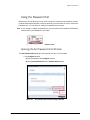
The Set Password Hint window can be opened from any of three windows:
• The Unlock Drive window:
(a) Click Hint in the Unlock Drive window.
If no password hint has been set, the Password Hint Not Set window opens.
Using the Password Hint
77
Maxtor Black Armor
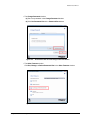
(b) Click Set Password Hint.
Figure 85:
Using the Password Hint
Set Password Hint from the Unlock Drive Window
78
Maxtor Black Armor
• The Change Password window:
(a) Set a new password in the Change Password window.
(b) Click Set Password Hint in the Password Set window.
Figure 86:
Using the Password Hint
Set Password Hint from the Change Password Window
79
Maxtor Black Armor
• The Other Features window:
Click Set, Change, or Delete Password Hint in the Other Features window:
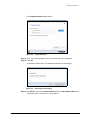
Figure 87:
Set Password Hint from the Other Features Window
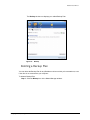
Setting a Password Hint
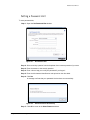
To set a password hint,
Step 1: Open the Set Password Hint window:
Using the Password Hint
80
Maxtor Black Armor
Figure 88:
Set Password Hint
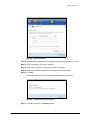
Step 2: Select a security question from the dropdown list or create a question of your own.
Step 3: Enter the answer to the security question.
Step 4: Enter a hint to help you recall your password if you forget it.
Step 5: Enter the 25-character identification code printed on the drive label.
Step 6: Click Set.
A message confirms that your password hint has been set successfully:
Figure 89:
Password Hint Set Successfully
Step 7: Click OK to return to the Security window.
Using the Password Hint
81
Maxtor Black Armor
Changing a Password Hint
To change a password hint,
Step 1: Click the Security icon in the Maxtor Manager window.
The Security window opens:
Figure 90:
Security
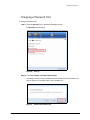
Step 2: Click Set, Change, or Delete Password Hint.
A message informs you that a password hint has already been set and asks if you
want to delete it or overwrite it with a new password hint.
Figure 91:
Using the Password Hint
Password Hint Already Set
82
Maxtor Black Armor
Step 3: Click Overwrite.
The Set Password Hint window opens:
Figure 92:
Set Password Hint
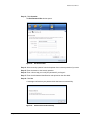
Step 4: Select a security question from the dropdown list or create a question of your own.
Step 5: Enter the answer to the security question.
Step 6: Enter a hint to help you recall your password if you forget it.
Step 7: Enter the 25-character identification code printed on the drive label.
Step 8: Click Set.
A message confirms that your password hint has been set successfully:
Figure 93:
Using the Password Hint
Password Hint Set Successfully
83
Maxtor Black Armor
Step 9: Click OK to return to the Security window.
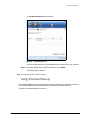
Deleting a Password Hint
To delete a password hint,
Step 1: Click the Security icon in the Maxtor Manager window.
The Security window opens:
Figure 94:
Security
Step 2: Click Set, Change, or Delete Password Hint.
Using the Password Hint
84
Maxtor Black Armor
A message informs you that a password hint has already been set and asks if you
want to delete it or overwrite it with a new password hint.
Figure 95:
Password Hint Already Set
Step 3: Click Delete.
The Delete Password Hint window opens:
Figure 96:
Delete Password Hint
Step 4: Enter the 25-character identification code printed on the drive label.
Step 5: Click Delete Password Hint.
Using the Password Hint
85
Maxtor Black Armor
A message confirms that your password hint has been deleted:
Figure 97:
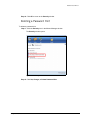
Password Hint Deleted
Step 6: Click OK to return to the Security window.
You can set a new password hint by following the original steps at any time.
Retrieving a Password Hint
If you’ve forgotten your password, you can retrieve the password hint you set to help you
remember the password.
To retrieve your password hint,
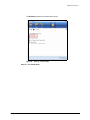
Step 1: Click the Security icon in the Maxtor Manager window.
Using the Password Hint
86
Maxtor Black Armor
The Security window for the locked drive opens:
Figure 98:
Security - Drive Locked
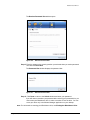
Step 2: Click Unlock Drive.
Using the Password Hint
87
Maxtor Black Armor
The Unlock window opens:
Figure 99:
Unlock
Step 3: Click Hint.
Using the Password Hint
88
Maxtor Black Armor
The Retrieve Password Hint window opens:
Figure 100:
Retrieve Password Hint
Step 4: Enter the answer to the security question you selected when you set the password
hint and click Show Hint.
The Password Hint window displays the password hint:
Figure 101:
Retrieve Password Hint
Step 5: Click Done to return to the Unlock window and enter your password.
If you still cannot remember your password after retrieving your password hint, you
must erase your BlackArmor drive in order to continue to use the drive. You can
erase your drive only in the Maxtor Manager application on your desktop.
Note: For information on erasing your BlackArmor drive, see Erasing the BlackArmor Drive.
Using the Password Hint
89
Maxtor Black Armor
Erasing a BlackArmor Drive
If you’ve forgotten your password and cannot unlock the BlackArmor drive, the only way you
can continue to use it is to securely erase it using KeyErase™. KeyErase regenerates the
drive encryption key, during which process all it the drive has been erased.
To erase your BlackArmor drive,
Step 1: Click the Security icon in the Maxtor Manager window.
The locked Security window opens:
Figure 102:
Security - Drive Locked
Step 2: Click KeyErase™.
Erasing a BlackArmor Drive
90
Maxtor Black Armor
The KeyErase window opens:
Figure 103:
KeyErase 1
Step 3: Read the warning information and click Next Step.
Erasing a BlackArmor Drive
91
Maxtor Black Armor
A second KeyErase window opens:
Figure 104:
KeyErase 2
Step 4: Verify that the security LED is flashing on the drive you want to erase.
Step 5: Enter the 25-character identification code printed on the drive label.
Step 6: Click Erase Drive.
Erasing a BlackArmor Drive
92
Maxtor Black Armor
When the drive has been erased (this takes only a few moments), the Configure
BlackArmor window opens:
Figure 105:
Configure BlackArmor
Configuring an Erased Drive
After you’ve erased a BlackArmor drive, you must configure the drive and set a drive
password.
To configure the drive,
Step 1: Enter the 25-character identification code printed on the drive label.
Step 2: Enter and confirm a drive password.
The password must contain between 6 and 32 characters.
Step 3: Click Set.
Erasing a BlackArmor Drive
93
Maxtor Black Armor
A message confirms that a password has been set successfully and offers the
option of setting a password hint:
Figure 106:
Password Set Successfully
Step 4: Click Done to close the Password Set window or Set Password Hint to create a
password hint.
Note: For information on setting a password hint, see Setting a Password Hint.
The Unlock Drive window opens:
Figure 107:
KeyErase 2
Step 5: Enter your password and click Unlock.
Erasing a BlackArmor Drive
94
Maxtor Black Armor
The Unlock window closes. After a short wait, the Format Maxtor Drive window
opens:
Figure 108:
Format Maxtor Drive
Note: It can take up to a full minute for the Fornat Maxtor Drive window to open.
Step 6: Click Format to reformat your drive for use.
A Format confirmation window opens. Since you’ve just erased everything on your
BlackArmor drive, you don’t have to worry about erasing data.
Figure 109:
Format Maxtor Drive Confirmation
Step 7: Click Format.
Erasing a BlackArmor Drive
95
Maxtor Black Armor
You’re informed of the progress of the format.
Figure 110:
Format Maxtor Drive Confirmation
A message confirms a successful format.
Figure 111:
Erasing a BlackArmor Drive
Format Completed
96
Maxtor Black Armor
If the formatting fails, a message informs you that a partition could not be created.
Figure 112:
Format Failed
Step 8: Close the Partition creation failed window.
You must use Administrative Tools to create a partition so you can continue to use
the BlackArmor drive.
Using Administrative Tools to Format an Erased
BlackArmor
If your BlackArmor drive cannot be formatted automatically using the Format Maxtor Drive
window, you must use Administrative Tools to manually create a partition so you can continue
to use the BlackArmor drive.
Erasing a BlackArmor Drive
97
Maxtor Black Armor
To use Administrative Tools to manually create a partition,
Step 1: Go to Start > Run and open the Run window:
Figure 113:
Run
Step 2: Type diskmgmt.msc and click OK.
Erasing a BlackArmor Drive
98
Maxtor Black Armor
The Disk Management window opens:
Figure 114:
Disk Management
The BlackArmor drive (Disk 1 in the image above) is labeled Unallocated because
it’s not properly formatted.
The New Partition Wizard opens automatically.
Step 3: Follow the steps in the New Partition Wizard to format your BlackArmor drive and
prepare it for use again.
Installing the Maxtor Manager Software after
Erasing the Drive
When you erase a BlackArmor drive, the software installation package that was originally used
to install the Maxtor Manager application on your computer is also erased. A copy of the
software installation package is stored in the protected section of the drive. If you need to
reinstall the software in the future, you can explore the drive while it’s locked and install the
software from the Maxtor Manager folder.
To find and install the Maxtor Manager software,
Step 1: While the drive is still locked, open My Computer (Computer in Vista).
Step 2: Find and right-click on the BlackArmor drive.
Step 3: Choose the Explore option
Step 4: Double-click the Maxtor Manager folder
Step 5: Double-click the Launcher.exe file
This starts the installation of the Maxtor Manager software.
Step 6: Follow the steps in the installation wizard to complete the install.
Erasing a BlackArmor Drive
99
Maxtor Black Armor
Note: For information on installing the Maxtor Manager software, see Getting Started.
Step 7: Launch the Maxtor Manager application.
After you’ve configured and unlocked your BlackArmor and opened Maxtor
Manager, you’ll see that the My Drives window now displays the partition name
New Volume rather than BlackArmor as it did before you erased the drive:
Figure 115:
New Volume
If you wish, you can rename the drive BlackArmor in your My Computer window
just as you would rename any other device.
Erasing a BlackArmor Drive
100
Maxtor Black Armor
Using BlackArmor™ Manager
The BlackArmor™ Manager application allows you to connect your BlackArmor drive to any
computer and work with the files stored on the drive even if the Maxtor Manager software has
not been installed on a computer.
The BlackArmor Manager application must be used to initially configure the BlackArmor drive
and set a drive password. Once the drive has been configured and a password has been set,
you can perform all security functions using the BlackArmor Manager application that you
perform using the Maxtor Manager application except for erasing the BlackArmor drive. To
make sure that no one but you can erase your drive, that action can be performed only in the
desktop Maxtor Manager application.
You can perform these functions on the BlackArmor drive using the BlackArmor Manager:
•
•
•
•
•
Configure the drive (set the drive password)
Unlock the drive
Change the drive password
Set, change, or delete a password hint.
Test the health of your drive
Configuring the BlackArmor Drive
Note: You must have administrator privileges to use the BlackArmor Manager.
The first time you connect a BlackArmor drive to your computer, you must configure the drive
and set a drive password. Unless you erase your BlackArmor drive, you will not see the
Configure window again.
To configure a BlackArmor drive,
Step 1: Connect the drive to your computer.
Configuring the BlackArmor Drive
101
Maxtor Black Armor
The Configure window opens:
Figure 116:
Configure
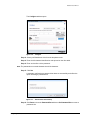
Step 2: Select your BlackArmor drive from the dropdown menu.
Step 3: Enter the 25-character identification code printed on the drive label.
Step 4: Enter and confirm a drive password.
Note: The password must contain between 6 and 32 characters.
Step 5: Click Set.
A message confirms that a password has been set successfully and offers the
option of setting a password hint:
Figure 117:
Password Set Successfully
Step 6: Click Done to close the Password Set window or Set Password Hint to create a
password hint.
Configuring the BlackArmor Drive
102
Maxtor Black Armor
Note: For information on setting a password hint, see Setting a Password Hint.
The Unlock Drive window opens:
Figure 118:
Unlock Drive
Step 7: Select your BlackArmor drive from the dropdown list, enter your password, and
click Unlock.
The Unlock Drive window closes and the BlackArmor autostart window opens:
Figure 119:
BlackArmor Autostart Window
Step 8: Select Install Maxtor Manager using the program provided on the device and
click OK.
Configuring the BlackArmor Drive
103
Maxtor Black Armor
The Maxtor Manager Install window opens:
Figure 120:
BlackArmor Autostart Window
Step 9: Click Install Maxtor Manager and follow the instructions in the Install wizard to
install the Maxtor Manager software.
Note: For information about installing the Maxtor Manager software, see Getting Started.
Unlocking the BlackArmor Drive
Your BlackArmor drive locks automatically each time you disconnect it from a computer. You
can unlock it in either the Maxtor Manager application or the BlackArmor Manager application
when your drive is connected to a computer on which the Maxtor Manager software is not
installed.
Note: For information on unlocking your drive in the Maxtor Manager application, see Managing
BlackArmor Security.
To unlock your drive in the BlackArmor Manager application,
Step 1: Connect the drive to a computer
Unlocking the BlackArmor Drive
104
Maxtor Black Armor
The Unlock Drive window opens:
Figure 121:
Unlock Drive
Step 2: Select your BlackArmor drive from the dropdown list, enter your password, and
click Unlock.
The Unlock Drive window closes. The BlackArmor drive is now unlocked and the
files stored on it can be accessed.
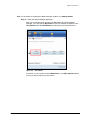
During the power change that occurs when your Maxtor drive wakes up from Sleep, Hibernate,
or Standby mode, the drive may occasionally lock itself. If this happens, you see this window:
If the Unlock window does not automatically open, disconnect and reconnect your drive to
display the Unlock window so you can unlock your drive.
Unlocking the BlackArmor Drive
105
Maxtor Black Armor
Using the BlackArmor Manager Features
To use the BlackArmor Manager features, you must select the Other Features option in the
Unlock window BEFORE you unlock your drive. Once the drive is unlocked, the BlackArmor
Manager window closes and does not reappear until you have disconnected and re-connected
your drive.
Using the BlackArmor Manager Features
106
Maxtor Black Armor
Changing your Password
Your password must initially be set in the BlackArmor Manager application. Once you’ve set a
password, you can change it in either the Maxtor Manager application or the BlackArmor
Manager application when your drive is connected to a computer on which the Maxtor
Manager software is not installed.
Note: For information on changing your password in the Maxtor Manager application, see
Managing BlackArmor Security.
To change your password in the BlackArmor Manager application,
Step 1: Connect the drive to a computer
The Unlock Drive window opens:
Figure 122:
Unlock Drive
Step 2: Click Other Features.
Using the BlackArmor Manager Features
107
Maxtor Black Armor
The Other Features window opens:
Figure 123:
Other Features
Step 3: Click Change Password.
Using the BlackArmor Manager Features
108
Maxtor Black Armor
The Change Password window opens:
Figure 124:
Change Password
Step 4: Enter your current password, then enter and re-enter a new password.
Step 5: Click Set.
A message confirms that a new password has been set successfully:
Figure 125:
Password Set Successfully
Step 6: Click Done to return to the Other Features window or Set Password Hint to set
a hint that will open a reminder to your password.
Using the BlackArmor Manager Features
109
Maxtor Black Armor
Using the Password Hint
BlackArmor not only allows you to set a hint to help you remember your password, but also
protects that password hint with a security question you must answer in order to retrieve the
password hint. You can delete or change your password hint any time.
Note: To set, change, or delete a password hint, you must enter the 25-character identification
code printed on your BlackArmor drive label:
Figure 126:
Drive Label Identification Code
Opening the Set Password Hint Window
The Set Password Hint window can be opened from any of four windows:
• The Configure window:
(a) Set a password in the Configure window.
(b) Click Set Password Hint in the Password Set window.
Figure 127:
Using the BlackArmor Manager Features
Set Password Hint from the Configure Window
110
Maxtor Black Armor
• The Unlock Drive window:
(a) Click Hint in the Unlock Drive window.
If no password hint has been set, the Password Hint Not Set window opens.
(b) Click Set Password Hint.
Figure 128:
Using the BlackArmor Manager Features
Set Password Hint from the Unlock Drive Window
111
Maxtor Black Armor
• The Change Password window:
(a) Set a new password in the Change Password window.
(b) Click Set Password Hint in the Password Set window.
Figure 129:
Set Password Hint from the Change Password Window
• The Other Features window:
Click Set, Change, or Delete Password Hint in the Other Features window:
Figure 130:
Using the BlackArmor Manager Features
Set Password Hint from the Other Features Window
112
Maxtor Black Armor
Setting a Password Hint
To set a password hint,
Step 1: Open the Set Password Hint window:
Figure 131:
Set Password Hint
Step 2: Select a security question from the dropdown list or create a question of your own.
Step 3: Enter the answer to the security question.
Step 4: Enter a hint to help you recall your password if you forget it.
Step 5: Enter the 25-character identification code printed on the drive label.
Step 6: Click Set.
A message confirms that your password hint has been set successfully:
Figure 132:
Password Hint Set Successfully
Step 7: Click OK to return to the Other Features window.
Using the BlackArmor Manager Features
113
Maxtor Black Armor
Changing a Password Hint
To change a password hint,
Step 1: Connect the drive to a computer
The Unlock Drive window opens:
Figure 133:
Unlock Drive
Step 2: Click Other Features.
Using the BlackArmor Manager Features
114
Maxtor Black Armor
The Other Features window opens:
Figure 134:
Other Features
Step 3: Click Set, Change, or Delete Password Hint.
A message informs you that a password hint has already been set and asks if you
want to delete it or overwrite it with a new password hint.
Figure 135:
Password Hint Already Set
Step 4: Click Overwrite.
Using the BlackArmor Manager Features
115
Maxtor Black Armor
The Set Password Hint window opens:
Figure 136:
Set Password Hint
Step 5: Select a security question from the dropdown list or create a question of your own.
Step 6: Enter the answer to the security question.
Step 7: Enter a hint to help you recall your password if you forget it.
Step 8: Enter the 25-character identification code printed on the drive label.
Step 9: Click Set.
A message confirms that your password hint has been set successfully:
Figure 137:
Password Hint Set Successfully
Step 10: Click OK to return to the Security window.
Using the BlackArmor Manager Features
116
Maxtor Black Armor
Deleting a Password Hint
To delete a password hint,
Step 1: Connect the drive to a computer
The Unlock Drive window opens:
Figure 138:
Unlock Drive
Step 2: Click Other Features.
Using the BlackArmor Manager Features
117
Maxtor Black Armor
The Other Features window opens:
Figure 139:
Other Features
Step 3: Click Set, Change, or Delete Password Hint.
A message informs you that a password hint has already been set and asks if you
want to delete it or overwrite it with a new password hint.
Figure 140:
Using the BlackArmor Manager Features
Password Hint Already Set
118
Maxtor Black Armor
Step 4: Click Delete.
The Delete Password Hint window opens:
Figure 141:
Delete Password Hint
Step 5: Enter the 25-character identification code printed on the drive label.
Step 6: Click Delete Password Hint.
A message confirms that your password hint has been deleted:
Figure 142:
Password Hint Deleted
Step 7: Click OK to return to the Other Features window.
You can set a new password hint by following the original steps.
Retrieving a Password Hint
If you’ve forgotten your password, you can retrieve the password hint you set to help you
remember the password.
Using the BlackArmor Manager Features
119
Maxtor Black Armor
To retrieve your password hint,
Step 1: Connect the drive to a computer
The Unlock Drive window opens:
Figure 143:
Unlock Drive
Step 2: Click Hint.
Using the BlackArmor Manager Features
120
Maxtor Black Armor
The Retrieve Password Hint window opens:
Figure 144:
Retrieve Password Hint
Step 3: Enter the answer to the security question you selected when you set the password
hint and click Show Hint.
The Password Hint window displays the password hint:
Figure 145:
Password Hint
Step 4: Click Done to return to the Unlock window and enter your password.
If you still cannot remember your password after retrieving your password hint, you
must erase your BlackArmor drive in order to continue to use the drive. You can
erase your drive only in the Maxtor Manager application.
Note: For information on erasing your BlackArmor drive, see Erasing the BlackArmor Drive.
Using the BlackArmor Manager Features
121
Maxtor Black Armor
Testing your Drive
To test the health of your drive,
Step 1: Connect the drive to a computer
The Unlock Drive window opens:
Figure 146:
Unlock Drive
Step 2: Click Other Features.
Using the BlackArmor Manager Features
122
Maxtor Black Armor
The Other Features window opens:
Figure 147:
Other Features
Step 3: Click Test Drive.
The Test Drive window opens:
Figure 148:
Using the BlackArmor Manager Features
Test Drive
123
Maxtor Black Armor
Step 4: Click Test.
A window informs you of the progress of the drive test.When the test is complete,
the result is displayed:
Figure 149:
Drive Test Complete
If the drive test is not successful, contact Seagate Technical Support for
assistance.
Using the BlackArmor Manager Features
124
Maxtor BlackArmor
Index
A
Adjusting the Power Setting 13
B
Backing Up & Restoring Folders 23
Creating a Backup Plan 23
Restoring Files 43
Backing Up Manually 40
C
Changing a Password Hint 82, 113
Changing your Password 74, 106
Checking Sync Status 61
Completing the Sync 55
Configuring an Erased Drive 93
Configuring the BlackArmor Drive 1, 101
Creating a Backup Plan 23
Creating a Custom Backup 25
Using Simple Backup 23
Creating a Custom Backup 25
D
Deleting a Backup Plan 37
Deleting a Password Hint 84, 116
Deleting Sync Settings 63
E
Editing Backup Settings 32
Editing Sync Settings 57
Erasing a BlackArmor Drive 90
Configuring an Erased Drive 93
Installing the Maxtor Manager Software after Erasing the Drive 99
Using Administrative Tools to Format an Erased BlackArmor 97
G
Getting Started 1
Preparing the BlackArmor Drive for Use 1
Using the System Tray Icon 9
I
Installing the Maxtor Manager Software 4
124
Maxtor BlackArmor
Installing the Maxtor Manager Software after Erasing the Drive 99
M
Managing Backup Settings 32
Backing Up Manually 40
Deleting a Backup Plan 37
Editing Backup Settings 32
Using Scheduled Backup 39
Viewing the Backup Log 41
Managing BlackArmor Security 72
Managing Your Drives 12
Adjusting Power Setting 13
Testing Your Drive 15
O
Opening the Set Password Hint Window 77, 109
P
Partition Creation Failure 97
Preparing the BlackArmor Drive for Use 1
R
Restoring an Historical Version 45
Restoring Files 43
Restoring an Historical Version 45
Restoring the Most Recent Version 46
Restoring the Most Recent Version 46
Restoring the System Tray Icon 10
Retrieving a Password Hint 86, 118
S
Setting a Password Hint 80, 112
Synchronizing Folders 48
Checking Sync Status 61
Completing the Sync 55
Editing Sync Settings 57
Using Custom Sync 50
Using Simple Sync 48
T
Testing Your Drive 15
Testing your Drive 121
Turning Off Scheduled Backup 40
U
Unlocking the BlackArmor Drive 72, 104
Updating Your Software 19
125
Maxtor BlackArmor
Using Administrative Tools to Format an Erased BlackArmor 97
Using Automatic Overwrite 67
Using Automatic Sync 65
Using BlackArmor Manager 101
Using Custom Sync 50
Using Scheduled Backup 39
Using Simple Backup 23
Using Simple Sync 48
Using the BlackArmor Manager Features 105
Using the Password Hint 77, 109
Changing a Password Hint 82, 113
Deleting a Password Hint 84, 116
Opening the Set Password Hint Window 77, 109
Retrieving a Password Hint 86, 118
Setting a Password Hint 80, 112
Using the Sync Preview Window 70
Using the System Tray Icon 9
V
Viewing the Backup Log 41
040208
126