1
MOON 230D CD Player
Rear Panel Connections
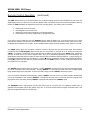
Figure 2: MOON 230D Rear panel
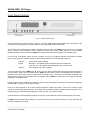
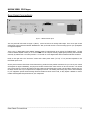
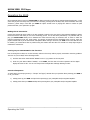
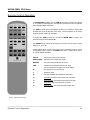
The rear panel will look similar to Figure 2 (above). On the left side is the analog audio output. There is one pair of RCA
analog audio output connectors labeled “ANALOG OUT” that you should connect to a stereo analog input on your preamplifier
or integrated amplifier.
There is one (1) digital audio output labeled “DIGITAL OUTPUT” located directly to the right of the “ANALOG OUT”. An RCA
connector labeled “S/PDIF” allows you to use the 230D as a CD transport whereby, digital signal processing will be handled
externally by another DAC or surround processor. You should use a 75Ω digital audio cable terminated with RCA connectors.
Finally on the right side is the “AC Power” section with a main power switch (“0”=off, “1”=on) and IEC receptacle for the
included AC power cord.
All rear panel connectors have been chosen because they provide the best possible connections for your unit. A poor contact
will degrade the signal substantially, and plugs and sockets should all look clean and free of dirt and corrosion. The easiest
way to clean them is to remove the cables from their sockets and push them back in again. This procedure requires that your
CD Player and the rest of your components be completely turned off. Not heeding this warning may result in serious damage
to your equipment. Special contact cleaning fluids and enhancers should not be used, as they deposit a difficult to remove
residue which degrades the performance of your components.
____________________________________________________________________________________
Rear Panel Connections
8