1
Contents
Contents.........................................................................................................1
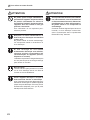
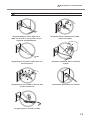
To Ensure Safe Use.........................................................................................2
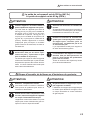
Pour utiliser en toute sécurité.......................................................................9
Setup Guide.........................................................................................................17
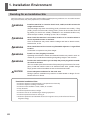
1. Installation Environment...........................................................................18
Deciding On an Installation Site................................................................................................18
Temperature and Humidity.........................................................................................................19
Installation Space............................................................................................................................19
2. Included Items..........................................................................................20
3. Assembling and Installing.........................................................................22
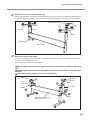
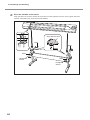
Step 1: Assembling the Stand – Mounting the Machine..................................................22
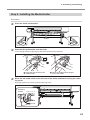
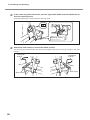
Step 2: Installing the Media Holder...........................................................................................25
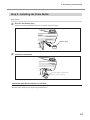
Step 3: Installing the Drain Bottle..............................................................................................27
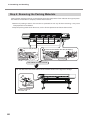
Step 4: Removing the Packing Materials.................................................................................28
4. Connect the Cables..................................................................................29
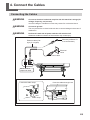
Connecting the Cables..................................................................................................................29
5. Installing the Ink Cartridges......................................................................30
Filling with Ink for the First Time................................................................................................30
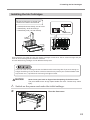
Affixing the Cartridge-slot Labels..............................................................................................30
Installing the Ink Cartridges........................................................................................................31
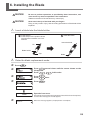
6. Installing the Blade...................................................................................39
7. Network Settings......................................................................................41
Introduction......................................................................................................................................41
Step 1: Make the Network Settings for the Computer.......................................................41
Step 2: Make the Network Settings on the Printer..............................................................43
Step 3: Make the Port Settings for the Software RIP...........................................................45
8. When Not in Use for a Prolonged Period.................................................46
Keep Performing Maintenance..................................................................................................46
Alarm Feature...................................................................................................................................46
9. When Transferring the Unit......................................................................47
Procedures from Preparing for Transfer Through Reinstalling the machine..............47
This document is the setup guide for four models: VS-640/540/420/300. This document uses the following
notation to distinguish between the four models where necessary.
VS-640 — 64-inch model
VS-540 — 54-inch model
VS-420 — 42-inch model
VS-300 — 30-inch model
Also, most of the figures in this document depict the VS-640
Company names and product names are trademarks or registered trademarks of their respective holders.
Copyright © 2010 Roland DG Corporation
http://www.rolanddg.com/
1