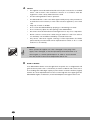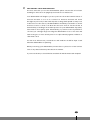
1
D
ON
CONTROLS
2
0
MAX
fig. 1
0
MAX
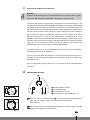
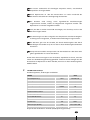
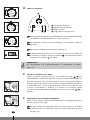
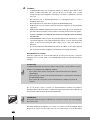
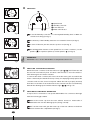
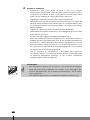
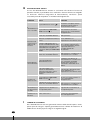
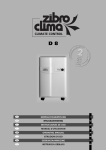
1 Speed switch
-
2 Humidity controller
3 Power indicator
1
0
3 4
4 Water full indicator
MAX
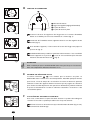
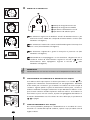
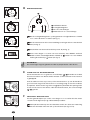
1 To set the humidity controller 2 to the required humidity level or ‘MAX’ for
fig. 2
continuous working (see fig. 1).
OFF
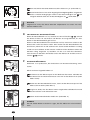
2 The intensity of the humidity extraction is increased clockwise (see fig. 2).
3 To turn off the unit, turn the switch to position ‘0’ (see fig. 3).
0
MAX
fig. 3
fig. 4
G
E
4 This dehumidifier features a twin speed fan. In normal conditions, set the
speed to
. For quieter operation, set the speed to
(see fig. 4).
IMPORTANT
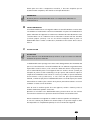
Remember not to use this dehumidifier in temperatures below 4°C.
EMPTYING THE WATER CONTAINER
When the water container is full the indicator light
( 4 ) will illuminate and
the unit will automatically shut off. Wait a few minutes to allow the water to
finish draining into the water container.
A
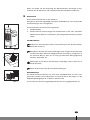
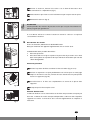
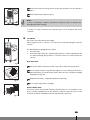
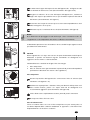
To remove the water container, disconnect from the mains, pull out and lift the
fig. 5
water container by the handle and carry it away for emptying. Gently replace the
container and close the lower front panel. When the tank is properly inserted,
both the hole and the float mechanism in the container will be located directly
beneath the drainage spout and the indicator light
(4) will go out.
F
fig. 6
CONTINUOUS DRAINAGE OPERATION
It may be more convenient to set up the dehumidifier for continuous drainage
with the following procedure:
B
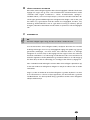
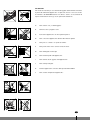
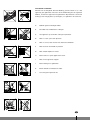
1 Remove the water cap from the rear cabinet. Connect a water tube of
diameter 6 mm over the drainage spout (see fig. 5 and 6).
2 Pull out the water tank, put the water cap of the rear cabinet on the drain
fig. 7
4
38
hole B found in the compartment (see fig. 7).