1
BM48271 rev3:BM48271MUK REV3 15/01/2009 10:32 Page 7
Stop
2
Touch stop for 2 seconds, to
stop a programme, a beep
sounds to confirm.
For baking of bread containing
significant amounts of
wholewheat. This setting has a
longer preheat time to allow
the grain to soak up the water
and expand. It is not advised
to use the delay function as
this can produce poor results.
Wholewheat usually produces
a crispy thick crust.
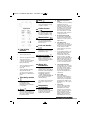
Colour button
For selecting crust colour
from light, medium or dark
(certain programmes only).
3
4
For selecting small (1.5lb) or
large (2lb) loaf size (certain
programmes only).
•
Shows browning level selected
•
Shows weight selected
Internal Light
•
Shows the programme number
•
Shows time left before
completion (3:20, for example,
is 3 hours and 20 minutes;
0:20 is 20 minutes)
Touch to illuminate the
baking chamber, also will
switch on the blue backlight
of the LCD window.
•
Shows temperature warning see ‘Troubleshooting’
(page 28).
•
About this
breadmaker
As soon as the breadmaker
is plugged in the power
supply, put the switch ON at
the back of the breadmaker,
a beep will sound. The
breadmaker will have
“1 3:00” and the arrows
point to 2.0LB and MEDIUM.
In the display, this is the
default setting 1.
The blue illuminated display
will switch off after 20
seconds. Press the internal
light button to re-illuminate the
panel.
Time delay button
Start
Touch to start for approx 1
second, a beep sounds and
the colon (:) flashes and the
programme starts.
•
5
Programme
descriptions
1
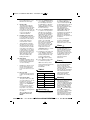
For ‘speciality’ bread they are
made with baking powder or
baking soda, which will
activate with moisture and
heat. For perfect ‘speciality’
breads, it is suggested that all
liquid should be placed in the
bottom of the bread pan. It is
necessary to help the machine
to mix to avoid flour clumps.
Sweet (2.50 and 2.45)
For the baking of a sweet type
of bread, which gives a crisper
crust than on basic setting.
The crisper crust is produced
by the sugar ‘burning’. You
may also add ingredients for
extra flavour.
6
Cake (1.50)
This setting will mix
ingredients and then bake for
a preset time. It is required to
mix two groups of ingredients
in bowls before adding to the
breadmaker (see cake recipes,
page 19).
This switch can be left in the
on position ready for next
time.
Use to delay the start of
bread making (all
programmes except
Speciality). Touch and hold
to scroll fast.
Speciality (2.10)
For the baking of a 2lb (not
1.5Ib) ‘basic’ loaf in a reduced
time period. The bread baked
on this setting is usually
smaller with more moist and
dense texture.
Loaf size button
LCD display
window
French (3.50 and 3.40)
For the baking of lightweight
bread such as French bread
which has a crisper crust and
lighter texture.
Menu button
For choosing the bread
making programmes from
the list 1 to 12
Wholewheat (3.40 and
3.32)
7
Basic (3.00 and 2.55)
For white or brown bread. Also
for flavoured breads with
added herbs and raisins.
For details of other Morphy Richards products, please see our website:
Jam (1.20)
Use this setting for making
jams from fresh fruits and
marmalades from Seville
oranges. Do not increase the
quantity or allow the recipe to
boil over the pan into the
baking chamber. Should this
happen, stop the machine
immediately and remove the
7