1
Operation
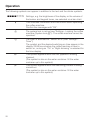
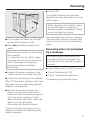
The following symbols can appear in addition to the text and the drinks symbols:
P P P P G G GM
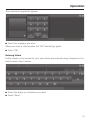
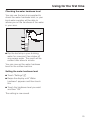
Settings, e.g. the brightness of the display or the volume of
the buzzer and keypad tones, are selected via a bar chart.
:
This indicates information and instructions about operating
the coffee machine.
Confirm the messages with "OK".
0
The system lock is active (see "Settings - Locking the coffee
machine (System lock 0)").: The coffee machine cannot be
operated.
+
The timer is activated for "Switch on at" (see "Settings –
Timer").
The symbol and the desired switching-on time appear in the
display 23:59 hours before the coffee machine is due to
switch on, as long as "On" or "Night dimming" is selected for
the time display.
8
This symbol appears while the milk pipework is being
cleaned.
(The symbol is also on the water container: fill the water
container up to this symbol).
F
This symbol appears while the descaling process is being
carried out.
(The symbol is also on the water container: fill the water
container up to this symbol).
20