1
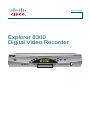
Front Panel Features
CH +
GUIDE
POWER
VOL -
INFO
VOL +
CH -
SELECT
EXIT
LIST
L AUDIO R
1
1 Power
2
VIDEO
3 4 5 6 7
8 9
10
11 12 13
T13467
Turns the DVR on and off
2 Video and
Connects to video and left/right (L/R) audio outputs of an external
Audio Input* device to deliver the audio and video to a TV or other device
3 List
Displays the list of recorded programs
4 Exit
Exits menus, the on-screen guide, and program information
5 Info
Displays a description of the selected program. This button is
available from the on-screen guide and while viewing a program
6 Guide
Accesses on-screen services, such as the on-screen guide,
video-on-demand, or pay-per-view
7 IR Sensor
Receives the infrared signal from the remote control
8 LED Display Displays the selected channel number and time of day. The LED
also displays the following:
• Message (
)
• Power (
• RECORD
9 VOL + and
VOL -
)
Increases and decreases the volume
10 CH + and
CH -
Scrolls up and down through the channels
11 Select
Provides access to your on-screen choices
12 Smart Card* Allows smart card access
13 USB Port*
Connects to external equipment, such as a keyboard
* These connectors are reserved for future use or may not be available on all 8300
DVR models.
2