1
Manuale ARCHIMEDE II 2008:Manuale 6
26-06-2008
8:26
Pagina 189
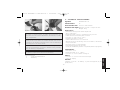
surface interval in order to simulate a subsequent dive. As
noted in the previous chapter, the simulator program is entered by repeatedly depressing button B (Mode), until the
(
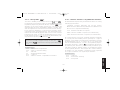
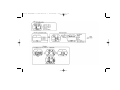
) icon appears on the UFDS display (picture 35). The
display mode instructs you to set a new surface interval, by
means of UFDS display icons: by depressing button C ( ),
the surface interval will increase, while by depressing button
A ( i ), the chosen value is confirmed. When this has been
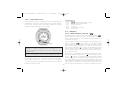
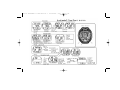
done, Archimedes II will show the simulation display (picture.36), as seen in the previous chapter, allowing you to simulate a subsequent dive.
quent dive’s simulation, with de-saturation in progress.
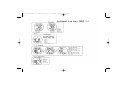
Should the simulation be carried out with Nitrox mixtures,
refer to all information seen in the chapters dealing with Nitrox
mixtures; it is possible to simulate the mixture change as well
as in reality, by depressing button B for more than 5 seconds
(picture 37).
If you want to reset the simulator, depress buttons A+C one
after the other during the simulation itself.
NOTE: The simulation is carried out with the dive parameters set in (DIVE) function (see chapter 2.3.).
Related topics:
NOTE: The simulation is carried out at a speed six times
greater than the actual one. This equates to 10 seconds
on the simulator or the same as one real diving minute,
while the variations of depth are each m 2 (ft. 6).
•
•
•
•
•
•
•
•
•
•
Related topics:
2.3.
2.3.2.
3.1.
3.4.
3.5.
3.2.
3.3.4.
3.3.5.
4.1.1.
4.2.2.
- Parameters setting.
- Dive planning
- AIR DIVE.
- Curve dive.
- Decompression dive.
- NITROX MIXTURES DIVE.
- CNS toxicity display.
- PO2 alarms.
- Surface interval.
- Surface interval dive simulator.
- Parameters setting.
- Dive planning
- AIR DIVE.
- Curve dive.
- Decompression dive.
- NITROX MIXTURES DIVE.
- CNS toxicity display.
- PO2 alarms.
- Surface interval.
- Surface interval dive simulator.
5. – CARE AND MAINTENANCE.
Archimedes II has been designed to operate in extreme conditions with extensive underwater use. You should remember
that it is a precision instrument deserving appropriate care.
Please avoid any violent shock, protect it from extreme heat
sources, always wash it in fresh water after using, dry it carefully, do not store it wet, and avoid contact with heavy equipment, like diving cylinders.
4.2.2. – Surface interval dive simulator.
Should the computer contain residual nitrogen (de-saturation
time is still in progress), Archimedes II allows modifying of the
189
ENGLISH
•
•
•
•
•
•
•
•
•
•
2.3.
2.3.2.
3.1.
3.4.
3.5.
3.2.
3.3.4.
3.3.5.
4.1.1.
4.2.2.