1
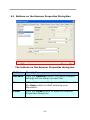
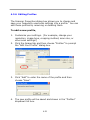
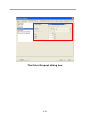
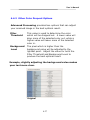
The “Reset Pad Count” button」:
After scanning approximately 50,000 pages (the number varies
based on type of scanner) through the Auto Document Feeder
(ADF), the ADF pad may be worn out and you may experience
problems with document feeding. In this case, it is highly
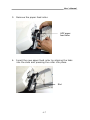
recommended to replace the ADF pad with a new one. (Please
refer to the manual for proper replacing procedure.) For
ordering the ADF pad, please consult your nearest dealer.
After replacing the ADF pad, click the “Reset Pad Count”
button to reset the pad count.
The “Reset Roller Count” button」:
After scanning approximately 200,000 pages (the number
varies based on type of scanner) through the ADF, the ADF
roller may be worn out and you may experience problems with
document feeding. In this case, it is highly recommended to
replace the ADF roller with a new one. (Note the replacement
of the ADF roller has to be performed only by authorized
service center. Therefore, please return your scanner for roller
replacement.) After replacing the ADF roller, click the “Reset
Roller Count” button to reset the roller count.
Note:
The lifetime and the replacing procedure vary based on type of
scanner. Please consult your nearest dealer for more details.
4-62