1
Section 3: Operation
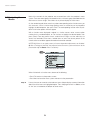
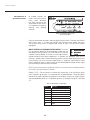
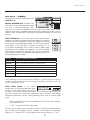
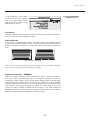
Video Options — SUBMENU
This submenu is used with video sources only
(INPUTS 3 or 4).
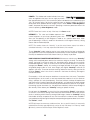
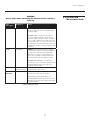
ENABLE DECODER AGC: Automatic Gain
Control (AGC) affects decoded video images
only. Enter a checkmark (default) in most
instances—this activates the decoder’s AGC circuit to ensure properly bright images.
Delete the checkmark if a decoded video image exhibits strange color artifacts such as
stripes in highly saturated colors, indicating an incompatibility between this source and
the AGC.
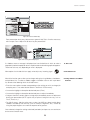
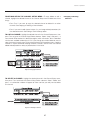
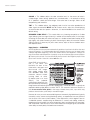
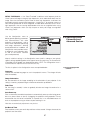
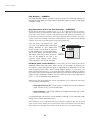
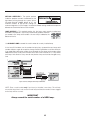
VIDEO STANDARD: For all but the more unusual video standards
available in the world, the projector automatically detects the incoming
horizontal and vertical frequencies and sets the projector’s processing
of this signal to the corresponding standard. The current video standard
name appears in the Video Options submenu, and includes an “A”
if it has been auto-detected. Press to view or select a different video
standard from those available to the projector—any that are disabled
have frequency characteristics that differ from those of the incoming
signal. Selecting a specific standard forces the projector to process the
signal according to this standard.
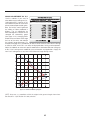
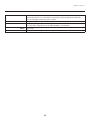
Standard
Where Used (SUBJECT-TO-CHANGE)
NTSC
N. America and Japan
NTSC 4.43
A tape-only standard for partially-translated hybrid signals
PAL
Most of Europe, China, Australia, some of S. America, some of Africa
PAL-M
Brazil
PAL-NC
Argentina, Chile, other Latin American countries
PAL 60
SECAM
France, Eastern Europe, most of Africa
NOTE: Generally, use “Auto” for all instances EXCEPT: 1) a poor quality input signal or
2) a black-and-white video signal. In order to detect and display such signals, select the
relevant standard from the list.
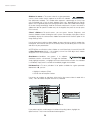
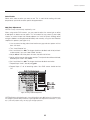
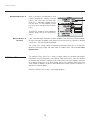
INPUT VIDEO BLACK — This control
compensates for incoming elevated black levels
present in certain video signals, and ensures
that blacks in the display are neither crushed (i.e., where dark grays appear black) nor
excessively elevated (i.e., where blacks appear dark gray). By default, the projector
automatically determines the best setting according to the type of incoming video
signal:
• 0 IRE – Used for DVD output with “enhanced black”, SECAM, most PAL standards,
and Japanese NTSC.
• 7.5 IRE – Used for most NTSC video signals.
For some types of video, you can override the setting. The control is disabled for other
types of video (and all graphics sources). Generally, if black appears crushed when
brightness = 50, choose “0 IRE”. If black appears excessively elevated, use “7.5 IRE”.
51