1
48810 Rev1
22/10/08
13:08
Page 3
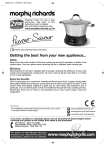
Easy set-up guide
Please also refer to the main
instruction booklet, which contains
impor tant safety information and
more detail on how to use intellichef.
Explanation of buttons
OFF/ KEEP WARM: A dual off and keep
warm switch.
MINUTE: Press to adjust cook time or the
clock in minutes.
MENU: Press to select cooking program, eg.
RICE/PASTA, BOIL, STEAM etc.
COOK TIME: Press to adjust cooking time
before pressing the HOUR or MINUTE
button. For certain programs only.
DELAY TIMER: Press to set the delay timer.
HOUR: Press to adjust cook time or the
clock in hours.
FOOD SELECTION: For the STEAM and
FRY programs only. This option gives helpful
pre-set cook times for Vegetables, Fish or
Meat.
Before using for the first time, wash all parts, except the main unit.
1
Cut and keep
2
3
Remove accessories from inside intellichef.
Plug in intellichef. The power socket inlet is
located at the rear on the right hand side.
The clock will illuminate and the red light on
the START button will flash. This indicates
standby mode.
Adjust the clock to the correct time by
holding down the HOUR or MINUTE button
for 3 seconds. A bleep will sound and the
display will flash. Adjust using the HOUR
and MINUTE buttons. Once set, the display
will continue to flash, but will stop after 10
seconds.
Press the lid release button.
Prepare your ingredients and place inside
intellichef.
For details of other Morphy Richards products, please see our website:
3