1
Call list / Redial
6 Call list / Redial
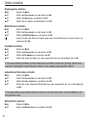
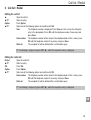
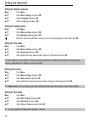
Editing the call list
▲
▲/▼
Option
▲/▼
Open the call list.
Select an entry.
Press Option.
Select one of the following options and confirm with OK:
View
The telephone number is displayed. Press Save to enter a name for storing the
entry in the phonebook. Press OK, edit the telephone number if necessary and
press Save.
Save number The telephone number will be stored in the telephone book. Enter a name, press
OK, edit the telephone number if necessary and press Save.
Delete all
The complete list will be deleted after a confirmation query.
☞ For deleting a single entry press INT (►), whilst the respective entry is displayed.
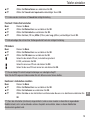
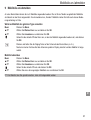
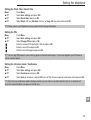
Editing the redial list
Redial
▲/▼
OK
Option
▲/▼
Open the redial list.
Select an entry.
Press OK.
Press Option.
Select one of the following options and confirm with OK:
Save number The telephone number will be stored in the telephone book. Enter a name, press
OK, edit the telephone number if necessary and press Save.
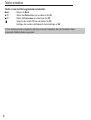
Delete all
The complete list will be deleted after a confirmation query.
☞ For deleting a single entry press INT (►), whilst the respective entry is displayed.
GB
15