1
Cover
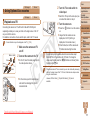
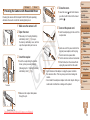
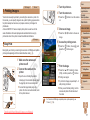
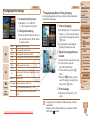
Part Names and Conventions in This Guide
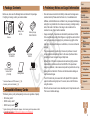
Preliminary Notes and
Legal Information
Contents: Basic Operations
Basic Guide
Advanced Guide
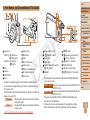
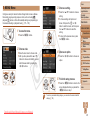
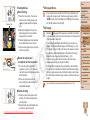
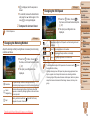
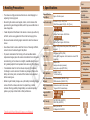
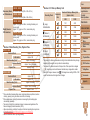
Zoom lever
Shooting: <i (telephoto)> /
<j (wide angle)>
Playback: <k (magnify)> /
<g (index)>
Lens
Speaker
Shutter button
Lamp
Power button
Microphone
Flash
Wi-Fi antenna area
Tripod socket
Memory card/battery cover
DC coupler cable port
Strap mount
C
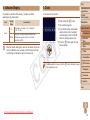
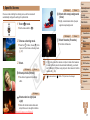
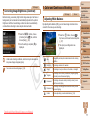
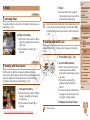
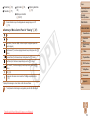
• Instructions in this guide apply to the camera under default settings.
• For convenience, all supported memory cards are simply referred to as
the “memory card”.
• The tabs shown above titles indicate whether the function is used for still
images, movies, or both.
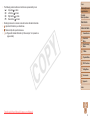
Still Images
:Indicates that the function is used when shooting or
viewing still images.
Movies
:Indicates that the function is used when shooting or
viewing movies.
Downloaded from ManualsCamera.com Manuals
Y
P
O
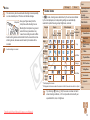
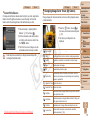
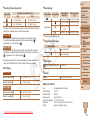
Screen (LCD monitor)
<1 (Playback)> button
Movie button
Mode switch
AV OUT (Audio/video output) /
DIGITAL terminal
Indicator
<n> button
<b (Exposure compensation)> /
< (Wi-Fi)> / Up button
<e (Macro)> / Left button
FUNC./SET button
<h (Flash)> / Right button
<l (Display)> / Down button
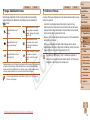
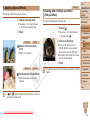
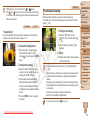
• The following icons are used to indicate functions that differ depending
on the camera model:
ELPH 130 IS IXUS 140 : Functions and precautions for the PowerShot ELPH 130
IS/IXUS 140 only
ELPH 120 IS IXUS 135 : Functions and precautions for the PowerShot ELPH 120
IS/IXUS 135 only
• This guide uses PowerShot ELPH 130 IS/IXUS 140 illustrations and
screenshots for all explanations.
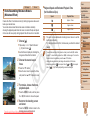
• In this guide, icons are used to represent the corresponding camera
buttons and switches on which they appear or which they resemble.
1
2
3
4
5
6
7
8
9
Camera Basics
Smart Auto
Mode
Other Shooting
Modes
P Mode
Playback Mode
Wi-Fi Functions
Setting Menu
Accessories
Appendix
Index
3