1
Dell Precision™ M90 Mobile Workstation Service Manual
Before You Begin
Speakers
System Components
Subwoofer
Optical Drive
USB Port Board
Hard Drive
Processor Thermal-Cooling Assembly
Memory Module(s)
Processor Module
Modem
Video Card/Thermal-Cooling Assembly
Mini-Card
System Fan(s)
Internal Card With Bluetooth® Wireless Technology
ExpressCard Cage
Hinge Cover
Smart Card Reader
Keyboard
System Board
Display
Battery Latch Assembly
Palm Rest
Flashing the BIOS
Coin-Cell Battery
Pin Assignments for I/O Connectors
Notes, Notices, and Cautions
NOTE: A NOTE indicates important information that helps you make better use of your computer.
NOTICE: A NOTICE indicates either potential damage to hardware or loss of data and tells you how to avoid the problem.
CAUTION: A CAUTION indicates a potential for property damage, personal injury, or death.
Abbreviations and Acronyms
For a complete list of abbreviations and acronyms, see "Glossary" in the User's Guide.
If you purchased a Dell™ n Series computer, any references in this document to Microsoft® Windows® operating systems are not applicable.
Information in this document is subject to change without notice.
© 2006 Dell Inc. All rights reserved.
Reproduction in any manner whatsoever without the written permission of Dell Inc. is strictly forbidden.
Trademarks used in this text: Dell, the DELL logo, and Dell Precision are trademarks of Dell Inc.; Microsoft and Windows are registered trademarks of Microsoft Corporation.
Other trademarks and trade names may be used in this document to refer to either the entities claiming the marks and names or their products. Dell Inc. disclaims any
proprietary interest in trademarks and trade names other than its own.
Model PP05XA
March 2006 Rev. A00
Back to Contents Page
Battery Latch Assembly
Dell Precision™ M90 Mobile Workstation Service Manual
Removing the Battery Latch Assembly
Replacing the Battery Latch Assembly
Removing the Battery Latch Assembly
CAUTION: Before you begin the following procedure, follow the safety instructions in the Product Information Guide.
NOTICE: To avoid electrostatic discharge, ground yourself by using a wrist grounding strap or by periodically touching an unpainted metal surface (such
as the back panel) on the computer.
NOTICE: To help prevent damage to the system board, remove the main battery (see Before Working Inside Your Computer) before working inside the
computer.
1.
Follow the instructions in Before Working Inside Your Computer.
2.
Remove the hinge cover (see Removing the Hinge Cover).
3.
Remove the keyboard (see Keyboard).
4.
Remove the display assembly (see Removing the Display Assembly).
5.
Remove the palm rest (see Removing the Palm Rest).
6.
Remove the system board (see Removing the System Board).
7.
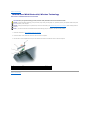
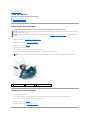
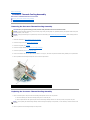
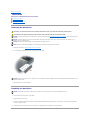
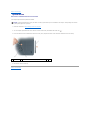
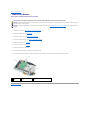
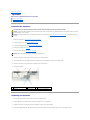
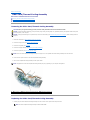
Remove the hard drive bay by removing the four M2 x 3-mm screws, and lifting out the bay.
NOTE: You can remove the hard drive bay without removing the ExpressCard cage from the hard drive bay.
1
hard drive bay
8.
2
ExpressCard cage
3
M2 x 3-mm screws (4)
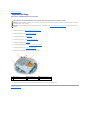
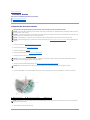
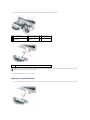
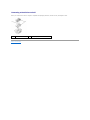
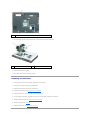
Remove the screw in the battery latch assembly.
When you remove the screw, the battery latch release on the bottom of the computer will also be removed.
1
screw
9.
2
battery latch assembly
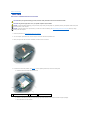
Remove the spring from the hook on the computer base by lifting it up and away with a screwdriver or a plastic scribe.
1
hook
10.
2
spring
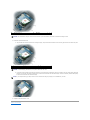
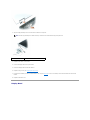
Remove the plastic battery-latch assembly by twisting the assembly slightly and lifting it out of the channel and away from the computer base.
1
battery latch assembly
Replacing the Battery Latch Assembly
1.
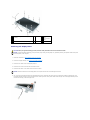
Insert the latch assembly into the channel on the computer base, and press it into place.
2.
Using a small screwdriver, hook the spring over the hook on the computer base.
3.
Place the battery latch release under the computer base, line it up with the hole in the base, and then replace the screw in the assembly.
Ensure that the newly installed latch moves smoothly and freely when pushed and released.
4.
Replace the hard drive bay and reinsert the four M2 x 3-mm screws.
5.
Replace the system board and the four M2.5 x 5 screws.
6.
Replace in reverse order the other components that you removed in Removing the Battery Latch Assembly.
Back to Contents Page
Back to Contents Page
Before You Begin
Dell Precision™ M90 Mobile Workstation Service Manual
Recommended Tools
Turning Off Your Computer
Before Working Inside Your Computer
Computer Orientation
Screw Identification
This section provides procedures for removing and installing the components in your computer. Unless otherwise noted, each procedure assumes that the
following conditions exist:
l
You have performed the steps in Turning Off Your Computer and Before Working Inside Your Computer.
l
You have read the safety information in the Dell™ Product Information Guide.
l
A component can be replaced or—if purchased separately—installed by performing the removal procedure in reverse order.
Recommended Tools
The procedures in this document may require the following tools:
l
Small flat-blade screwdriver
l
Phillips screwdriver
l
Small plastic scribe
l
Flash BIOS update program CD
Turning Off Your Computer
NOTICE: To avoid losing data, save and close any open files and exit any open programs before you turn off your computer.
1.
Shut down the operating system:
Save and close any open files, exit any open programs, click Start® Shut Down® Shut down.
The computer turns off after the operating system shutdown process finishes.
2.
Ensure that the computer and any attached devices are turned off. If your computer and attached devices did not automatically turn off when you shut
down your operating system, press and hold the power button for 4 seconds.
Before Working Inside Your Computer
Use the following safety guidelines to help protect your computer from potential damage and to help ensure your own personal safety.
CAUTION: Before you begin any of the procedures in this section, follow the safety instructions in the Product Information Guide.
NOTICE: Handle components and cards with care. Do not touch the components or contacts on a card. Hold a card by its edges or by its metal
mounting bracket. Hold a component such as a processor by its edges, not by its pins.
NOTICE: Only a certified service technician should perform repairs on your computer. Damage due to servicing that is not authorized by Dell is not
covered by your warranty.
NOTICE: When you disconnect a cable, pull on its connector or on its strain-relief loop, not on the cable itself. Some cables have a connector with
locking tabs; if you are disconnecting this type of cable, press in on the locking tabs before you disconnect the cable. As you pull connectors apart, keep
them evenly aligned to avoid bending any connector pins. Also, before you connect a cable, ensure that both connectors are correctly oriented and
aligned.
NOTICE: To help prevent damage to the computer, perform the following steps before you begin working inside the computer.
1.
Ensure that the work surface is flat and clean to prevent the computer cover from being scratched.
2.
Turn off your computer (see Turning Off Your Computer).
NOTICE: To disconnect a network cable, first unplug the cable from your computer and then unplug it from the network device.
3.
Disconnect any telephone or network cables from the computer.
4.
Disconnect your computer and all attached devices from their electrical outlets.
5.
Close the display and turn the computer upside-down on a flat work surface.
NOTICE: To help prevent damage to the system board, remove the main battery before working inside the computer.
1
6.
Slide the battery-bay latch release on the bottom of the computer and remove the battery from the bay.
7.
Turn the computer top-side up.
battery-bay latch release
2
battery
Computer Orientation
1
front
2
left
3
back
4
right
Screw Identification
When you are removing and replacing components, print the screw identification chart as a tool to lay out and keep track of the screws. The chart provides the
number of screws and their sizes.
Optical Drive:
Hard Drive:
Modem:
(1 each)
(2 each)
Internal Card With Bluetooth® Keyboard:
Wireless Technology:
(1 each)
(1 each)
Display Assembly:
(2 each)
(4 each)
Display Bezel:
Palm Rest:
(4 each, under rubber display
bumpers)
(6 each – top side)
Display Panel:
(8 each)
(4 each, shoulder type, under
2 screw covers and 2 rubber
bumpers)
(12 each – bottom side)
Speakers:
USB Port Board:
Fans (2):
(4 total — 2 per speaker)
(1 each)
(4 total — 2 per fan)
System Board:
Hard Drive Bay:
(4 each)
(4 each)
Back to Contents Page
Back to Contents Page
Internal Card With Bluetooth® Wireless Technology
Dell Precision™ M90 Mobile Workstation Service Manual
CAUTION: Before you begin the following procedure, follow the safety instructions in the Product Information Guide.
NOTICE: To avoid electrostatic discharge, ground yourself by using a wrist grounding strap or by periodically touching an unpainted metal surface (such
as the back panel) on the computer.
NOTICE: To help prevent damage to the system board, remove the main battery (see Before Working Inside Your Computer) before working inside the
computer.
NOTE: If you ordered an internal card with Bluetooth wireless technology with your computer, the card is already installed.
1.
Follow the instructions in Before Working Inside Your Computer.
2.
Remove the M2.5 x 8-mm screw and remove the card cover from the computer.
3.
Pull the card out of the compartment so that you can disconnect the card from its cable and remove it from the computer.
1 card connector
2 internal card with Bluetooth wireless technology
3 card door
4 M2.5 x 8-mm screw
Back to Contents Page
Back to Contents Page
ExpressCard Cage
Dell Precision™ M90 Mobile Workstation Service Manual
CAUTION: Before you begin the following procedure, follow the safety instructions in the Product Information Guide.
NOTICE: To avoid electrostatic discharge, ground yourself by using a wrist grounding strap or by periodically touching an unpainted metal surface (such
as the back panel) on the computer.
NOTICE: To help prevent damage to the system board, remove the main battery (see Before Working Inside Your Computer) before working inside the
computer.
1.
Follow the instructions in Before Working Inside Your Computer.
2.
Remove the hard drive (see Removing the Hard Drive).
3.
Remove the optical drive (see Optical Drive).
4.
Remove the hinge cover (see Removing the Hinge Cover).
5.
Remove the keyboard (see Keyboard).
6.
Remove the display assembly (see Removing the Display Assembly).
7.
Remove the palm rest (see Removing the Palm Rest).
8.
Disconnect the ExpressCard connector from the system board.
1
hard drive bay
2
ExpressCard cage
3
M2 x 3-mm screws (4)
4
ExpressCard connector
9.
Remove the four M2 x 3-mm screws that attach the ExpressCard cage to the top of the hard drive bay.
Back to Contents Page
Back to Contents Page
Mini-Card
Dell Precision™ M90 Mobile Workstation Service Manual
CAUTION: Before you begin the following procedure, follow the safety instructions in the Product Information Guide.
CAUTION: Only products approved for use in your portable computer may be installed.
NOTICE: To avoid electrostatic discharge, ground yourself by using a wrist grounding strap or by periodically touching an unpainted metal surface (such
as the back panel) on the computer.
NOTICE: To prevent damage to the system board, you must remove the main battery (see Before Working Inside Your Computer) before you begin
working inside the computer.
1.
Follow the procedures in Before Working Inside Your Computer.
2.
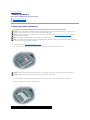
Turn the computer upside-down and loosen the captive screws from the Mini-Card/modem cover.
3.
Place your finger under the cover at the indentation, and lift the cover to remove it.
4.
If a Mini-Card is not already installed, go to step 5. If you are replacing a Mini-Card, remove the existing card:
a.
1
Disconnect the antenna cables from the Mini-Card.
antenna connectors (2)
2
Mini-Card
3
Mini-Card connector
b.
Release the Mini-Card by pushing the metal securing clips toward the back of the computer until the card pops up slightly.
c.
Lift the Mini-Card out of its connector.
1
securing clips (2)
2
Mini-Card
NOTICE: The connectors are keyed to ensure correct insertion. If you feel resistance, check the connectors and realign the card.
5.
Install the replacement Mini-Card:
a.
1
Align the Mini-Card with the connector at a 45-degree angle, and press the Mini-Card down into the securing clips until the card clicks into place.
securing clips (2)
2
antenna connectors (2)
3
Mini-Card connector
NOTICE: To avoid damaging the Mini-Card, never place cables under the card.
b.
Connect the antenna cables to the antenna connectors on the Mini-Card by matching the color of the cable to the color of the triangle above the
connector. Connect the main antenna cable (white) to the antenna connector with the white triangle. Connect the auxiliary antenna cable (black)
to the antenna connector with the black triangle.
NOTE: If your computer has a gray cable, connect it to the connector with the gray triangle, if one is available on your card.
6.
Replace the Mini-Card/modem cover.
Back to Contents Page
Back to Contents Page
Coin-Cell Battery
Dell Precision™ M90 Mobile Workstation Service Manual
Removing the Coin-Cell Battery
Replacing the Coin-Cell Battery
Removing the Coin-Cell Battery
CAUTION: Before you begin the following procedure, follow the safety instructions in the Product Information Guide.
NOTICE: To avoid electrostatic discharge, ground yourself by using a wrist grounding strap or by periodically touching an unpainted metal surface (such
as the back panel) on the computer.
NOTICE: To help prevent damage to the system board, remove the main battery (see Before Working Inside Your Computer) before working inside the
computer.
1.
Follow the instructions in Before Working Inside Your Computer.
2.
Remove the hinge cover (see Removing the Hinge Cover).
3.
Remove the keyboard (see Keyboard).
4.
Remove the existing coin-cell battery:
a.
Disconnect the battery cable connector from the system board.
b.
Press the release latch on the side of the coin-cell battery compartment, and lift up the battery.
NOTE: You may experience slight resistance when you lift the battery because of an adhesive underneath the battery that holds it in place.
1
coin-cell battery
2
release latch
3
battery cable connector
Replacing the Coin-Cell Battery
1.
Install the replacement battery:
a.
With the positive side up, insert the battery at a 30-degree angle under the release latch, and then push the battery into place.
b.
Connect the battery cable to the connector on the system board.
2.
Replace the keyboard (see Keyboard).
3.
Replace the hinge cover (see Replacing the Hinge Cover).
Back to Contents Page
Back to Contents Page
System Components
Dell Precision™ M90 Mobile Workstation Service Manual
NOTICE: Only a certified service technician should perform repairs on your computer. Damage due to servicing that is not authorized by Dell is not
covered by your warranty.
NOTICE: Unless otherwise noted, each procedure in this document assumes that a part can be replaced by performing the removal procedure in
reverse order.
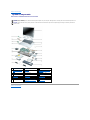
1
display assembly
hinge cover
3
keyboard
4
palm rest (with touch 5
pad)
Mini-Card
6
video card/thermal-cooling
assembly
7
fan
hard drive bay
9
ExpressCard cage
8
10 hard drive
11 main battery
12 speakers (2)
13 subwoofer
14 optical drive
15 system board
16 computer base
17 fan
18 speaker grille
19 processor
20 processor thermal-cooling
assembly
21 USB port board
Back to Contents Page
2
Back to Contents Page
Processor Module
Dell Precision™ M90 Mobile Workstation Service Manual
Removing the Processor Module
Replacing the Processor Module
Removing the Processor Module
CAUTION: Before you begin the following procedure, follow the safety instructions in the Product Information Guide.
NOTICE: To avoid electrostatic discharge, ground yourself by using a wrist grounding strap or by periodically touching an unpainted metal surface (such
as the back panel) on the computer.
NOTICE: Do not touch the processor die. Press and hold the processor down on the substrate on which the die is mounted while turning the cam screw
to prevent intermittent contact between the cam screw and processor.
NOTICE: To avoid damage to the processor, hold the screwdriver so that it is perpendicular to the processor when turning the cam screw.
NOTICE: To help prevent damage to the system board, remove the main battery (see Before Working Inside Your Computer) before working inside the
computer.
1.
Follow the instructions in Before Working Inside Your Computer.
2.
Remove the hinge cover (see Removing the Hinge Cover).
3.
Remove the keyboard (see Keyboard).
4.
Remove the display assembly (see Removing the Display Assembly).
5.
Remove the palm rest (see Removing the Palm Rest).
NOTICE: To ensure maximum cooling for the processor, do not touch the heat transfer areas on the processor thermal-cooling assembly. The oils in
your skin reduce the heat transfer capability of the thermal pads.
6.
Remove the processor thermal-cooling assembly (see Removing the Processor Thermal-Cooling Assembly).
NOTICE: When removing the processor module, pull the module straight up. Be careful not to bend the pins on the processor module.
7.
1
To loosen the ZIF socket, use a small, flat-blade screwdriver and rotate the ZIF-socket cam screw counterclockwise until it comes to the cam stop.
ZIF-socket cam screw
2
pin-1 corner of microprocessor
3
ZIF-socket
NOTE: The ZIF-socket cam screw secures the processor to the system board. Take note of the arrow on the ZIF-socket cam screw, which indicates the
direction to turn the cam screw.
8.
Lift the processor module from the ZIF socket.
Replacing the Processor Module
NOTICE: Ensure that the cam lock is in the fully open position before seating the processor module. Seating the processor module properly in the ZIF
socket does not require force.
NOTICE: A processor module that is not properly seated can result in an intermittent connection or permanent damage to the processor and ZIF
socket.
1.
Align the pin-1 corner of the processor module with the pin-1 corner of the ZIF socket, and insert the processor module.
NOTE: The pin-1 corner of the processor module has a triangle that aligns with the triangle on the pin-1 corner of the ZIF socket.
NOTICE: You must position the processor module correctly in the ZIF socket to avoid permanent damage to the module and the socket.
When the processor module is correctly seated, all four corners are aligned at the same height. If one or more corners of the module are higher than the
others, the module is not seated correctly.
2.
Tighten the ZIF socket by turning the cam screw clockwise to secure the processor module to the system board.
NOTE: When you replace the processor thermal-cooling assembly, be sure to place a new thermal pad on the part of the thermal-cooling assembly that
covers the processor.
3.
Replace the processor thermal-cooling assembly (see Replacing the Processor Thermal-Cooling Assembly).
4.
Perform the steps in Removing the Processor Module in reverse order, beginning with step 5.
Back to Contents Page
Back to Contents Page
Processor Thermal-Cooling Assembly
Dell Precision™ M90 Mobile Workstation Service Manual
Removing the Processor Thermal-Cooling Assembly
Replacing the Processor Thermal-Cooling Assembly
Removing the Processor Thermal-Cooling Assembly
CAUTION: Before you begin the following procedure, follow the safety instructions in the Product Information Guide.
NOTICE: To avoid electrostatic discharge, ground yourself by using a wrist grounding strap or by periodically touching an unpainted metal surface (such
as the back panel) on the computer.
NOTICE: To help prevent damage to the system board, remove the main battery (see Before Working Inside Your Computer) before working inside the
computer.
1
1.
Follow the instructions in Before Working Inside Your Computer.
2.
Remove the hinge cover (see Removing the Hinge Cover).
3.
Remove the keyboard (see Keyboard).
4.
Remove the display assembly (see Removing the Display Assembly).
5.
Remove the palm rest (see Removing the Palm Rest).
6.
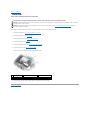
Loosen in consecutive order the four captive screws, labeled "1" through "4," that secure the processor thermal-cooling assembly to the system board.
7.
Lift the processor thermal-cooling assembly and remove it from the system board.
processor thermal-cooling assembly
2
captive screws (4)
3
thermal pad
Replacing the Processor Thermal-Cooling Assembly
1.
Place a new thermal pad on the part of the thermal-cooling assembly that will cover the new processor:
a.
Remove the backing from the new thermal pad, taking care not to tear the pad.
b.
Place the pad's adhesive-side against the part of the thermal-cooling assembly that will cover the new processor, and press it into place.
NOTE: If you are replacing the thermal-cooling assembly without removing and replacing a new processor, it is not necessary to clean the surface of the
processor.
2.
Place the processor thermal-cooling assembly over the processor.
3.
Tighten the four captive screws, labeled "1" through "4," in consecutive order.
Back to Contents Page
Back to Contents Page
Display
Dell Precision™ M90 Mobile Workstation Service Manual
Display Assembly
Display Bezel
Display Panel
Display Latch
Display Assembly
Removing the Display Assembly
CAUTION: Before you begin the following procedure, follow the safety instructions in the Product Information Guide.
NOTICE: To avoid electrostatic discharge, ground yourself by using a wrist grounding strap or by periodically touching an unpainted metal surface (such
as the back panel) on the computer.
1.
Follow the instructions in Before Working Inside Your Computer.
2.
Turn the computer upside-down and loosen the two captive screws on the Mini-Card cover.
NOTE: You must detach the Mini-Card antennas (see step 3) before you can remove the display assembly. If a Mini-Card is installed, disconnect the
antenna cables from the card. If one is not installed, detach the antenna cables from their secured location.
3.
Disconnect the antenna cables from the Mini-Card, if applicable.
4.
Turn the computer top-side up.
5.
Remove the hinge cover (see Removing the Hinge Cover).
6.
Use the pull-tab to disconnect the display cable from the system board, and then disengage the display cable from the cable channel.
7.
Remove the four M2.5 x 5-mm screws (two on each side) that connect the display to the computer base.
1 display cable pull-tab
2 M2.5 x 5-mm screws (4)
3 Mini-Card antenna
cables (2)
4 display cable connector on
system board
5 display cable in cable
channel
1
Mini-Card antenna cables
NOTE: When removing the display assembly, carefully unthread the Mini-Card antenna cables through the computer base and ensure that the plastic
protectors—if present—remain on the individual cables.
8.
Lift the display assembly away from the computer.
Replacing the Display Assembly
1.
Thread the Mini-Card antenna cables back through the hole in the base of the computer so that they are accessible from the bottom of the computer.
2.
Align the display assembly over the screw holes in the base of the computer.
NOTE: The left hinge assembly has a small tab that you must first insert underneath the edge of the palm rest.
1
tab
3.
Replace the four M2.5 x 5-mm screws.
4.
Connect the display cable to the system board.
5.
Reroute the display cable into the cable channel.
6.
Replace the hinge cover (see Replacing the Hinge Cover).
7.
8.
If a Mini-Card is installed, connect the antenna cables to the card (see Mini-Card). If one is not installed, tuck the antenna cables into their secured
location.
Replace the Mini-Card cover.
Display Bezel
1 shoulder screws (4, two at the top and two at
the bottom)
2 screw covers
(2)
3 M2.5 x 5-mm
screws
(4, one on each
corner)
4 rubber screw-covers/display bumpers (6)
5 display bezel
Removing the Display Bezel
CAUTION: Before you begin the following procedure, follow the safety instructions in the Product Information Guide.
NOTICE: To avoid electrostatic discharge, ground yourself by using a wrist grounding strap or by periodically touching an unpainted metal surface (such
as the back panel) on the computer.
1.
Follow the instructions in Before Working Inside Your Computer.
2.
Remove the display assembly (see Removing the Display Assembly).
3.
Remove the six rubber screw-covers/display bumpers.
4.
Remove the two screw covers and the four shoulder screws.
5.
Remove the four M2.5 x 5-mm screws at the corners of the bezel.
NOTICE: Removal of the bezel from the display back cover requires extreme care to avoid damage to the bezel.
6.
Use your fingers to separate the bezel from the display back cover by pulling the lower-right corner of the bezel down toward the bottom edge (A) of
the display assembly to clear the tab on the bottom of the lower-right corner. Then pull the bezel toward the right side of the display assembly to clear
the tab on the side (B) of the lower-right corner.
1
display back cover
7.
1
2
tabs
Repeat step 6 for the lower-left corner of the bezel. Then use your fingers to release the snaps around the rest of the bezel and lift it away from the
display panel.
display bezel
2
display panel
Replacing the Display Bezel
1.
Starting at any corner, use your fingers to gently snap the bezel into place to secure it to the display panel.
2.
Replace the four M2.5 x 5-mm screws on the corners of the bezel.
3.
Replace the four shoulder screws and two screw covers.
4.
Replace the six rubber screw-cover/display bumpers around the bezel.
Display Panel
Removing the Display Panel
1
display panel
2 M2 x 3-mm screws (8)
3
display back cover
4
grounding wire and captive screw
CAUTION: Before you begin the following procedure, follow the safety instructions in the Product Information Guide.
NOTICE: To avoid electrostatic discharge, ground yourself by using a wrist grounding strap or by touching an unpainted metal surface on the computer.
1.
Follow the instructions in Before Working Inside Your Computer.
2.
Remove the display assembly (see Removing the Display Assembly).
3.
Remove the display bezel (see Removing the Display Bezel).
4.
Loosen the captive ground screw that attaches the display-panel ground wire to the display back cover.
5.
Remove the eight M2 x 3-mm screws (four on each side of the display panel).
6.
Lift the display panel out of the display back cover.
7.
Press in both sides of the top flex-cable connector, and pull the top flex-cable connector away from the display connector.
8.
Use the pull-tab to disconnect the bottom flex-cable connector from the inverter connector.
1 pull-tab on bottom flex-cable
connector
2 top flex-cable
connector
3 display cable
connector
4 inverter connector
Replacing the Display Panel
1.
Reconnect the top display-cable connector to the top flex-cable connector.
2.
Reconnect the bottom flex-cable connector to the inverter connector.
3.
Replace the display panel inside the display back cover.
4.
Tighten the captive screw that attaches the display-panel ground wire to the display back cover.
5.
Replace the eight M2 x 3-mm screws (four on each side) around the display panel.
6.
Replace the display bezel (see Replacing the Display Bezel).
Display Latch
Removing the Display Latch
CAUTION: Before you begin the following procedure, follow the safety instructions in the Product Information Guide.
NOTICE: To avoid electrostatic discharge, ground yourself by using a wrist grounding strap or by touching an unpainted metal surface on the computer.
1.
Follow the instructions in Before Working Inside Your Computer.
2.
Remove the display assembly (see Removing the Display Assembly).
3.
Remove the display bezel (see Removing the Display Bezel).
4.
Slide the latch to the right and gently lift.
5.
Remove the spring that attaches the latch to the display panel.
1
spring
2
display latch
Replacing the Display Latch
1.
Replace the spring that attaches the latch to the display panel.
2.
Align the latch with the display panel and slide the latch to the left to secure it into place.
Back to Contents Page
Back to Contents Page
System Fan(s)
Dell Precision™ M90 Mobile Workstation Service Manual
CAUTION: Before you begin the following procedure, follow the safety instructions in the Product Information Guide.
NOTICE: To avoid electrostatic discharge, ground yourself by using a wrist grounding strap or by periodically touching an unpainted metal surface (such
as the back panel) on the computer.
NOTICE: To help prevent damage to the system board, remove the main battery (see Before Working Inside Your Computer) before working inside the
computer.
1.
Follow the instructions in Before Working Inside Your Computer.
2.
Remove the hinge cover (see Removing the Hinge Cover).
3.
Remove the keyboard (see Keyboard).
4.
Remove the display assembly (see Removing the Display Assembly).
5.
Remove the palm rest (see Removing the Palm Rest).
6.
Remove the two M2.5 x 5-mm screws from the fan(s), and then remove the connector(s) that connect the fan(s) to the system board.
7.
Lift the fan(s) out of the computer.
1 fan for processor/thermal - cooling assembly
2 M2.5 x 5-mm screws (2)
3 fan cable
4 fan-cable system board connector
1 fan for video card/thermal - cooling assembly, if installed
2 M2.5 x 5-mm screws
(2)
3 fan
cable
4 fan-cable system board connector
Back to Contents Page
Back to Contents Page
Flashing the BIOS
Dell Precision™ M90 Mobile Workstation Service Manual
NOTICE: Plug the AC adapter into a known good power source to prevent a loss of power. Failure to do so may cause system damage.
1.
Ensure that the AC adapter is plugged in and that the main battery is installed properly.
NOTE: If you use a BIOS update program CD to flash the BIOS, press <F12> before inserting the CD so that you can set up the computer to boot from a
CD this one time only. Otherwise, you must enter the system setup program to change the default boot order.
2.
Insert the BIOS update program CD, and turn on the computer.
NOTICE: Do not interrupt this process once it begins. Doing so may cause system damage.
Follow the instructions that appear on the screen. The computer continues to boot and updates the new BIOS. When the flash update is complete, the
computer will automatically reboot.
3.
Press <F2> during POST to enter the system setup program.
4.
Press <Alt> and <f> to reset the computer defaults.
5.
Press <Esc>, select Save changes and reboot, and press <Enter> to save configuration changes.
6.
Remove the flash BIOS update program CD from the drive and restart the computer.
Back to Contents Page
Back to Contents Page
Hard Drive
Dell Precision™ M90 Mobile Workstation Service Manual
Removing the Hard Drive
Replacing the Hard Drive
Returning a Hard Drive to Dell
Removing the Hard Drive
CAUTION: If you remove the hard drive from the computer when the drive is hot, do not touch the metal housing of the hard drive.
CAUTION: Before you begin the following procedure, follow the safety instructions in the Product Information Guide.
NOTICE: To help prevent damage to the system board, remove the main battery (see Before Working Inside Your Computer) before working inside the
computer.
NOTICE: To prevent data loss, turn off your computer before removing the hard drive. Do not remove the hard drive while the computer is on, in
standby mode, or in hibernate mode.
NOTICE: Hard drives are extremely fragile; even a slight bump can damage the drive.
NOTE: Dell does not guarantee compatibility or provide support for hard drives from sources other than Dell.
1.
Follow the instructions in Before Working Inside Your Computer.
2.
Turn the computer upside-down and remove the two M3 x 3-mm screws.
NOTICE: When the hard drive is not in the computer, store it in protective antistatic packaging. See "Protecting Against Electrostatic Discharge" in your
Product Information Guide.
3.
Slide the hard drive out of the computer.
Replacing the Hard Drive
NOTICE: Use firm and even pressure to slide the drive into place. If you use excessive force, you may damage the connector.
1.
Slide the drive into the bay until it is fully seated.
2.
Replace and tighten the screws.
3.
4.
If you have installed a replacement hard drive, reinstall the Microsoft® Windows® operating system. For instructions, see "Restoring Your Operating
System" in the User's Guide.
Reinstall drivers on the new hard drive. For instructions, see "Reinstalling Drivers and Utilities" in the User's Guide.
Returning a Hard Drive to Dell
Return your old hard drive to Dell in its original or comparable foam packaging. Otherwise, the hard drive may be damaged in transit.
1
hard drive
Back to Contents Page
2
foam packaging
Back to Contents Page
Hinge Cover
Dell Precision™ M90 Mobile Workstation Service Manual
Removing the Hinge Cover
Replacing the Hinge Cover
Removing the Hinge Cover
CAUTION: Before you begin the following procedure, follow the safety instructions in the Product Information Guide.
NOTICE: To avoid electrostatic discharge, ground yourself by using a wrist grounding strap or by periodically touching an unpainted metal surface (such
as the back panel) on the computer.
NOTICE: To help prevent damage to the system board, remove the main battery (see Before Working Inside Your Computer) before working inside the
computer.
NOTICE: The hinge cover is fragile and can be damaged if extreme force is used. Be careful when removing the hinge cover.
1.
Follow the instructions in Before Working Inside Your Computer.
NOTICE: To help avoid damage to the hinge cover, ensure that it is snapped securely into place before you rotate the display open to 180 degrees.
1
2.
Open the display all the way (180 degrees) so that it lies flat against your work surface.
3.
Using a small flat-blade screwdriver, insert the screwdriver on the right side to gently pry the hinge cover loose.
4.
Pulling up from right to left, remove the hinge cover.
hinge cover
Replacing the Hinge Cover
With the display open all the way (180 degrees) so that it lies flat against the work surface, snap the cover back into place, starting from left to right.
Back to Contents Page
Back to Contents Page
Keyboard
Dell Precision™ M90 Mobile Workstation Service Manual
CAUTION: Before you begin the following procedure, follow the safety instructions in the Product Information Guide.
NOTICE: To avoid electrostatic discharge, ground yourself by using a wrist grounding strap or by periodically touching an unpainted metal surface (such
as the back panel) on the computer.
NOTICE: To help prevent damage to the system board, remove the main battery (see Before Working Inside Your Computer) before working inside the
computer.
1.
Follow the instructions in Before Working Inside Your Computer.
2.
Remove the hinge cover (see Removing the Hinge Cover).
3.
Remove the two M2.5 x 5-mm screws at the top of the keyboard.
NOTICE: The key caps on the keyboard are fragile, easily dislodged, and time-consuming to replace. Be careful when removing and handling the
keyboard.
Lift the keyboard and hold it up and slightly forward to provide access to the keyboard connector.
4.
To disconnect the keyboard cable from the keyboard connector on the system board, rotate the keyboard connector latch toward the front of the
computer.
5.
6.
Pull the keyboard cable to slide it out of the keyboard connector on the system board.
7.
Remove the keyboard.
1
keyboard
2
M2.5 x 5-mm screws (2)
3
keyboard cable
4
keyboard connector latch
5
tabs (5)
Back to Contents Page
Back to Contents Page
Memory Module(s)
Dell Precision™ M90 Mobile Workstation Service Manual
Removing the Memory Module(s)
Replacing the Memory Module(s)
Removing the Memory Module(s)
CAUTION: Before you begin the following procedure, follow the safety instructions in the Product Information Guide.
NOTICE: To prevent static damage to components inside your computer, discharge static electricity from your body before you touch any of your
computer's electronic components. You can do so by touching an unpainted metal surface.
NOTICE: To help prevent damage to the system board, you must remove the main battery (see Before Working Inside Your Computer) before you
begin working inside the computer.
NOTE: Memory modules purchased from Dell are covered under your computer warranty.
NOTE: To get maximum performance/dual-channel memory bandwidth capability, both memory module connectors must contain memory modules and
the modules must be of the same size and configuration.
1.
Follow the instructions in Before Working Inside Your Computer.
2.
Turn the computer upside-down, loosen the two captive screws on the memory module cover, and remove the cover.
NOTICE: To prevent damage to the memory module connector, do not use tools to spread the securing clips that secure the memory module.
NOTICE: Handle memory modules by their edges, and do not touch the components on a module.
1
3.
Use your fingertips to carefully spread apart the securing clips on each end of the memory module connector until the module pops up.
4.
Remove the module from the connector at a 45-degree angle.
memory module
2
securing clips (2)
Replacing the Memory Module(s)
NOTE: To get maximum performance/dual-channel memory bandwidth capability, both memory module connectors must contain memory modules and
the modules must be of the same size and configuration.
NOTE: If a memory module is not installed properly, the computer does not boot.
1.
2.
Ground yourself and install the new memory module:
a.
Align the notch in the module edge connector with the tab in the connector slot.
b.
Slide the module firmly into the slot at a 45-degree angle, and rotate the module down until it clicks into place. If you do not feel the click, remove
the module and reinstall it.
Replace the memory module cover and tighten the captive screws.
NOTICE: If the memory module cover is difficult to close, remove the module and reinstall it. Forcing the cover to close may damage your computer.
3.
Insert the battery into the battery bay, or connect the AC adapter to your computer and an electrical outlet.
4.
Turn on the computer.
As the computer boots, it detects the additional memory and automatically updates the system configuration information.
NOTE: Since the computer operating system reserves some memory for system files and activities, the amount of available memory that is displayed will
be less than the total memory installed.
Back to Contents Page
Back to Contents Page
Modem
Dell Precision™ M90 Mobile Workstation Service Manual
Removing the Modem
Replacing the Modem
Removing the Modem
CAUTION: Before you begin the following procedure, follow the safety instructions in the Product Information Guide.
NOTICE: To avoid electrostatic discharge, ground yourself by using a wrist grounding strap or by periodically touching an unpainted metal surface (such
as the back panel) on the computer.
NOTICE: To help prevent damage to the system board, you must remove the main battery (see Before Working Inside Your Computer) before you
begin working inside the computer.
1.
Follow the instructions in Before Working Inside Your Computer.
2.
Turn the computer upside-down, loosen the two captive screws on the modem cover, and remove the cover from the computer.
3.
Remove the M2 x 3-mm screw that attaches the modem to the system board.
4.
Pull up on the pull-tab to disconnect the modem from the connector on the system board.
1
system board connector
2
M2 x 3-mm screw
3
pull-tab
4
modem
5
modem cable
NOTICE: Do not disconnect the modem cable from the system board.
5.
Disconnect the modem cable from the modem.
Replacing the Modem
1.
Connect the modem cable to the modem.
NOTICE: Ensure that the modem cable is routed correctly when you replace the modem.
2.
Connect the modem to the system board.
Align the connector on the bottom of the modem with the modem connector on the system board, and press down on the right side of the modem.
3.
Replace the M2 x 3-mm screw.
Back to Contents Page
Back to Contents Page
Optical Drive
Dell Precision™ M90 Mobile Workstation Service Manual
Your computer ships with a fixed optical drive installed.
NOTICE: To help prevent damage to drives, store them in a safe, dry place when they are not installed in the computer. Avoid pressing down on them
or placing heavy objects on top of them.
1.
Follow the instructions in Before Working Inside Your Computer.
2.
Turn the computer upside-down and remove the M2.5 x 8-mm device security screw labeled with a lock icon (
3.
Insert a screwdriver into the indentation for the device security screw, and push the notch on the metal tab to release the drive from the bay.
1
optical drive
4.
2
Pull the drive out of the drive bay.
Back to Contents Page
indentation for M2.5 x 8-mm security screw
3
notch
).
Back to Contents Page
Palm Rest
Dell Precision™ M90 Mobile Workstation Service Manual
Removing the Palm Rest
Replacing the Palm Rest
Removing the Palm Rest
CAUTION: Before you begin the following procedure, follow the safety instructions in the Product Information Guide.
NOTICE: To avoid electrostatic discharge, ground yourself by using a wrist grounding strap or by periodically touching an unpainted metal surface (such
as the back panel) on the computer.
NOTICE: To help prevent damage to the system board, remove the main battery (see Before Working Inside Your Computer) before working inside the
computer.
1.
Follow the instructions in Before Working Inside Your Computer.
2.
Remove the optical drive (see Optical Drive).
3.
Remove the hinge cover (see Removing the Hinge Cover).
4.
Remove the display assembly (see Removing the Display Assembly).
5.
Remove the keyboard (see Keyboard).
6.
Remove the six M2.5 x 5-mm screws labeled "P" from the top side of the palm rest.
NOTE: The screw locations may vary slightly from the image shown below.
1
M2.5 x 5-mm screws (6)
NOTE: If you are installing a new palm rest, remove the coin-cell battery from the old palm rest so that you can install it on the new palm rest. If you are
removing the palm rest only to access other computer components, you do not need to remove the coin-cell battery from the palm rest.
7.
Remove the coin-cell battery, if appropriate (see Removing the Coin-Cell Battery).
8.
Turn the computer upside-down and remove the 12 M2.5 x 8-mm screws from the bottom of the computer.
1
M2.5 x 8-mm screws (12)
9.
Turn the computer top-side up and disconnect the touch-pad connector from the system board.
1
touch-pad connector
2
LED board connector
10.
Disconnect the LED board connector.
11.
Lift the palm rest and remove it from the computer.
Replacing the Palm Rest
1.
Align the palm rest with the base and gently snap the palm rest into place.
2.
Reconnect the touch-pad connector to the system board.
3.
Reconnect the LED board connector to the system board.
4.
Replace the coin-cell battery (see Replacing the Coin-Cell Battery).
5.
Replace the six M2.5 x 5-mm screws on the top side of the palm rest.
6.
Turn the computer upside-down, and replace the 12 M2.5 x 8-mm screws on the bottom of the computer.
7.
Replace the display assembly (see Replacing the Display Assembly).
8.
Replace the keyboard (see Keyboard).
9.
Replace the hinge cover (see Replacing the Hinge Cover).
Back to Contents Page
Back to Contents Page
Pin Assignments for I/O Connectors
Dell Precision™ M90 Mobile Workstation Service Manual
USB Connector
Video Connector
S-Video TV-Out Connector
IEEE 1394 Connector
USB Connector
Pin Signal
1
USB5V+
2
USBP–
3
USBP+
4
GND
Video Connector
Pin Signal Pin Signal
1
CRT_R 9
5V+
2
CRT_G 10
GND
3
CRT_B 11
MONITOR_DETECT–
4
NC
12
DDC_DATA
5
GND
13
CRT_HS
6
GND
14
CRT_VS
7
GND
15
DDC_CLK
8
GND
S-Video TV-Out Connector
S-Video
Pin Signal
1
GND
2
GND
3
DLUMA-L
4
DCRMA-L
Composite Video
Pin
Signal
5
NC
6
DCMPS-L
7
GND
IEEE 1394 Connector
Pin Signal
1
TPB–
2
TPB+
3
TPA–
4
TPA+
Back to Contents Page
Back to Contents Page
Smart Card Reader
Dell Precision™ M90 Mobile Workstation Service Manual
CAUTION: Before you begin the following procedure, follow the safety instructions in the Product Information Guide.
NOTICE: To avoid electrostatic discharge, ground yourself by using a wrist grounding strap or by periodically touching an unpainted metal surface (such
as the back panel) on the computer.
NOTICE: To help prevent damage to the system board, remove the main battery (see Before Working Inside Your Computer) before working inside the
computer.
1.
Follow the instructions in Before Working Inside Your Computer.
2.
Remove the optical drive (see Optical Drive).
3.
Remove the hinge cover (see Removing the Hinge Cover).
4.
Remove the display assembly (see Removing the Display Assembly).
5.
Remove the keyboard (see Keyboard).
6.
Remove the palm rest (see Palm Rest).
7.
Remove the smart-card reader screw.
8.
Remove the smart-card reader connector from the system board.
9.
To remove the smart card reader, pry up the reader by the metal screw plate and pull up and out from underneath the side tabs.
1 smart card
reader
2 smart-card reader
screw
Back to Contents Page
3 smart-card reader connector on system
board
Back to Contents Page
Speakers
Dell Precision™ M90 Mobile Workstation Service Manual
Removing the Speakers
Replacing the Speakers
Removing the Speakers
CAUTION: Before you begin the following procedure, follow the safety instructions in the Product Information Guide.
NOTICE: To avoid electrostatic discharge, ground yourself by using a wrist grounding strap or by periodically touching an unpainted metal surface (such
as the back panel) on the computer.
NOTICE: To help prevent damage to the system board, remove the main battery (see Before Working Inside Your Computer) before working inside the
computer.
1.
Follow the instructions in Before Working Inside Your Computer.
2.
Remove the hinge cover (see Removing the Hinge Cover).
3.
Remove the display assembly (see Removing the Display Assembly).
4.
Remove the keyboard (see Keyboard).
5.
Remove the palm rest (see Removing the Palm Rest).
NOTICE: Handle the speakers with care to help prevent damage to them.
6.
Disconnect the speaker cable connector from the connector on the system board.
7.
Lift the tape that secures the speaker cables to the computer base, and disengage the cables from the cable guides.
8.
Remove the four M2.5 x 5-mm screws from the speakers (two on each speaker).
9.
Remove the speakers.
1
M2.5 x 5-mm screws (4)
2
cable guides
3
tape
4
speakers (2)
5
speaker cable
6
connector on system board
Replacing the Speakers
1.
Connect the speaker cable connector to the connector on the system board.
2.
Align the speakers on the screw holes for securing the speakers to the computer base.
3.
Replace the four M2.5 x 5-mm screws to secure the speakers in place (two on each speaker).
4.
Re-route the speaker cables into the cable guides, and re-adhere the tape to secure the speaker cables in place on the computer base.
Back to Contents Page
Back to Contents Page
Subwoofer
Dell Precision™ M90 Mobile Workstation Service Manual
CAUTION: Before you begin the following procedure, follow the safety instructions in the Product Information Guide.
NOTICE: To avoid electrostatic discharge, ground yourself by using a wrist grounding strap or by periodically touching an unpainted metal surface (such
as the back panel) on the computer.
NOTICE: To help prevent damage to the system board, you must remove the main battery (see Before Working Inside Your Computer) before you
begin working inside the computer.
If you ordered a subwoofer with your computer, it is already installed. To remove and replace a subwoofer:
1.
Follow the instructions in Before Working Inside Your Computer.
2.
Remove the optical drive (see Optical Drive).
3.
Remove the hinge cover (see Removing the Hinge Cover).
4.
Remove the keyboard (see Keyboard).
5.
Remove the display assembly (see Removing the Display Assembly).
6.
Remove the palm rest (see Removing the Palm Rest).
7.
Loosen the two captive screws that secure the subwoofer in place.
1
subwoofer
2
subwoofer cable connector
3
connector on system board
4
captive screws (2)
8.
Disconnect the subwoofer cable connector from the connector on the system board.
Back to Contents Page
Back to Contents Page
System Board
Dell Precision™ M90 Mobile Workstation Service Manual
Removing the System Board
Replacing the System Board
Removing the System Board
CAUTION: Before you begin the following procedure, follow the safety instructions in the Product Information Guide.
NOTICE: To avoid electrostatic discharge, ground yourself by using a wrist grounding strap or by periodically touching an unpainted metal surface (such
as the back panel) on the computer.
NOTICE: To help prevent damage to the system board, remove the main battery (see Before Working Inside Your Computer) before working inside the
computer.
The system board's BIOS chip contains the Service Tag, which is also visible on a barcode label on the bottom of the computer. The replacement kit for the
system board includes a CD that provides a utility for transferring the Service Tag to the replacement system board.
1.
Follow the instructions in Before Working Inside Your Computer.
2.
Remove the hard drive (see Removing the Hard Drive).
3.
Remove the optical drive (see Optical Drive).
4.
Remove the memory module(s) (see Removing the Memory Module(s)).
5.
Remove the modem (see Removing the Modem).
6.
Remove the Mini-Card (see Mini-Card).
7.
Remove the hinge cover (see Removing the Hinge Cover).
8.
Remove the keyboard (see Keyboard).
9.
Remove the display assembly (see Removing the Display Assembly).
10.
Remove the palm rest (see Removing the Palm Rest).
NOTE: It is not required but is highly recommended that you remove the system fan(s) (see System Fan(s)) to allow easier access to the system board.
11.
1
Disconnect the ExpressCard connector from the connector on the system board.
ExpressCard connector
2
ExpressCard connector on system board
1 USB-port-board
connector
2 cable connector for internal card with
Bluetooth wireless technology
3 speaker
connector
4 subwoofer
connector
12.
Disconnect the smart-card reader connector from the system board.
13.
Disconnect the speaker connector from the system board.
14.
Disconnect the connector for the internal card with Bluetooth® wireless technology from the system board.
15.
Disconnect the subwoofer connector from the system board.
16.
Disconnect the USB-port-board connector from the system board.
17.
Disconnect the fan connector(s) from the system board.
18.
Remove the video card/thermal-cooling assembly, if present (see Removing the Video Card/Thermal- Cooling Assembly).
NOTE: Remove the video card/thermal-cooling assembly as a single unit. Do not separate the thermal-cooling unit (heat sink) from the video card.
19.
Remove the processor thermal-cooling assembly (see Removing the Processor Thermal-Cooling Assembly).
20.
Remove the processor (see Removing the Processor Module).
21.
Remove the docking frame:
1
docking frame
v.
docking frame screws (2)
a.
Remove the two docking-frame screws.
b.
Lift the docking frame away from the system board.
Remove the four M2.5 x 5-mm screws from the system board.
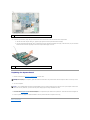
1
system board M2.5 x 5-mm screws (4)
23.
1
Remove the system board, slowly easing the connectors out of their access holes on the back and side of the computer base:
a.
With the back of the computer facing you, grasp the upper-right corner of the system board and lift it slightly.
b.
Pull the system board assembly away from you toward the front of the computer and slightly to the right; at the same time, use your left hand to
release the audio connectors by pulling the side of the computer base slightly to the left.
system board assembly
Replacing the System Board
1.
Perform all of the steps in Removing the System Board in reverse order.
NOTICE: Before turning on the computer, replace all screws and ensure that no stray screws remain inside the computer. Failure to do so may result in
damage to the computer.
2.
Turn on the computer.
NOTE: If you use a BIOS update program CD to flash the BIOS, press <F12> before inserting the CD so that you can set up the computer to boot from a
CD this one time only. Otherwise, you must enter the system setup program to change the default boot order.
3.
4.
Insert the flash BIOS update program CD that accompanied the replacement system board into the optical drive. Follow the instructions that appear on
the screen. See Flashing the BIOS for further information.
Enter the system setup program to update the BIOS on the new system board with the computer Service Tag.
Back to Contents Page
Back to Contents Page
Dell Precision™ M90 Mobile Workstation Service Manual
NOTE: A NOTE indicates important information that helps you make better use of your computer.
NOTICE: A NOTICE indicates either potential damage to hardware or loss of data and tells you how to avoid the problem.
CAUTION: A CAUTION indicates a potential for property damage, personal injury, or death.
For a complete list of abbreviations and acronyms, see "Glossary" in the User's Guide.
If you purchased a Dell™ n Series computer, any references in this document to Microsoft® Windows® operating systems are not applicable.
Information in this document is subject to change without notice.
© 2006 Dell Inc. All rights reserved.
Reproduction in any manner whatsoever without the written permission of Dell Inc. is strictly forbidden.
Trademarks used in this text: Dell, the DELL logo, and Dell Precision are trademarks of Dell Inc.; Microsoft and Windows are registered trademarks of Microsoft Corporation.
Other trademarks and trade names may be used in this document to refer to either the entities claiming the marks and names or their products. Dell Inc. disclaims any
proprietary interest in trademarks and trade names other than its own.
Model PP05XA
March 2006 Rev. A00
Back to Contents Page
Back to Contents Page
USB Port Board
Dell Precision™ M90 Mobile Workstation Service Manual
Removing the USB Port Board
Replacing the USB Port Board
Removing the USB Port Board
CAUTION: Before you begin the following procedure, follow the safety instructions in the Product Information Guide.
NOTICE: To avoid electrostatic discharge, ground yourself by using a wrist grounding strap or by periodically touching an unpainted metal surface (such
as the back panel) on the computer.
NOTICE: To help prevent damage to the system board, remove the main battery (see Before Working Inside Your Computer) before working inside the
computer.
1.
Follow the instructions in Before Working Inside Your Computer.
2.
Remove the hinge cover (see Removing the Hinge Cover).
3.
Remove the keyboard (see Keyboard).
4.
Remove the display assembly (see Removing the Display Assembly).
5.
Remove the palm rest (see Removing the Palm Rest).
6.
Disconnect the USB-port-board cable connector from the system board.
7.
Remove the M2.5 x 5-mm screw, and lift the board out of the computer.
1
USB port board
2
M2.5 x 5-mm screw
3
notch
4
USB-port-board cable
5
system board connector
6
tab
7
pin
Replacing the USB Port Board
1.
Insert the notch on the USB port board under the small tab on the computer base and the other side of the board over the pin.
2.
Replace the M2.5 x 5-mm screw.
3.
Reconnect the cable to the system board.
4.
Replace the palm rest (see Replacing the Palm Rest).
5.
Replace the display assembly (see Replacing the Display Assembly).
6.
Replace the keyboard (see Keyboard).
7.
Replace the hinge cover (see Replacing the Hinge Cover).
Back to Contents Page
Back to Contents Page
Video Card/Thermal-Cooling Assembly
Dell Precision™ M90 Mobile Workstation Service Manual
Removing the Video Card/Thermal-Cooling Assembly
Replacing the Video Card/Thermal-Cooling Assembly
Removing the Video Card/Thermal-Cooling Assembly
CAUTION: Before you begin the following procedure, follow the safety instructions in the Product Information Guide.
NOTICE: To avoid electrostatic discharge, ground yourself by using a wrist grounding strap or by periodically touching an unpainted metal surface (such
as the back panel) on the computer.
NOTICE: To help prevent damage to the system board, remove the main battery (see Before Working Inside Your Computer) before working inside the
computer.
1.
Follow the instructions in Before Working Inside Your Computer.
2.
Remove the hinge cover (see Removing the Hinge Cover).
3.
Remove the keyboard (see Keyboard).
4.
Remove the display assembly (see Removing the Display Assembly).
5.
Remove the palm rest (see Removing the Palm Rest).
NOTE: Remove the video card/thermal-cooling assembly as a single unit. Do not separate the thermal-cooling assembly from the video card.
6.
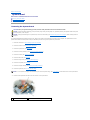
Loosen the four captive screws on the video card/thermal-cooling assembly.
7.
Lift the video card/thermal-cooling assembly from the system board.
NOTE: The appearance of the video card/thermal-cooling assembly may vary, depending on your computer configuration.
1 captive screws (4)
2 video card/thermal-cooling assembly
3 system board connector
Replacing the Video Card/Thermal-Cooling Assembly
1.
Carefully align the video card/thermal-cooling assembly over the connector on the system board and press down.
NOTE: The video card/thermal-cooling assembly is labeled "PUSH HERE."
2.
Tighten the four captive screws on the video card/thermal-cooling assembly.
Back to Contents Page