1
Mode of Accessing the Internet
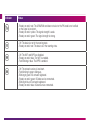
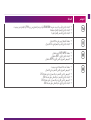
After you establish the WiFi Connection successfully, you can access the Internet using the following modes.
Mode
Operations
Manual
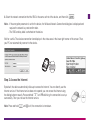
1. Access the Internet using the dialing button manually. For details, see the chapter of “Step2.
Access the Internet”.
2. Wait for a while. If you are notified that the connection is successful, you can use the
Internet service.
Note: You can also launch the management program or web page to connect to
or disconnect from the network following the prompts.
On Demand
After the device is powered on, it can automatically connect to the Internet when data
transmission is required. If data transmission is not performed over a period of time,
the device automatically tears down the Internet connection.
Auto
After the device is powered on, it can automatically connect to the Internet no matter
whether data transmission is required.
Note: - The dialing button dose not work in the Auto or On Demand mode.
- You can launch the web management page to select the mode of accessing the Internet.