Download Ulead DLX-180 Specifications

Transcript
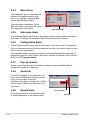
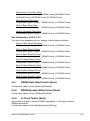
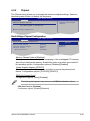
Serial Port1 Address [3F8/IRQ4]
Allows you to select the Serial Port1 base address.
Configuration options: [Disabled] [3F8/IRQ4] [2F8/IRQ3] [3E8/IRQ4] [2E8/IRQ3]
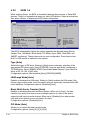
4.5.4
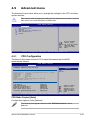
USB Configuration
The items in this menu allows you to change the USB-related features. Select an
item then press <Enter> to display the configuration options.
Advanced
BIOS SETUP UTILITY
USB Configuration
USB Devices Enabled:
None
USB Functions
USB 2.0 Controller
USB 2.0 Controller Mode
BIOS EHCI Hand-off
Port 64/60 Emulation
Legacy USB Support Options
Disabled
Enabled
[Enabled]
[Enabled]
[HiSpeed]
[Enabled]
[Disabled]
[Auto]
+-
F1
F10
ESC
Select Screen
Select Item
Change Option
General Help
Save and Exit
Exit
v02.61 (C)Copyright 1985-2007, American Megatrends, Inc.
The USB Devices Enabled item shows the auto-detected values. If no USB
device is detected, the item shows None.
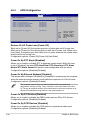
USB Functions [Enabled]
Allows you to enable or disable the USB Host Controllers.
Configuration options: [Disabled] [Enabled]
The following items appear only when you set USB Functions to [Enabled].
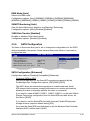
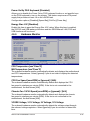
USB 2.0 Controller [Enabled]
Allows you to enable or disable the USB 2.0 controller.
Configuration options: [Enabled] [Disabled]
USB 2.0 Controller Mode [HiSpeed]
Allows you to set the USB 2.0 controller mode to HiSpeed (480 Mbps) or
FullSpeed (12 Mbps). Configuration options: [FullSpeed] [HiSpeed]
The USB 2.0 Controller Mode item appears only when you enable the USB
2.0 Controller.
ASUS P5E3 Deluxe/WiFi-AP@n
4-27