1
06
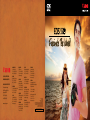
EOS 550D
Lens Peripheral
Illumination Correction
Fascinate The World
Intelligent Features
That Make Your Vision A Reality
Comprehensive Shooting Settings
With an extensive selection of shooting modes and white balance
settings, the EOS 550D's versatility enables you to capture superb
images in any shooting environment.
The EOS 550D also has a new and improved 63-zone, dual-layer
metering sensor with 4 metering modes that provides greater metering
precision even in difficult lighting conditions.
Highlight Tone Priority
Dark edges
Corrected
Off
On
This feature gives your images an even brightness
from corner to corner by correcting light loss
that sometimes occur at the edges. This
‘light falloff' happens when shooting with
certain lenses such as wide-angle lenses. The
EOS 550D comes included with correction data
for approximately 26 lenses and can store a total
of 40 different lens data.
Highlight Tone Priority prevents images shot in bright
light from appearing washed out due to overexposure.
This is done by expanding the gradation range within
highlighted areas so that details are not lost. As a
result, subjects appear more pleasing to the eye with
lifelike realism.
NOTE: For JPEG images, the 'light falloff' is corrected during image
capture. For RAW images, correction can be done with the Digital
Photo Professional software.
Auto Lighting Optimizer
The Auto Lighting Optimizer
ensures images shot are rich and
full of details even in less than ideal
lighting conditions. It does this
by automatically adjusting image
brightness and contrast to achieve
a balanced exposure. Used together
with Face Detection technology and
you're assured of picture perfect
shots of every friendly face.
Off
On