1
w w w. d e l l . c o m | s u p p o r t . d e l l . c o m
12
Click the Start button, right-click My Computer, and then click
Properties.
13
Click the General tab.
14
To verify that the memory is installed correctly, check the amount of
memory (RAM) listed.
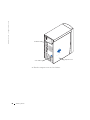
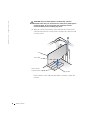
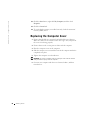
Replacing the Computer Cover
1
Ensure that all cables are connected, and fold cables out of the way.
Make sure cables are not routed over the drive cage—they will prevent
the cover from closing properly.
2
Ensure that no tools or extra parts are left inside the computer.
3
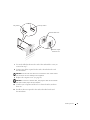
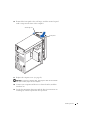
Place the computer cover on the computer.
4
Slide the computer cover towards the front of the computer until it fits
completely into place.
5
Tighten the computer cover thumbscrew.
NOTICE: To connect a network cable, first plug the cable into the network
wall jack and then plug it into the computer.
6
82
A d d i n g Pa r ts
Connect your computer and devices to electrical outlets, and then
turn them on.