1
1
1.1
1.2
1.3
Important 3
Safety 3
Care of the screen 3
Recycling 3
7
7.1
7.2
7.3
2
2.1
2.2
2.3
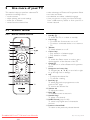
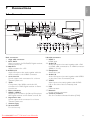
Your TV 4
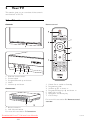
Television overview 4
How to enjoy HD TV 5
Product highlights 5
7.4
3
3.1
3.2
3.3
3.4
3.5
3.6
3.7
3.8
3.9
Getting started 5
Position the TV 5
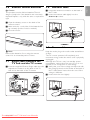
Position the Essence Connectivity hub 5
Mount the speaker bar 6
Wall mounting 6
Lower the TV stand 6
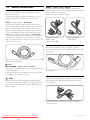
Remote control batteries 7
Single cable between the TV hub
and the TV screen 7
Antenna cable 7
Power cable 7
4
4.1
4.2
4.3
4.4
4.5
4.6
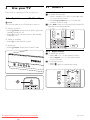
Use your TV 8
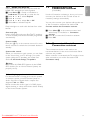
Switch on or off - Standby 8
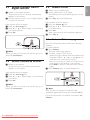
Watch TV 8
Watch channels from a digital receiver 9
Watch connected devices 9
Watch a DVD 9
Select a Teletext page 9
5
5.1
5.2
5.3
5.4
5.5
5.6
5.7
5.8
5.9
5.10
5.11
Use more of your TV 10
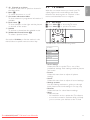
Remote Control 10
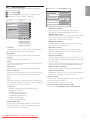
TV menus 11
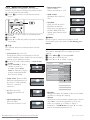
Picture and sound settings 12
Teletext 15
Create favourite channel lists 17
Electronic Programme Guide 18
Timers and locks 19
Subtitles 20
Watch and play photos, MP3... 20
Listen to digital radio channels 22
Software update 23
6
6.1
6.2
6.3
6.4
6.5
6.6
Channel installation 25
Automatic channel installation 25
Manual channel installation 27
Rearrange stored channels 27
Channel management 28
Digital reception test 28
Factory settings 28
Table of contents
Downloaded
From TV-Manual.com Manuals
7.5
7.6
7.7
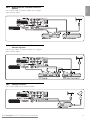
Connections (DVD, receiver, ...) 29
Connections overview 29
About connections 30
Connect your devices with the
Connection assistant 31
Connect your devices without the
Connection assistant 31
Connection setup 37
Preparing for digital services 37
PC network 38
8
Technical data 44
9
Troubleshooting 46
10
Index 49
ENGLISH
Table of contents
UK Digital TV switchover info 51
Register your product and get support at ...
www.philips.com/welcome
1