1
USING YOUR REFRIGERATOR
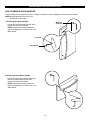
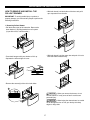
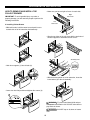
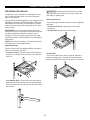
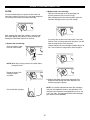
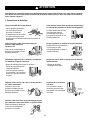
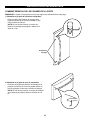
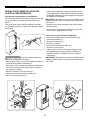
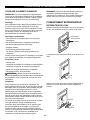
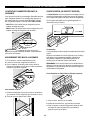
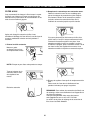
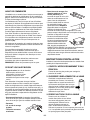
2. Replace with a new cartridge.
FILTER
Take the new cartridge out of its packaging and
remove protective cover from the o-rings.
With cartridge knob in the vertical position, push the
new filter cartridge into the cover until it stops.
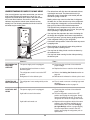
It is recommended that you replace the filter when the
water filter indicator icon turns on or your water dispenser
or ice maker performance decreases noticeably.
After changing the water filter cartridge, reset the water
filter status display and indicator icon by pressing and
holding the Filter Reset button for 3 seconds.
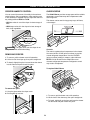
If you can’t turn the filter from side to side, it isn’t fully
inserted. Push it in firmly and twist it into place. You will
hear the snap when it clicks into place.
Using its handle, twist the cartridge clockwise about 1/4
turn. You will hear the snap when it clicks into place.
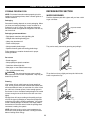
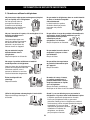
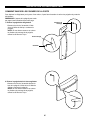
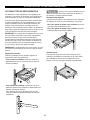
1. Remove the old cartridge.
Place a container under
the hole of filter holder.
NOTE: When filter is being removed, the water drains
through the hole.
Rotate the knob of the
cartridge counter
clockwise.
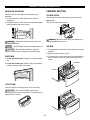
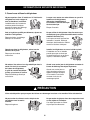
3. Flushing the Water System After Replacing Filter
Dispense water through the water dispenser for 3
minutes to purge the system.
NOTE: To purchase replacement water filter cartridges,
visit your local appliance dealer or part distributor. You
can also visit our website: www.lgappliances.com or call
1-877-714-7481. The replacement water filter cartridge’s
part number is 5231JA2006B.
Pull out the filter cartridge.
27