1
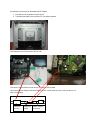
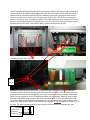
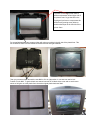
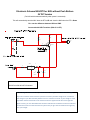
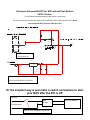
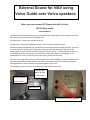
Take 2 small cable peaces and connect one to the negative (outside) of the Nokia charger and the other
one to the hole on the middle of Nokia charger. Now you will have access to 6V DC which we will use to
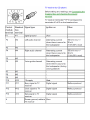
start the motor by connect the other end of those cables to the connector (just stick the cable into the
connector) coming from the motor in the RTI which are a 9V DC motor. If the RTI do not move but the
motor are running you have to change the position of the cable into the connector. When the RTI unit is in
the top it will automatically stop in the right position but the motor will still be running as long as you have
the Nokia charger connected. Take away the Nokia connector and the motor will stop.
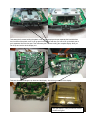
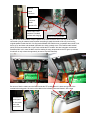
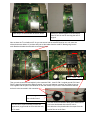
Take away the front cover (7 screws).
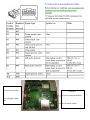
No. 1
No. 2
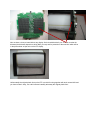
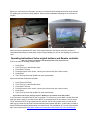
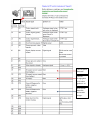
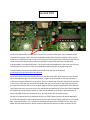
Behind the pc board and down you can see 2 connectors, take a small screw driver and bend up the
connector (place the screw driver in the middle of the connector in the split, where the arrow shows and
bend/screw carefully to the left and right until you see the connector is opening) and take out the ribbon
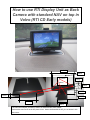
cables. Be very carefully so you do not damage the cables or the connectors. When you put this cable
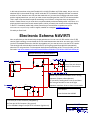
back start with number 1 then number 2 and use a small screw driver to “steer” the cable together with
you use your hand to push the cable into its place, then you push back the lock for the connector with a
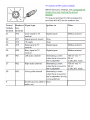
screw driver. Make sure the cable has gone all the way in and are 90 degree towards the connector. It is
not easy. The white area should show ca. 2mm outside connector before you push back the “lock”.
Cable
White area
Connector
Cable lock