1
OPERATING THE APPLIANCE
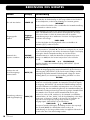
Operation
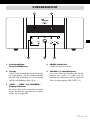
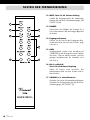
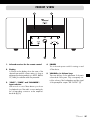
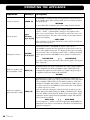
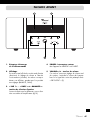
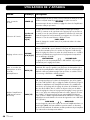
The preamplifier is switched on and off using this button at the front panel. It
has no standby option. When switched off the device is internally separated
from the AC power.
WELCOME
As a precaution, after switching on, the volume setting should be reduced.
Switch on and off
POWER (4)
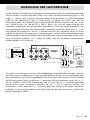
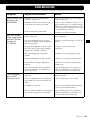
Select an input
A short touch on the button for the desired input channel
(“LINE1”...”LINE5” or “BALANCED”) changes to the playback of the
audio source connected there. The front panel as well as the remote conInput
trol carry those buttons. The name of the currently selected input channel
Selection
appears in the display.
Keys (3)(14)
LINE2 -50dB
Before switching over the input channel, the volume (5)(17) should be turned down as a precaution!
Change the volume
Mute the speakers and
the preamplifier output
Reduce the amplifier’s
gain (attenuation 8dB)
38
Button(s) Description
Vincent
VOLUME
/ (5)(17)
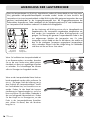
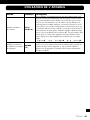
Hold down the button “VOLUME“ to turn the volume up. Use
“VOLUME“ to turn it down. This can be done on the remote control as
well as at the amplifier front panel. The display (2) shows the momentarily
selected Volume value. The minimum volume value is -99dB, the maximum
volume appears at latest with 00dB, for most speakers much below this
value.
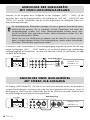
... VOLUME-99dB
VOLUME 00dB
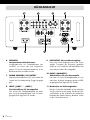
The Volume setting controls the loudspeakers and the signals of the preamplifier outputs (9).
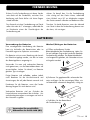
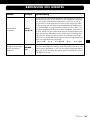
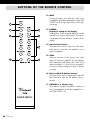
MUTE (12)
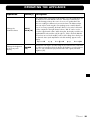
The MUTE function can only be operated with the remote control. It switches
off the loudspeakers (6) and the preamplifier outputs “PRE OUTPUT” (9).
Pressing this key again restores the Volume to its original setting. As long as
the amplifier is muted, the display reads “MUTING”.
MUTING
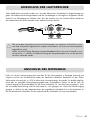
GAIN (15)
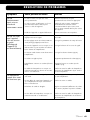
Operating this key activates or deactivates an attenuation of 8dB, which is
applied to both the volume level of the speakers and also to the signal outputs
of the preamplifier “PRE OUTPUT” (9). The GAIN operation is useful, if the
combination of amplifier and speaker is so sensitive that the usable region of
the volume control of the SV-238MK lies at the lowest values. In this situation
the volume steps are too coarse.
In this case, after first reducing the volume for the sake of caution, press the
“GAIN” button. If the GAIN setting was “00dB” (normal) before, the display
now reads “-08dB” in the front panel display. The perceived loudness of the
loudspeakers and the output level at the preamplifier outputs “PRE OUTPUT”
(9) now have been reduced.
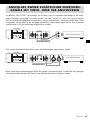
GAIN -00dB
GAIN -08dB
One more keypress to “GAIN” restores the original gain setting (00dB). The
GAIN function can only be used via remote control and is not intended to be
toggled in everyday use.