1
eA2.fm 3 ページ 2005年10月14日 金曜日 午後5時29分
Contents
SAFETY PRECAUTIONS Usage Precautions .............................. 2
Features......................................................................................... 4
Terms Used in This Manual ......................................................... 5
Controls and Functions / Connections ....................................... 6
Selecting a Patch .......................................................................... 8
Using the Tuner ........................................................................... 10
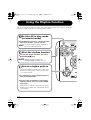
Using the Rhythm Function ....................................................... 12
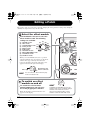
Editing a Patch ............................................................................ 14
Storing/Copying Patches ........................................................... 16
Using the Feedback Control ...................................................... 18
Manual operation of feedback control .......................................18
Automatic detection of feedback frequency .............................19
Using Manual Mode .................................................................... 20
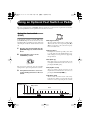
Using an Optional Foot Switch or Pedal ................................... 21
Using the foot switch (FS01) .......................................................21
Using the expression pedal (FP01/FP02)................................... 22
Restoring Factory Defaults ........................................................ 24
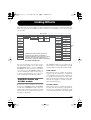
Linking Effects ............................................................................ 25
CONTROL module and GLOBAL module ..................................25
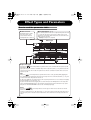
Effect Types and Parameters ..................................................... 26
How to read the parameter table ...............................................26
MODEL ........................................................................................... 27
MIC .................................................................................................28
COMP/LIMIT ...................................................................................28
LO EQ .............................................................................................28
HI EQ ...............................................................................................29
ZNR .................................................................................................29
MOD/EFX .........................................................................................29
DELAY/REVERB ............................................................................. 31
CONTROL .......................................................................................33
GLOBAL ..........................................................................................34
Specifications .............................................................................. 35
Troubleshooting .......................................................................... 35
A2 Preset Pattern ............................................................ Back cover
The FCC regulation warning (for U.S.A.)
This equipment has been tested and found to comply with the limits for a Class B digital device, pursuant to
Part 15 of the FCC Rules. These limits are designed to provide reasonable protection against harmful
interference in a residential installation. This equipment generates, uses, and can radiate radio frequency
energy and, if not installed and used in accordance with the instructions, may cause harmful interference to
radio communications. However, there is no guarantee that interference will not occur in a particular
installation. If this equipment does cause harmful interference to radio or television reception, which can be
determined by turning the equipment off and on, the user is encouraged to try to correct the interference by
one or more of the following measures:
• Reorient or relocate the receiving antenna.
• Increase the separation between the equipment and receiver.
• Connect the equipment into an outlet on a circuit different from that to which the receiver
is connected.
• Consult the dealer or an experienced radio/TV technician for help.
ZOOM A2
3