1
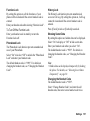
Rejecting an Incoming Call
1. Press [Options] and select “Reject” while the phone
is ringing to reject a call you do not wish to answer.
Letting the Caller Know You are Unavailable
1. Press [Busy] while the phone is ringing to send a
busy tone to the caller.
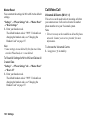
In Call Menu (Voice Call)
Your phone has additional functions available while a
call is in progress.
Adjusting the Earpiece Volume
You can adjust the earpiece volume to five levels.
1. Press V or W to display the Earpiece Volume screen.
2. Press V (or a/d) to increase the volume of the call
or press W (or b/c) to decrease the volume.
3. Press B when the volume is set to the desired level.
Turning the Speaker On and Off
You can talk via the loudspeaker on the phone when it
is on.
1. During a call, press B.
34
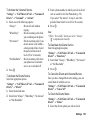
Voice Call/Video Calling Functions
Putting a Call on Hold
This function allows you to manage two calls at the
same time. If you wish to make another call while you
are talking to someone, you can put the current call on
hold to call someone else.
To Make Another Call during a Call
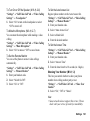
1. During a call, press [Options] and select “Hold”.
The current call is put on hold.
2. Press [Options] and select “Enter Number”.
3. Enter the phone number you wish to make another
call to, then press D.
Tip
• You can also make another call by entering the phone
number during a call instead of step 1. The current
call is automatically put on hold.