1
BASIC TELEPHONE OPERATIONS
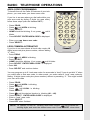
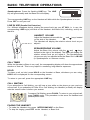
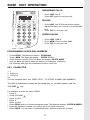
Speakerphone: Press the flashing LINE key. The LINE
key will glow steadily and the Base Unit will display:
The corresponding LINE key on the Handset will blink while the Speakerphone is in use.
Press OFF to end your call.
LINE IN USE (Parallel Set Detection)
If a different telephone device, sharing the same line(s) as your VT 2931, is in use, the
corresponding LINE key(s) will blink on the Handset and Base Unit, indicating activity on
that line.
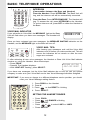
HANDSET VOLUME
VOLUME KEYS
Adjust the Handset volume with the
and
keys, located
on the side of the Handset.
The Handset will display the relative volume level as you
adjust it.
SPEAKERPHONE VOLUME
CALL TIMER
While the Handset or Base is on a call, the corresponding display will show the approximate
duration of that call. This is very helpful in monitoring long distance expenses.
HOLD
To place a call on hold, press HOLD on the Handset or Base, whichever you are using.
HOLD will be displayed on the corresponding screen.
To return to your call, press the appropriate LINE key.
CALL WAITING
If you subscribe to Call Waiting, you will hear a tone while on the phone as you receive a
second call. If you subscribe to Caller ID on Call Waiting, the Handset (or Base) will display
who the second caller is before you answer.
8
7
TONE
HOLD
0
9
OPER
PROG
FLASH
CONF
INTERCOM
REDIAL/PAUSE
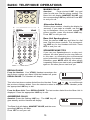
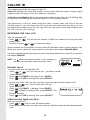
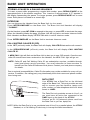
To answer Call Waiting, press FLASH. To return to your original call,
press FLASH again. This procedure is the same for Handset and
Speakerphone calls.
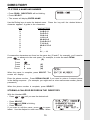
PAGING THE HANDSET
• To make the Handset ring, press INTERCOM/PAGE on the Base.
• To stop the ringing, press OFF on the Handset, or Base Unit.
11
ADVANCED OPERATION
Adjust the Base Unit volume with the
and
keys,
located to the right of the dialpad. The Base will display the
relative volume level as you adjust it. The Speakerphone
volume can only be adjusted while the Base Unit is IN USE
(in Speakerphone or Intercom mode).