1
X5 Stereo Bluetooth Headset
Using the Audio Streamer with Headset
z To use the Audio Streamer with Headset to listen to music, the two
devices must first be paired and connected.
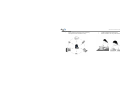
z To pair Audio Streamer with Headset, first put Headset into pairing
mode. To put Audio Streamer in pairing mode, mount battery onto
Audio Streamer. Click and hold ON/OFF button continuously for about
5 seconds. LED will first flash Blue rapidly and then change to
alternating red and blue flash. When LED flashes red and blue, release
button.
z After a few seconds, Headset and Audio Streamer will be paired and
connected. When paired and connected, LED of Headset will turn OFF
and LED of Audio Streamer will turn ON blue with periodic flash.
Switching the Audio Streamer ON/OFF
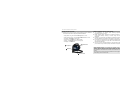
z To switch on Audio Streamer, click and hold ON/OFF button for 3-4
seconds until LED flashes blue rapidly and then release button.
z To switch off Audio Streamer, click and hold ON/OFF button for 3-4
seconds until LED flashes red rapidly and then release button.
Note: Interoperability of Audio Streamer is guaranteed only when
used with X5 Stereo Bluetooth Headset.
15
Using Audio Streamer with Headset to Listen to Music
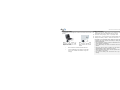
z With Headset and Audio Streamer connected, plug one end of the
Stereo Cable into the Audio Streamer and the other end into the stereo
jack of audio device i.e. iPod,Mp3 player etc
z From now on, music will play from the Headset in stereo mode.
z While playing music, you can control volume and mute by manipulating
buttons on Headset. However, it is important to note that during
execution of mute, even though music will not be heard from Headset,
music will continuously be playing from the audio device itself. This is
due to the fact audio signal processing from Audio Streamer is analog in
nature.