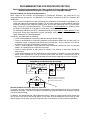
1
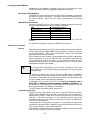
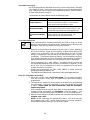
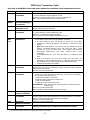
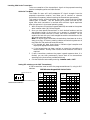
TABLE OF CONTENTS
Section 1.
GENERAL DESCRIPTION .................................................................................................. . 7
Section 2.
INSTALLING THE CONTROL............................................................................................ . 10
Mounting the Cabinet ....................................................................................................... . 10
Installing the Lock (if used) ............................................................................................. . 10
Mounting the Control's Circuit Board Alone in the Cabinet............................................ 11
Mounting Control and RF Receiver Circuit Boards Together in the Cabinet................. 11
Standard Phone Line Connections ................................................................................... . 12
Wiring the AC Transformer ............................................................................................... 12
Installing the Back-Up Battery ........................................................................................ . 13
Earth Ground Connections ................................................................................................ 13
Section 3.
INSTALLING REMOTE KEYPADS .................................................................................... . 14
Keypads That May Be Used............................................................................................... 14
Wiring The Keypads.......................................................................................................... . 14
Mounting The Keypads ..................................................................................................... . 15
Using A Supplementary Power Supply To Power Additional Keypads .......................... 15
Preliminary Check-Out Procedure ................................................................................... . 16
Section 4.
BASIC HARD-WIRED ZONES 1–8.................................................................................... . 17
Installing the Hard-Wired Zones ....................................................................................... 17
Common Characteristics For Zones 1–8 ....................................................................... .17
Wiring Burglary and Panic Devices to Zones 1–8 ......................................................... 17
Wiring 2-Wire Smoke Detectors to Zone 1 ..................................................................... 17
“Verify” Operation of 2-Wire Smoke Detectors in Zone 1 .............................................17
Turning Off Fire Alarm Sounding .................................................................................. 18
Wiring 4-Wire Smoke/Combustion Detectors on Zones 2–7.......................................... 18
Wiring 2-Wire Latching Type Glass Break Detectors on Zone 8.................................. 19
Check-Out Procedure for Hard-Wired Zones .................................................................... 20
Section 5.
WIRED ZONE EXPANSION (4219, 4229).......................................................................... . 21
Installing Zone Expansion Units ....................................................................................... 21
Connections and Set-Up................................................................................................. . 21
Check-Out Procedure for Wired Expansion Zones............................................................ 22
Section 6.
WIRELESS ZONE EXPANSION (5800 SYSTEM).............................................................. 23
General Information.......................................................................................................... . 23
Receiver Supervision...................................................................................................... . 23
House Identification ....................................................................................................... . 23
Installing the 5881/5882 RF Receiver .............................................................................. . 23
RF System Installation Advisories ................................................................................ .23
Installation and Set-Up of the 5881/5882 Receiver....................................................... 24
Installing the 5800TM Module ......................................................................................... .25
Mounting the 5800TM Module ....................................................................................... 25
5800TM Wiring Connections ......................................................................................... .25
5800 Series Transmitters .................................................................................................. .25
General............................................................................................................................ . 25
Transmitter Supervision................................................................................................ . 25
Transmitter Input Types ................................................................................................ 26
Transmitter Battery Life ................................................................................................ 26
Using the Transmitter Sniffer Mode ................................................................................ .26
5800 Series Transmitters Table........................................................................................ . 27
Section 7.
RELAY OUTPUTS & POWERLINE CARRIER DEVICES .................................................. 29
Relay/Powerline Carrier Device Basics ............................................................................. 29
Nos. 4204 And 4229 Output Relay Modules ..................................................................... 29
4204/4229 Setup.......................................................................................................... . 29
Powerline Carrier Devices................................................................................................. . 30
Wiring Connections..................................................................................................... . 31
–3–