1
•
Be extremely careful when removing the lamp housing. In the unlikely
event that the lamp ruptures, small glass fragments may be generated.
The lamp module is designed to contain most of these fragments, but
use caution when removing it. Before replacing a ruptured lamp, clean
the lamp compartment and dispose of cleaning materials. Wash hands
after lamp replacement. This product has a lamp which contains a very
small amount of mercury. Dispose of it as required by local, state or federal ordinances and regulations. For more information see
www.eiae.org.
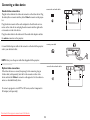
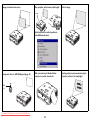
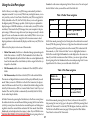
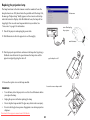
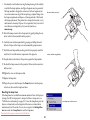
disconnect lamp connector
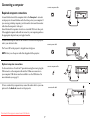
5 Detach the lamp connector from the projector by gently pulling the connector until it is disconnected from the projector.
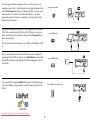
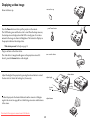
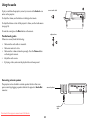
6 Carefully remove the lamp module by grasping and lifting the metal
bail wire. Dispose of the lamp in an environmentally proper manner.
7 Install the new lamp module, making sure that it is properly seated. Be
careful not to touch the interior components of the projector.
remove module using bail wire
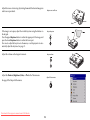
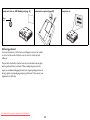
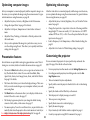
8 Snap the bail wire back into its flat position against the lamp module.
9 Re-attach the lamp connector to the projector. Make sure the connector is
fully inserted.
10 Tighten the screw on the lamp module.
11 Replace the lamp door.
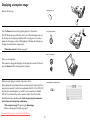
12 Plug in the power cable then press the Power button to turn the projector back on, then reset the lamp hour timer.
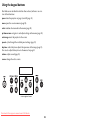
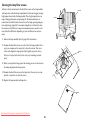
Resetting the lamp timer
If the lamp timer has reached the maximum number of hours for the projector lamp, the LED on the projector’s keypad will show a lamp error (see
“LED behavior and meaning” on page 16). To reset the lamp timer, press the
decrease volume button on the keypad and the increase volume button
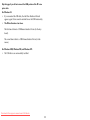
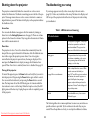
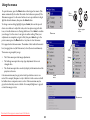
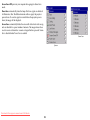
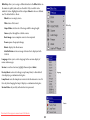
simultaneously for 10 seconds. You can also navigate to the Settings>Service menu and select Lamp Reset to reset the lamp timer.
Downloaded From projector-manual.com ASK Manuals
reset lamp time in Service menu
41