1
9261-7974 Issue 06
ESFIRECODER - Emergency Services Firecoder
A message longer than this parameter will still be processed by the node; this parameter primarily
controls the number of parameters returned in a message and the length of printer message blocks.
6.5
Primary/Secondary Network Manager
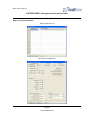
If a node needs to send an unsolicited message advising of a bearer status change (e.g. link failed),
these parameters specify the destination of these messages.
If a message sent to the Primary Network Manager fails to route at a node, it will automatically be rerouted to the Secondary Network Manager address if this is specified.
6.6
Unsolicited Message Address & Priority
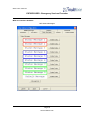
If a user agent detects a change in status and needs to inform someone, the address is used as the
destination for the unsolicited message. These are normally generated as follows:
Peripheral agents: Input active and alarm messages.
Printer agents:
Printer on/off line/out of paper.
Alerter agents:
Local alerts made, transmitter errors
Normally, all unsolicited messages are sent with message priority 3. For specific applications, the
priority field allows any priority from 1 to 9 to be used for these messages.
If this field contains 0, the default priority is used.
The combination of this parameter and the "Test" priority facility of the MTA's can be used to direct
unsolicited messages via specific bearers.
If the Network Tester is used, the upper digit of this field can be used to specify the priority of failure
messages sent to the mobilising system.
6.7
No_ACK Timeout
This parameter specifies the maximum number of seconds that an application waits for a response to
a command. It is only used for "applications" (e.g. the standby alerter) rather than fire stations.
6.8
Manual Acknowledge Timeout
This parameter specifies the maximum number of seconds that a user agent should wait for a manual
acknowledge to a command.
6.9
Data-log Everything
Each Multitone node logs events to a time stamped history log. If this parameter is set to "Yes", then
all events will be logged. If is set to "No", certain basic events will not be logged:
Page 21
www.multitone.com