1
BA Cover SL560 + arab.qxd
21.04.2006
17:13 Uhr
Seite 1
Issued by
Siemens Home and Office Communication Devices GmbH & Co. KG
Schlavenhorst 66
D-46395 Bocholt
© Siemens Home and Office Communication Devices GmbH & Co. KG 2007
All rights reserved. Subject to availability.
Right of modification reserved.
Gigaset
www.siemens.com/gigaset
SL560
Gigaset SL560 / EN for Greece / A31008-M1710-T111-2-8U19 / overview.fm / 28.6.07
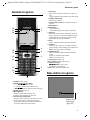
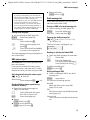
Handset at a glance
Handset at a glance
18
17
16
Ð
½ò
V
1
2
INT 1
15.11.05
?
09:45
SMS
3
15
14
4
13
5
12
11
6
10
9
7
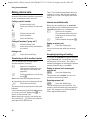
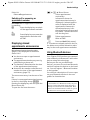
6 Hash key
Key lock on/off (press and hold in idle status),
Toggle between upper/lower case and digits
7 Call-by-call list key
Open call-by-call list
8 Connection socket for headset and PC interface
9 Microphone
10 Recall key
- Confer (Flash)
- Insert a dialling pause (press and hold)
11 Star key
Ringtones on/off (press and hold), with an
open connection: switching between pulse
dialling/touch tone dialling (press briefly)
Open table of special characters
12 Key 1
Select network mailbox (press and hold)
13 Talk key
Answer a call, open last number redial list
(press briefly), start dialling (press and hold)
When writing an SMS: send SMS
14 Handsfree key
Switch between earpiece and handsfree
mode;
Lights up: handsfree activated
Flashes: incoming call
15 Control key (page 14)
16 Eco mode activated (page 15)
17 Signal strength
Ð i Ñ Ò (high to low)
| flashes: no reception
18 Bluetooth activated (page 46)
Base station at a glance
8
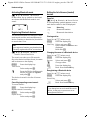
1 Display in idle status
2 Battery pack charge status
= e V U (flat to full)
= flashes: battery pack almost flat
e V U flashes: battery pack charging
3 Display keys (page 14)
4 Message key
Access to calls and message lists
Flashes: new message or new call
5 End call key, On/Off key
End call, cancel function, go back one menu
level (press briefly), back to idle status
(press and hold), activate/deactivate handset (press and hold in idle status)
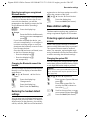
Registration/
Paging key
(page 35)
1
Gigaset SL560 / EN for Greece / A31008-M1710-T111-2-8U19 / SL560IVZ.fm / 28.6.07
Contents
Contents
Using the directory and lists . . . 18
Handset at a glance . . . . . . . . . . . 1
Base station at a glance . . . . . . . . 1
Safety precautions . . . . . . . . . . . . 4
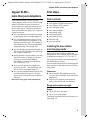
Gigaset SL560 –
more than just a telephone . . . . . 5
First steps . . . . . . . . . . . . . . . . . . . 5
Pack contents . . . . . . . . . . . . . . . . . . . . 5
Installing the base station
and charging cradle . . . . . . . . . . . . . . . 5
Setting up the handset for use . . . . . . 6
Menu tree . . . . . . . . . . . . . . . . . . . 9
Making calls . . . . . . . . . . . . . . . . 12
Making an external call . . . . . . . . . . .
Ending a call . . . . . . . . . . . . . . . . . . . .
Answering a call . . . . . . . . . . . . . . . . .
Calling Line Identification . . . . . . . . .
Handsfree operation . . . . . . . . . . . . .
Muting . . . . . . . . . . . . . . . . . . . . . . . .
12
12
12
12
13
13
Operating the handset . . . . . . . 13
Control key . . . . . . . . . . . . . . . . . . . . .
Display keys . . . . . . . . . . . . . . . . . . . .
Returning to idle status . . . . . . . . . . .
Menu guidance . . . . . . . . . . . . . . . . .
Correcting incorrect entries . . . . . . . .
14
14
15
15
15
ECO DECT . . . . . . . . . . . . . . . . . . . 15
Network services . . . . . . . . . . . . 16
Setting functions for the next call . . .
Setting functions for all
subsequent calls . . . . . . . . . . . . . . . . .
Functions during a call . . . . . . . . . . . .
Functions after a call . . . . . . . . . . . . .
Activating/deactivating
network mailbox . . . . . . . . . . . . . . . .
2
16
16
17
17
17
Directory/call-by-call list . . . . . . . . . . . 18
Last number redial list . . . . . . . . . . . . 22
Opening lists with the message key . . 23
Making cost-effective calls . . . . 24
Linking call-by-call numbers
with one number . . . . . . . . . . . . . . . . 24
Automatic network provider code
(preselection) . . . . . . . . . . . . . . . . . . . 25
SMS (text messages) . . . . . . . . . 26
Writing/sending an SMS . . . . . . . . . . .
Receiving an SMS . . . . . . . . . . . . . . . .
Notification by SMS . . . . . . . . . . . . . .
SMS mailboxes . . . . . . . . . . . . . . . . . .
Setting SMS centre . . . . . . . . . . . . . . .
SMS info services . . . . . . . . . . . . . . . .
SMS to a PABX . . . . . . . . . . . . . . . . . . .
Activating/deactivating the
SMS function . . . . . . . . . . . . . . . . . . . .
SMS troubleshooting . . . . . . . . . . . . .
26
28
30
30
31
32
32
32
33
Using the network mailbox . . . . 34
Configuring the network mailbox
for fast access . . . . . . . . . . . . . . . . . . . 34
Viewing the network mailbox
message . . . . . . . . . . . . . . . . . . . . . . . 34
Using several handsets . . . . . . . 35
Registering handsets . . . . . . . . . . . . .
De-registering handsets . . . . . . . . . . .
Locating a handset ("paging") . . . . . .
Changing the base station . . . . . . . . .
Making internal calls . . . . . . . . . . . . . .
Listening to an external call . . . . . . . .
Changing the name of a handset . . . .
Changing a handset's internal
number . . . . . . . . . . . . . . . . . . . . . . . .
35
35
35
35
36
37
37
37
Gigaset SL560 / EN for Greece / A31008-M1710-T111-2-8U19 / SL560IVZ.fm / 28.6.07
Contents
Handset settings . . . . . . . . . . . . . 37
Appendix . . . . . . . . . . . . . . . . . . . 51
Shortcuts for functions and
numbers . . . . . . . . . . . . . . . . . . . . . . .
Setting emergency numbers . . . . . . .
Changing the display language . . . . .
Setting the display . . . . . . . . . . . . . . .
Setting the screensaver . . . . . . . . . . .
Setting backlight . . . . . . . . . . . . . . . .
Activating/deactivating autoanswer . . . . . . . . . . . . . . . . . . . . . . . .
Adjusting the loudspeaker volume . .
Changing ringtones . . . . . . . . . . . . . .
Activating/deactivating first
ring muting . . . . . . . . . . . . . . . . . . . .
Setting your own dialling code . . . . .
My stuff . . . . . . . . . . . . . . . . . . . . . . .
Activating/deactivating
advisory tones . . . . . . . . . . . . . . . . . .
Setting the alarm clock . . . . . . . . . . .
Setting an appointment (Calendar) .
Displaying missed
appointments, anniversaries . . . . . . .
Using Bluetooth devices . . . . . . . . . . .
Restoring the handset default
settings . . . . . . . . . . . . . . . . . . . . . . . .
Care . . . . . . . . . . . . . . . . . . . . . . . . . . .
Contact with liquid . . . . . . . . . . . . . .
Questions and answers . . . . . . . . . . .
Service (Customer Care) . . . . . . . . . . .
Specifications . . . . . . . . . . . . . . . . . . .
Guarantee Certificate . . . . . . . . . . . . .
38
38
39
39
39
39
40
40
40
41
41
42
43
43
44
51
51
51
52
53
54
Notes on the
operating instructions . . . . . . . . 55
Symbols used . . . . . . . . . . . . . . . . . . .
Example: menu input . . . . . . . . . . . . .
Example: multiple line input . . . . . . . .
PC Interface . . . . . . . . . . . . . . . . . . . . .
Writing and editing a text message . .
55
55
56
56
56
Accessories . . . . . . . . . . . . . . . . . 58
Index . . . . . . . . . . . . . . . . . . . . . . 61
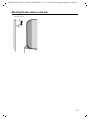
Mounting the base station on the wall 67
45
45
47
Base station settings . . . . . . . . . 47
Protecting against unauthorised
access . . . . . . . . . . . . . . . . . . . . . . . . .
Activating/deactivating the
hold music . . . . . . . . . . . . . . . . . . . . .
Repeater support . . . . . . . . . . . . . . . .
Restoring default settings to
base station . . . . . . . . . . . . . . . . . . . .
47
48
48
48
Connecting the base station
to the PABX . . . . . . . . . . . . . . . . . 49
Dialling modes and flash time . . . . . .
Save access code . . . . . . . . . . . . . . . .
Setting pauses . . . . . . . . . . . . . . . . . .
Switching temporarily to
tone dialling (DTMF) . . . . . . . . . . . . .
49
49
50
50
3
Gigaset SL560 / EN for Greece / A31008-M1710-T111-2-8U19 / security.fm / 28.6.07
Safety precautions
Safety precautions
Caution:
Read the safety precautions and the user guide before use.
Explain their contents to your children, and the potential hazards associated with using the telephone.
$
Only use the mains adapter supplied, as indicated on the underside of the base
station or the back of the charging cradle.
Fit only the approved rechargeable battery pack! Never use a conventional
(non-rechargeable) battery pack as this could damage your health and cause
injury. Use the battery pack as directed in this user guide (page 53).
The operation of medical appliances may be affected. Be aware of the technical
conditions in your particular environment, e.g. doctor's surgery.
Do not hold the rear of the handset to your ear when it is ringing or when the
handsfree function is activated. This can cause severe, permanent hearing
damage.
The handset may cause an unpleasant humming noise in hearing aids.
Do not install the base station or charging cradle in bathrooms or shower rooms.
The base station and the charging cradle are not splash proof (page 51).
Do not use the phone in environments with a potential explosion hazard,
e.g. auto paint shops.
ƒ
If you give your Gigaset to someone else, make sure you also give them the user
guide.
All electrical and electronic products should be disposed of separately from the
municipal waste stream via designated collection facilities appointed by the
government or the local authorities.
This crossed-out wheeled bin symbol on the product means the product is
covered by the European Directive 2002/96/EC.
The correct disposal and separate collection of your old appliance will help prevent potential negative consequences for the environment and human health.
It is a precondition for reuse and recycling of used electrical and electronic
equipment.
For more detailed information about disposal of your old appliance, please contact your city office, waste disposal service or the shop where you purchased the
product.
Please remove faulty base stations from use or have them repaired by Siemens,
as they could interfere with other wireless services.
Note:
Not all of the functions described in this user guide are available in all countries.
4
Gigaset SL560 / EN for Greece / A31008-M1710-T111-2-8U19 / starting.fm / 28.6.07
Gigaset SL560 – more than just a telephone
Gigaset SL560 –
more than just a telephone
Your telephone has a clearly laid out
colour display (65K colours) and not only
makes it possible for you to send and
receive SMS over the fixed network, but
also to store up to 250 phone numbers
and e-mail addresses (page 18) – it can do
a whole lot more:
u You can reduce the transmission power
by activating the eco mode (page 15).
u You can programme the keys of your
phone with important numbers or frequently used functions. The number is
then dialled or the function started by
simply pressing a key (page 38).
u You can designate important people as
VIPs so you can tell important calls from
the ringtone (page 19).
u Assign pictures to your callers. You will
then know who is calling you by the
picture on your handset display.
Precondition: Calling Line Identification (CLIP, page 12).
u Store a voice pattern for important
directory entries – the telephone will
dial on voice command (page 21).
u You can store appointments (page 44)
and anniversaries (page 21) in your
phone and it will remind you of them in
advance.
Have fun using your new telephone!
First steps
Pack contents
u
u
u
u
u
u
u
u
u
one Gigaset SL560 base station,
one Gigaset SL56 handset,
one charging cradle,
one mains adapter,
one phone cord,
one battery pack,
one battery cover,
one belt clip,
one user guide.
Installing the base station
and charging cradle
Base station and charging cradle are
designed for use in closed, dry rooms with
a temperature range of +5 °C to +45 °C.
Set up the base station at a central point in
the apartment or house.
You can find instructions for mounting the
base station on the wall at the end of this
user guide.
Please note:
u Never expose the telephone to heat
sources, direct sunlight, other electrical
appliances.
u Protect your Gigaset from moisture,
dust, corrosive liquids and vapours.
Range and reception strength
Range:
u Up to 300 m in the open
u Up to 50 m in buildings
The range is reduced when eco mode is on
(see page 15).
5
Gigaset SL560 / EN for Greece / A31008-M1710-T111-2-8U19 / starting.fm / 28.6.07
First steps
Reception strength:
The display shows the quality of the radio
contact between the base station and
handset:
u Good to poor: Ð i Ñ Ò,
u No reception: | flashes.
Connecting the base station
¤ First connect the mains adapter and
then the phone jack as shown belowand place the cables in the cable
recesses.
2
1
Setting up the handset for use
The display is protected by
a plastic film. Please
remove the protective
film!
Fitting the battery pack
Caution:
Use only the rechargeable Siemens Original
battery pack (page 53). Never use a conventional (non-rechargeable) battery pack, as this
may cause significant damage to health and
property. For example, the outer casing of the
battery pack could be destroyed or the battery
pack could explode. The phone could also malfunction or be damaged as a result of using
batteries that are not of the recommended
type.
¤ Insert the battery pack at an angle from
¤
3
1
the left introducing the lugs into the
cavity first.
Then push the casing from the top,
until the retaining clip on the side of
the battery pack clicks securely into
place in the casing.
1 Underside of the base station (detailed
view)
2 Mains adapter 230 V
3 Phone jack with phone cord
Please note:
u The mains adapter must be always
connected, as the phone will not operate without mains connection.
u If you buy a replacement phone cord
from a store, ensure that the phone
jack is connected correctly.
Correct phone jack assignment
3
2
1
6
4
5
6
1
2
3
4
5
6
unused
unused
a
b
unused
unused
Please note:
You must press the retaining clips down in
order to remove the battery pack.
Gigaset SL560 / EN for Greece / A31008-M1710-T111-2-8U19 / starting.fm / 28.6.07
First steps
Closing the battery cover
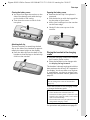
¤ You must first align the notches on the
¤
side of the battery pack with the lugs
on the inside of the casing.
Then close the cover so that it clicks
into place.
Opening the battery cover
¤ Remove the belt clip if the phone is
mounted.
¤ Pick the device up with the keypad facing the palm of your hand.
¤ Insert your forefinger into the notches
on the lower edge.
¤ Gently lift the cover up out of the
notches.
Attaching belt clip
There are notches for attaching the belt
clip on the side of the handset at approximately the same height as the display.
¤ Press the belt clip onto the back of the
handset so that the lugs on the belt clip
click into the notches.
Placing the handset in the charging
cradle
¤ Plug the charging cradle mains adapter
into a mains power socket.
¤ Place the handset in the charger with
the display facing forward.
The handset is already registered with the
base station at the factory. INT 1 appears in
the display. You do not have to re-register.
If, nonetheless, you have to register your
handset with the base station, please see
page 35.
Note
You can change the name of the handset
(page 37).
Leave the handset in the charging cradle
to charge the battery pack.
Notes:
– If the handset has switched itself off
because the battery pack is flat and is then
placed in the charging cradle, it will switch
itself on automatically.
– The handset must only be placed in the
designated charging cradle.
For questions and problems see page 51.
7
Gigaset SL560 / EN for Greece / A31008-M1710-T111-2-8U19 / starting.fm / 28.6.07
First steps
Initial charging and discharging of the
battery pack
If the handset is activated, the flashing
battery icon e in the top right of the display indicates that the battery pack is
being charged.
During handset operation, the battery
icon indicates the charge status of the battery pack (page 1). The correct charge status can only be displayed if the battery
pack is first fully charged and discharged.
¤ To do this, leave the handset in the
charging cradle continuously for ten
hours. Your handset need not be
switched on for it to charge.
¤ Afterwards, remove the handset from
the charging cradle and do not put it
back again until the battery pack is fully
discharged.
Note:
After the initial charge and discharge you may
replace your handset in the charging cradle
after every call.
Please remember:
u Always repeat the charging and dis-
charging procedure if you remove the
battery pack from the handset and
insert it again.
u The battery pack may warm up as it is
charging. This is not dangerous.
u After a time the charge capacity of the
battery pack will decrease for technical
reasons.
8
Setting the date and time
You should set the date and time, in order,
e.g. to ensure that the correct time is
recorded for incoming calls and in order to
use the alarm clock and calendar.
¤ If you have not yet set the date and
time, press the display key §Time§ to open
the input field.
To change the time, open the input field
via:
w ¢ Ð ¢ Date/Time
¤ Change multiple line input:
Date:
Enter day, month and year in 8-digit
format.
Time:
Enter hours and minutes with 4 digits,
e.g. Q M 1 5 for 07:15
a.m.
§Save§
Press the display key.
Once the phone is registered and the time
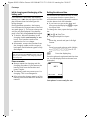
set, the idle display looks as shown here
(example):
Ð
V
INT 1
15.11.05
?
07:15
SMS
Your phone is now ready for use.
Gigaset SL560 / EN for Greece / A31008-M1710-T111-2-8U19 / menuetree.fm / 28.6.07
Menu tree
Menu tree
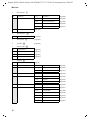
Instead of scrolling to locate a menu function, you can select a menu function faster by
opening the menu and keying in the digit combination ("shortcut").
Example: w N 2 11 for "Set ringtone for external calls".
With the telephone in idle status, press w (open main menu):
1
SMS î
You have activated an SMS mailbox (general or private) without a PIN
1-1
New SMS
(page 26)
1-2
Incoming 0
(page 29)
1-3
Outgoing 0
(page 27)
You have activated an SMS mailbox with a PIN or 2-3 mailboxes
1-1
1-2
to
1-4
Mailbox
Mailbox 1
Mailbox 2
Mailbox 3
1-5
SMS Service
1-6
Settings
1-1-1
New SMS
(page 26)
1-1-2
Incoming 0
(page 29)
1-1-3
Outgoing 0
(page 27)
1-2-1
to
1-4-1
New SMS
(page 26)
1-2-2
to
1-4-2
Incoming 0
(page 29)
1-2-3
to
1-4-3
Outgoing 0
(page 27)
(page 32)
1-6-1
Service Centres
(page 31)
1-6-2
SMS Mailboxes
(page 30)
1-6-3
Notify Number
(page 30)
1-6-4
Notify Type
(page 30)
2
Sel. Services ê
2-2
Network Mailbox
(page 17)
2-6
All Calls
2-6-1
Call Divert
(page 16)
2-6-3
Call Waiting
(page 16)
2-6-4
Fixed Destin. Call
(page 16)
9
Gigaset SL560 / EN for Greece / A31008-M1710-T111-2-8U19 / menuetree.fm / 28.6.07
Menu tree
3
Data transfer ý
3-2
Bluetooth
3-2-1
Activation
(page 46)
3-2-2
Search Headset
(page 46)
3-2-3
Search Data Device
(page 46)
3-2-4
Known Devices
(page 46)
3-2-5
Own Device Name
(page 47)
3-3
Directory
4
Add. Features í
4-4
Missed Alarms
(page 45)
5
Alarm Clock ì
(page 43)
6
Calendar ç
(page 44)
7
Resource Dir. Ï
7-1
Screensavers
(page 42)
7-2
Caller Pictures
(page 42)
7-3
Sounds
(page 42)
7-4
Capacity
(page 42)
8
Settings Ð
8-1
Date/Time
8-2
Audio Settings
8-3
8-4
10
Display
Handset
(page 20)
(page 8)
8-2-1
Ringer Settings
(page 40)
8-2-2
Advisory Tones
(page 43)
8-2-3
Silent Alert
(page 41)
8-3-1
Screen Saver
(page 39)
8-3-2
Colour Scheme
(page 39)
8-3-3
Contrast
(page 39)
8-3-4
Backlight
(page 39)
8-4-1
Language
(page 39)
8-4-2
Area Codes
(page 41)
8-4-3
Auto Answer
(page 40)
8-4-4
Add. Emerg. No
(page 38)
8-4-5
Register H/Set
(page 35)
8-4-6
Select Base
(page 35)
8-4-7
Reset Handset
(page 47)
Gigaset SL560 / EN for Greece / A31008-M1710-T111-2-8U19 / menuetree.fm / 28.6.07
Menu tree
8-5
8-6
Base
Voice Mail
8-5-2
Music on hold
(page 48)
8-5-3
System PIN
(page 47)
8-5-4
Base Reset
(page 48)
8-5-5
Add. Features
(page 15, page 37, page 49)
8-5-6
Preselection
(page 25)
8-5-7
Calls List Type
(page 24)
8-6-1
Set Key 1
(page 34)
11
Gigaset SL560 / EN for Greece / A31008-M1710-T111-2-8U19 / telefony.fm / 28.6.07
Making calls
Making calls
Answering a call
External calls are calls using the public telephone network.
~ c Enter the number and press
the talk key.
Or:
c ~ Press and hold the talk key
c and then enter the
number.
You can cancel the dialling operation with
the end call key a.
You are shown the duration of the call
while the call is in progress.
The handset indicates an incoming call in
three ways: by ringing, by a display on the
screen and by the flashing handsfree
key d.
You can accept the call by:
¤ Pressing the talk key c.
¤ Pressing the §Accept§ display key.
¤ Pressing the handsfree key d.
If the handset is in the charging cradle and
the Auto Answer function is activated
(page 40), the handset will take a call
automatically when you lift it off the
charging cradle.
If the ringtone is intrusive, press the display key §Silence§. You can take the call as
long as it is displayed on the screen.
Notes:
Answering a call on a Bluetooth headset
Continuing a call on a Bluetooth headset
Precondition: Bluetooth is activated; connection has been established between
Bluetooth headset and the handset (see
page 46).
Press the talk key on the headset.
For further details on your headset, see
the user guide issued with it.
Making an external call
Dialling using the directory, call-by-call list
(page 1, page 18) or call and last number
redial list (page 23) saves time re-entering
numbers and network provider prefixes ("callby-call numbers").
With voice dialling, you can dial numbers simply by saying the name (page 21).
Precondition: Bluetooth is activated; connection has been established between
Bluetooth headset and the handset (see
page 46).
Press the talk key on the headset; it can
take up to 5 seconds to establish a connection to the handset.
For further details on your headset, see
the user guide issued with it.
Ending a call
a
12
Press the end call key.
Calling Line Identification
When you receive a call, the caller's
number is displayed on the screen if the
following conditions are met:
u Your network provider supports CLIP,
CLI.
– CLI (Calling Line Identification):
number of the caller is transmitted.
– CLIP (Calling Line Identification Presentation): number of the caller is
indicated.
u You have arranged CLIP with your network provider.
u The caller has arranged CLI with the
network provider.
Gigaset SL560 / EN for Greece / A31008-M1710-T111-2-8U19 / telefony.fm / 28.6.07
Operating the handset
Call display with CLIP/CLI
If the number of the caller is stored in your
directory, you will see their name, if you
have assigned a CLIP picture to the caller,
this will also be displayed.
Å
1234567890
Accept
1
2
Silence
1 Ring symbol
2 Number or name of caller
The following is displayed in place of the
number:
u External, if no number is transmitted.
u Withheld, if the caller has withheld
Calling Line Identification (page 16).
u Unavailable, if the caller has not
arranged Calling Line Identification.
Handsfree operation
In handsfree mode, instead of holding the
handset to your ear you can put it down
e.g. on the table in front of you to allow
others to participate in the call.
Activating/deactivating handsfree
Activating while dialling
~ d Enter the number and press
the handsfree key.
¤ You should inform your caller before
you use the handsfree function so that
they know someone else is listening.
Switching between earpiece and
handsfree mode
¤ Press and hold the handsfree key d
while placing the handset in the base
station. If handsfree key d does not
light up, press the key again.
For how to adjust the volume, see
page 40.
Muting
You can deactivate the microphone in
your handset during an external call.
The other party hears the hold music.
§Mute§
Press the mute key (right side
of the screen), to mute the
handset.
”
Press the display key to reactivate the microphone.
You can switch the hold music on and off
(page 48).
Operating the handset
Activating/deactivating the handset
a
Press and hold the end call key
in idle status (confirmation
tone).
Activating/deactivating the keypad
lock
#
Press and hold the hash key.
You will hear the confirmation beep. The
icon Ø appears in the display when the
keypad lock is activated.
The keypad lock is deactivated automatically if someone calls you. It is re-activated
when the call is finished.
If the auto key lock is activated, you will
only be able to dial the emergency numbers, see page 38.
d
Press the handsfree key.
During a call switch handsfree on or off.
If you wish to place the handset in the
charging cradle during a call:
13
Gigaset SL560 / EN for Greece / A31008-M1710-T111-2-8U19 / telefony.fm / 28.6.07
Operating the handset
Control key
Display keys
The function of the display keys changes
depending on the particular operating situation. Example:
In the description below, the side of the
control key (up, down, right, middle left)
which you have to press in the different
operating situations is marked in black,
e.g. v for "press right on the control
key".
The control key has a number of different
functions:
When the handset is in idle status
s
w
u
t
Open the directory.
Open main menu.
Open list of handsets.
Set the ringtone on the handset (page 40).
v
Initiate voice dialling, press
and hold (page 22);
Main menu, press briefly.
In the main menu and in input fields
You can use the control key to move the
cursor up t, down s, right v or
left u.
In lists and submenus
t / s Scroll up/down line by line.
w
Open submenu or confirm
selection.
u
Go back one menu level, or
cancel.
During an external call
s
u
t
14
Open the directory.
Initiating internal enquiry call
and muting.
Adjust loudspeaker volume for
earpiece and handsfree mode.
?
SMS
1
2
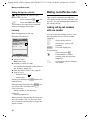
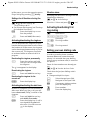
1 The display keys' current functions are
shown in the bottom display line.
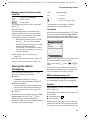
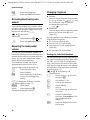
2 Display keys
The most important display symbols are:
}
Left display key, as long as it
has not been assigned a function (page 38).
©
Open the main menu.
§Options§
Open a context-dependent
menu.
W
Delete key: deletes one character at a time from right to
left.
Î
Go back one menu level or
cancel operation.
Œ
Retrieve an e-mail address
from the directory.
Ó
Copy number into directory.
•
Open the last number redial
list.
Gigaset SL560 / EN for Greece / A31008-M1710-T111-2-8U19 / telefony.fm / 28.6.07
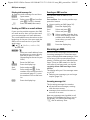
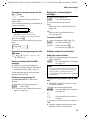
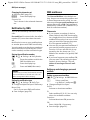
ECO DECT
Returning to idle status
Correcting incorrect entries
You can revert to idle status from anywhere in the menu as follows:
¤ Press and hold the end call key a.
Or:
¤ Do not press any key: after 2 minutes
the display will automatically revert to
idle status.
Changes that you have not confirmed or
saved by pressing §OK§, §Yes§, §Save§, §Send§ or
Save Entry §OK§ will be lost.
An example of the display in idle status is
shown on page 1.
You can correct incorrect characters in the
text by navigating to the incorrect entry
using the control key. You can then:
u press X to delete the character to the
left of the cursor,
u insert characters to the left of the cursor,
u overwrite the character (flashing)
when entering the time and date etc.
Menu guidance
ECO DECT
Your telephone's functions are accessed
using a menu that has a number of levels.
Main menu (first menu level)
¤ Press w with the handset in idle sta-
tus to open the main menu.
The main menu functions are shown in
the display as a list with coloured icons
and names.
To access a function, i.e. open the corresponding submenu (next menu level):
¤ Navigate to the function using the control key q/r. The name of the
function is displayed in the display header. Press the display key §OK§.
Submenus
The functions in the submenus are displayed as lists.
To access a function:
¤ Scroll to the function with the control
key q and press §OK§.
Or:
¤ Enter the corresponding digit combination (page 9).
Pressing briefly on the end call key a
returns you to the previous menu level /
cancels the operation.
You will find examples of symbols used,
menu entries and multiple line input in the
appendix to this user guide, page 55.
ECO DECT reduces power consumption by
using a power supply with low power consumption and also reduces the transmission power of the base station.
You can set this manually with your handset. It can be used by several handsets at
the same time.
Your handset also reduces the transmission power depending on the distance to
the base station.
Activating/deactivating eco mode:
w ¢ Ð ¢ Base ¢ Add. Features
¢ Eco Mode
§OK§
Press the display key
( ‰ = activated).
When eco mode is activated, the ½ icon is
displayed at the top of the screen.
Please note:
– Activating eco mode reduces the range of
the base station.
– Eco mode and any repeater support (see
page 48) cancel each other out, i.e. both
functions cannot be used at the same time.
– If external handsets (GAP) and handsets
from earlier Gigaset versions are used, your
handset will not automatically reduce the
transmission power to the base station.
15
Gigaset SL560 / EN for Greece / A31008-M1710-T111-2-8U19 / TNet_Features_SAG.fm / 28.6.07
Network services
Network services
Network services are functions that your
network provider makes available to you.
You have to request these services from
your network provider.
¤ If you require assistance, please contact your network provider.
Setting functions for the
next call
You have the following options:
w ¢ ê ¢ Withhold No.
~
Enter number.
c
Press talk key.
Setting functions for all
subsequent calls
If you have completed one of the following procedures, a code is sent.
¤ After confirmation from the telephone
network, press the end call key a.
You can set the following features:
General call diversion
w ¢ ê ¢ All Calls ¢ Call Divert
¤ Change multiple line input:
When:
All Calls / No Answer / When Busy dialling.
Call No.:
Press the display key §Edit§. Enter
number to which call is to be diverted,
and press Save Entry §OK§.
or:
Press s. Select number from the
directory and press §OK§.
Press Save to save.
Status:
Activating/deactivating call diversion.
¤ Press the display key §Send§.
a
After the announcement,
press the end call key.
Activating/deactivating call waiting
w ¢ ê ¢ All Calls ¢ Call Waiting
Status:
Activating/deactivating.
§Send§
Press the display key.
Fixed destination call
w ¢ ê ¢ All Calls ¢ Fixed Destin.
Call
¤ Change multiple line input:
Number:
Press display key Edit. Enter number and
press Save Entry §OK§.
Press Save to save.
Status:
Activating/deactivating fixed destination call.
¤ Press the display key §Send§.
16
Gigaset SL560 / EN for Greece / A31008-M1710-T111-2-8U19 / TNet_Features_SAG.fm / 28.6.07
Network services
Functions during a call
Accepting a waiting call
Press the display key.
You have the option of toggling or holding
a conference call.
§Accept§
Consultation
During a call:
§Ext.Call§
Press the display key.
~
Enter number.
You have the following options:
u Toggling:
¤ Use q to toggle between the participants.
End the call with one participant:
¤ Use q to switch to the caller.
Then: §Options§ End Active Call.
u Conference call:
¤ Press the display key §Conf.§.
End the conference call (toggle):
¤ Press §EndConf§.
u End call with both participants:
¤ Press the end call key a.
Note:
Without CLIP a waiting call is only announced
with a beep.
Accept call waiting
§Options§
£ Accept waiting call
Reject call waiting
§Options§
¢ Reject waiting call
Functions after a call
Activating/deactivating
network mailbox
w ¢ ê ¢ Network Mailbox
Status:
Activating/deactivating.
§Send§
Press the display key.
a
Press the end call key.
17
Gigaset SL560 / EN for Greece / A31008-M1710-T111-2-8U19 / direct_charges.fm / 28.6.07
Using the directory and lists
Using the directory and lists
The options are:
u Directory,
u Call-by-Call list,
u Last number redial list,
u SMS list,
u Calls list.
You can store a total of 250 entries in the
directory and call-by-call list.
You create the directory and call-by-call
list for your own individual handset. You
can also send lists/entries to other handsets (page 20).
Directory/call-by-call list
Note:
For quick access to a number from the directory or the call-by-call list (quick dial), you can
assign the number to a key.
Directory
In the directory you can store
u up to three numbers and the corresponding first names and surnames,
u VIP identifier and VIP ringtone
(optional),
u e-mail address (optional),
u CLIP pictures (optional)
u Anniversaries with signal.
¤ With the handset in idle status, open
the directory by pressing the s key.
Length of entries (directory)
3 numbers: max. 32 digits
First name and surname: max. 16 characters each
E-mail address: max. 60 characters
18
Call-by-Call list
In the Call-by-Call list you can store prefixes for network providers ("call-by-call
numbers").
¤ Open the call-by-call list in idle status
by pressing the C key.
Length of entries
Number:
Name:
max. 32 digits
max. 16 characters
Storing a number in the directory
s ¢ New Entry
¤ Change multiple line input:
First Name / Surname:
Enter a name in at least one of the
fields.
Phone (Home) / Phone (Mobile) / Phone (Office)
Enter a number in at least one of the
fields.
E-mail
Enter E-mail address.
Annivers.:
Select On or Off.
With setting On:
enter Anniversary (Date) and Annivers.
(Time) (page 21) and select reminder
type: Annivers. (Signal).
Caller Picture
If necessary, select the picture that
should appear when the user is making
a call (page 42). Precondition: Calling
Line Identification (CLIP).
¤ Save changes: (page 56).
Gigaset SL560 / EN for Greece / A31008-M1710-T111-2-8U19 / direct_charges.fm / 28.6.07
Using the directory and lists
Storing a number in the call-by-call list
Using other functions
§View§ §Edit§
s / C ¢ s (select entry)
¢ §Options§ (open menu)
The following functions can be selected
with q:
Display Number
To edit or add to a saved number, or to
save it as a new entry, press Ó
after the number is displayed.
Edit Entry
Edit selected entry.
Delete Entry
Delete selected entry.
VIP Entry (directory only)
Mark a directory entry as VIP (Very
Important Person) and assign it a specific ringtone. You will then be able to
recognise VIP calls by the ringtone.
Precondition: Calling Line Identification (page 13).
Record Pattern (directory only)
Speak the name of the selected entry
and store as a voice pattern (page 22).
Play Pattern (directory only)
Play voice patterns (page 22).
Delete Pattern (directory only)
Delete voice patterns (page 22).
Copy Entry
Send a single entry to a handset
(page 20).
Delete List
Delete all entries in the directory/callby-call list.
Copy List
Send complete list to a handset
(page 20).
Available Memory
Display the available entries in the
directory and call-by-call list (page 18).
¤
Using quick dial keys
C ¢ New Entry
¤ Change multiple line input:
Name:
Enter name.
Number:
Enter number.
Selecting entries in the directory and
call-by-call list
s / C Open directory or call-by-call
list.
You have the following options:
u Use s to scroll through the entries
until the required name is selected.
u Enter the first character of the name (in
the directory: the first character of the
surname or of the first name if only the
first name is entered), if necessary use
s to scroll to the entry.
Dialling with the directory/
call-by-call list
s / C ¢ s (select entry)
c
Press the talk key. The number
is dialled.
Managing entries in the directory/
call-by-call lists
s/C
¢ s (select entry)
Viewing an entry
§View§
Press the display key.
The entry is displayed.
Back with §OK§.
Editing entries
Press display keys one after
the other.
Carry out changes and save.
¤ Press and hold the required quick dial
key (page 18).
19
Gigaset SL560 / EN for Greece / A31008-M1710-T111-2-8U19 / direct_charges.fm / 28.6.07
Using the directory and lists
Sending the directory/call-by-call list
to another handset
Preconditions:
u The sending and receiving handsets
must both be registered to the same
base station.
u The other handset and base station can
send and receive directory entries.
s / C ¢ s (select entry)
¢ §Options§ (open menu) ¢ Copy
Entry / Copy List ¢ to Internal
~
Enter the internal number of
the receiver handset. You see
Copying entry.
§Yes§ / §No§
Press the display key.
A successful transfer is confirmed by a
message and confirmation tone on the
receiver handset.
Note:
You can send the complete directory via the
data transfer without opening the directory:
w
ý
Directory.
¢
¢
Please remember:
u Entries with identical numbers are not
overwritten on the receiver handset.
u The transfer is cancelled if the phone
rings or if the memory of the receiver
handset is full.
Transferring the directory as a vCard
with Bluetooth
In Bluetooth mode (see page 46) you can
transfer directory entries in vCard format,
e.g. to exchange entries with your mobile.
s ¢ s (Select entry) ¢
§Options§ (Open menu) ¢ Copy Entry /
Copy List ¢ vCard via Bluetooth
The list of "Known Devices" (see page 46)
is displayed.
s
Select device and press §OK§.
20
Receiving a vCard with Bluetooth
If a device from the "Known Devices" list
(see page 46) sends a vCard to your handset, this occurs automatically and you are
informed about it via the display.
If the sending device does not appear in
the list, you will be asked on the display to
enter the device PIN for the sending
device:
~
Enter the PIN for the sending
Bluetooth device and press
§OK§.
The transferred vCard is available as a
directory entry.
Adding a displayed number to the
directory
Numbers that appear in a list, e.g. the calls
list or the last number redial list, in a text
message or displayed during a call can be
added to the directory.
A number is displayed:
§Options§ ¢ Copy to Directory
¤ Complete the entry, see page 18.
Selecting a number or e-mail address
from the directory
There are many operating situations in
which you can open the directory, e.g. to
copy a number or e-mail address. Your
handset need not be in idle status.
¤ Depending on the operating situation,
open the directory with s or
ñ or © Directory.
q
Select an entry (page 19).
Gigaset SL560 / EN for Greece / A31008-M1710-T111-2-8U19 / direct_charges.fm / 28.6.07
Using the directory and lists
Saving an anniversary in the directory
Reminder call on an anniversary
You can store an anniversary for every
number in the directory and specify a time
when you will receive a reminder call on
the anniversary (Default settings: Annivers.: Off).
Jahrestage werden automatisch in den
Kalender aufgenommen (page 44).
s ¢ s (Select entry; page 19)
§View§ §Options§Press display keys one after
the other.
s
Scroll to the Annivers.: line.
v
Select On.
¤ Change multiple line input:
Anniversary (Date)
Enter the day/month/year in 8 digits.
Annivers. (Time)
Enter the hour/minute for the reminder
call in 4-digit format.
Annivers. (Signal)
Select the type of signal.
¤ Save changes (page 56).
A reminder call is signalled on the handset
using the selected ring tone.
§Silence§
Press the display key to
acknowledge and stop the
reminder call.
Note:
Reminder calls require a time stamp. If you
select a visual signal, then a time stamp is not
required and is automatically set to 00.00.
Deactivating an anniversary
s
¢ s (Select entry; page 19)
§View§ §Options§ Press display keys one after
s
v
Save
the other.
Scroll to the Annivers.: line.
Select Off.
Press the display key.
Viewing missed anniversaries
When an anniversary has elapsed without
being acknowledged, you will be
reminded once by the display icon Appoint.
when the handset is in idle status.
¤ Viewing appointments:
Appoint.
Press the display key.
You now have the following options:
SMS
Write an SMS.
Delete
Delete reminder.
After deleting, press the ”
or Go Back display key:
Back to idle status, Appoint. is
no longer displayed.
You will then also be able to view missed
anniversaries (see page 45).
Voice dialling
You can dial numbers from the directory
by speaking the name. In order for your
telephone to be able to "recognise" you,
you must record a voice pattern for each
name, i.e. say the name loudly into the
handset and store it.
You can also set your phone so that it
announces the name of a caller for an
external call instead of ringing, see
page 40.
You can store voice patterns for a total of
30 directory entries. Entries with voice
patterns are marked with ´.
You can also perform voice dialling functions via an activated Bluetooth headset.
21
Gigaset SL560 / EN for Greece / A31008-M1710-T111-2-8U19 / direct_charges.fm / 28.6.07
Using the directory and lists
Recording voice patterns
Record your voice pattern in quiet surroundings. Your mouth should be around
25 cm away from the handset. The voice
pattern can be 1.5 seconds long.
s ¢ s (select entry; page 19)
Open menu.
Record Pattern
Select.
§OK§
Press the display key to start
the recording.
(On the Bluetooth headset:
instead of pressing the headset's talk key; it can take up to
5 seconds to establish a connection to the handset)
You will hear a short beep. The display will
prompt you accordingly. Speak the name.
Repeat the name after being prompted to
do so by the display and by a further beep.
In the list you can see ´ next to the
name.
Options
Note:
If the memory cannot accommodate a new
voice pattern, a message will appear on the
display. The phone automatically returns to
the directory. Delete a voice pattern and select
Record Pattern again.
To change a voice pattern, you must
record over it.
Using voice dialling
v
Press and hold.
Speak the name after the beep. If the
name matches the recorded voice pattern,
it is repeated. The number is dialled.
22
Playing voice patterns
s ¢ s (select entry with ´ )
Options
Open menu.
Play Pattern
Select and press §OK§. The voice
pattern will be played in
handsfree mode.
a
Press and hold (idle status).
Deleting voice patterns
s ¢ s (select entry with ´)
Options
Open menu.
Delete Pattern
Select and press §OK§.
a
Press and hold (idle status).
The directory entry is retained.
Last number redial list
The last number redial list contains the ten
numbers last dialled with the handset
(max. 32 numbers). If one of the numbers
is in the directory, then the corresponding
name will be displayed.
Manual last number redial
c
s
c
Press the key briefly.
Select entry.
Press the talk key again. The
number is dialled.
When displaying a name, you can have the
respective phone number displayed by
using the display key §View§.
Gigaset SL560 / EN for Greece / A31008-M1710-T111-2-8U19 / direct_charges.fm / 28.6.07
Using the directory and lists
Managing entries in the last number
redial list
Icon
New message...
c
s
Á
... in calls list
À
Press the key briefly.
Select entry.
§Options§
Open menu.
The following functions can be selected
with q:
Automatic Redial
The selected number is automatically
dialled at fixed intervals (at least every
20 seconds). The handsfree key flashes
and "open listening" is activated.
– Participant answers: press the Talk
key c. The function is ended.
– Participant does not answer: the call
is terminated after approx.
30 seconds. The function is ended
after pressing any key or ten unsuccessful attempts.
Display Number (as in the directory,
page 19)
Delete Entry (as in the directory, page 19)
Delete List (as in the directory, page 19)
Opening lists with the
message key
You can use the message key f to
open the following list options:
u SMS list
If several mailboxes are set up
(page 30), several lists are displayed.
u Network mailbox
If your network provider supports this
function and the network mailbox is
configured for fast access (page 34).
u Calls list
An advisory tone sounds as soon as a new
entry appears on a list. The f key
flashes (it goes off when the key is
pressed). In idle status, the displays shows
an icon for the new message.
... in SMS list
ú
...Internet calls (Voice data)
The number of new entries is shown
beneath the corresponding icon.
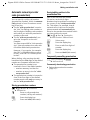
List options
After pressing the message key f only
those lists that contain messages will be
shown (exception: network mailbox). Lists
with new messages are identified in bold:
Messages & Calls
Mailboxes:
(2)
SMS:
Calls List:
(1)
(4)
”
OK
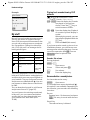
Internet calls received via your connected
PC are identified in the list by INT .
Select a list with q. Press w or OK to
open.
If entries are only available from one list,
the other list options are not needed and
only the relevant list will be shown.
SMS incoming message list
All received SMS messages are saved in
the incoming message list, see page 28.
Calls list
Precondition: Calling Line Identification
(CLIP, page 13)
Depending on the type of list set, the calls
list contains
u accepted calls ( ‰ )
u missed calls
Depending on the type of list set, all the
numbers of the last 30 incoming calls will
be stored or just those of the missed calls.
23
Gigaset SL560 / EN for Greece / A31008-M1710-T111-2-8U19 / direct_charges.fm / 28.6.07
Making cost-effective calls
Setting list type for calls list
w ¢ Ð ¢ Base ¢ Calls List Type
Missed Calls / All Calls
Select and press §OK§ ( ‰ = on).
a
Press and hold (idle status).
The entries in the calls list are retained
when you change the list type.
List entry
New messages are at the top.
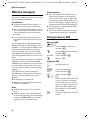
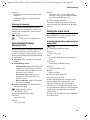
Example of list entries:
All Calls
Susi Sorglos
29.11.05
12:20
Louise Miller
29.11.05
Delete
‰
11:15
Options
u List type (in header)
u Status of entry
Bold: new entry
u Number or name of caller
You can add the number of the caller to
the directory (page 20).
u Date and time of call (if set, page 8)
u Type of entry:
– accepted calls ( ‰ )
– missed calls
Pressing the display key §Delete§ deletes the
marked entry.
After pressing the display key §Options§ you
can select more functions with q:
Copy to Directory
Add a number to the directory.
Delete List
Delete complete list.
When you leave the calls list all entries are
set to the status "old", i.e. the next time
you call the list up they will no longer be
shown in bold.
24
Making cost-effective calls
Sign up with a network provider who
offers particularly low-cost call rates (callby-call) . You can manage the numbers in
the call-by-call list.
Linking call-by-call numbers
with one number
You can insert the dialling code of a network provider in front of the number
("linking").
C
Open call-by-call list.
s
Select entry (call-by-call
number).
§Options§
Press the display key.
Display Number
Select and press §OK§.
~
Enter number or select
number from the directory
(page 20).
c
Press talk key. Both numbers
are dialled.
Gigaset SL560 / EN for Greece / A31008-M1710-T111-2-8U19 / direct_charges.fm / 28.6.07
Making cost-effective calls
Automatic network provider
code (preselection)
You can specify a call-by-call number
(preselection number), which is automatically placed in front of numbers according to two lists.
u The list "with preselection" contains
the "rule" for dialling code numbers or
the first digits of dialling code numbers
with which you wish the preselection
number to be used.
u The list "without preselection" contains the "exception to the rule".
Example:
You have entered 08 for "with preselection". Now all numbers that start with
08 will be dialled with preselection.
However, if you require, for example,
that 081 is still dialled without preselection, enter 081 for "without preselection".
When dialling, after pressing the talk/
handsfree key the first digits of the dialled
number are compared with both lists:
u The preselection number is not
inserted in front if the dialled number
– matches no entry in either list
– matches an entry in the list "without preselection"
u The preselection number is inserted in
front if the first digits of the dialled
number match with only one entry in
the list "with preselection".
Saving/editing entries in the
preselection lists
Each of the two lists can contain
20 entries, each with 6 digits.
Numbers may be prefixed according to
the country in the "with preselection"
list. This means, for example, that all
national calls or calls into the mobile
phone network will automatically be
linked to the preselection number which
you have previously stored.
w ¢ Ð ¢ Base ¢ Preselection
¢ With Preselect / Without Presel.
s
Select entry.
§Edit§
Press the display key.
~
Enter or edit first digits of
number.
Save§
Press the display key.
a
Press and hold (idle status).
Temporarily cancelling preselection
c (press and hold) ¢ §Options§
¢ Aut Preselct off
Permanently deactivating preselection
¤ Delete the preselection number
(page 25).
Storing preselection numbers
w ¢ Ð ¢ Base ¢ Preselection
¢ Preselect No.
~
Enter or edit preselection
number (call-by-call number).
Save§
Press the display key.
a
Press and hold (idle status).
25
Gigaset SL560 / EN for Greece / A31008-M1710-T111-2-8U19 / sms_BRD_neutral.fm / 28.6.07
SMS (text messages)
SMS (text messages)
Please remember:
Your unit is supplied ready for you to send
text messages immediately.
single ring (ringtone as for external
calls). If you accept such an SMS "call"
on the first ring, the SMS will be lost. To
prevent this ringing, suppress the first
ringtone for all external calls (page 41).
u If your phone is connected to a PABX,
please read page 32.
u To receive text messages you must be
registered with your service provider.
Preconditions:
u Calling Line Identification page 13is
enabled for your phone connection.
u Your network provider supports SMS in
the fixed network (information on this
can be obtained from your network
provider).
u You are registered with your service
provider to send and receive text messages.
Text messages are exchanged between
SMS centres that are operated by service
providers. You must enter the SMS centre
in the unit through which you wish to
send and receive. You can receive SMS
from every SMS centre that is entered if
you have registered with your service provider.
Your text messages are sent via the Service Centr. that is entered as the send
service centre. However, you can activate
any other SMS centre as the active send
service centre to send a current message
(page 31).
If no SMS Service Centre is entered,
the SMS menu only consists of the entry
Settings . Enter an SMS Service Centre
(page 31).
u Entering text, see page 56.
u Writing using the predictive text tool
EATONI, see page 57.
Rules
u An SMS can be up to 612 characters
long.
u If there are more than 160 characters
or a lot of image data, the text message
is sent as a linked SMS (up to 4 messages with 153 characters each).
26
u Each incoming SMS is signalled by a
Writing/sending an SMS
Writing an SMS
w¢î
Mailbox 2 Select mailbox if necessary
and press §OK§.
~
Enter mailbox PIN if necessary
and press §OK§.
New SMS Select and press §OK§.
~
Write an SMS.
Sending an SMS
c
or:
Press the talk key
Press the display key.
Send
Select and press §OK§.
SMS
Select and press §OK§.
~/s/C
Select number with area code
(even if you are in that area)
from the directory or call-bycall list or enter it directly. For
SMS to an SMS mailbox: put
the mailbox ID at the end of
the number.
Send
Press the display key. The SMS
is sent.
§Options§
Gigaset SL560 / EN for Greece / A31008-M1710-T111-2-8U19 / sms_BRD_neutral.fm / 28.6.07
SMS (text messages)
Notes:
– If you are interrupted by an external call
while writing an SMS, the text is automatically saved in the draft message list.
– If the memory is full, or if the SMS function
on the base station is being used by
another handset, this cancels the operation. An appropriate message appears in
the display. Delete SMS messages you no
longer require or send the SMS later.
Setting input language
¤ You are writing an SMS (page 26).
Press the display key.
Select Language
Select and press §OK§.
s
Select input language and
press §OK§.
§Options§
a
Press the end call key briefly
to return to the text panel.
The input language setting only applies to
the current SMS.
SMS status report
Precondition: Your service provider supports this feature.
If you have activated the status report,
you will receive a message with a confirmation text after you have sent your SMS.
Activating/deactivating the status report
w ¢ î ¢ Settings
Status Report
Select and press §OK§ ( ‰ = on).
Reading/deleting status report/saving
number to directory
¤ Open the incoming message list
(page 29) and then:
q
Select SMS with the status
State OK or State not OK.
§Read§
Press the display key.
u Delete:
Options Delete Entry OK§.
u Number to the directory:
Options Copy to Directory OK§.
u Delete entire list:
Options Delete List OK§.
Draft message list
In the draft message list, you can save,
edit later and send an SMS.
Saving an SMS in the draft message list
¤ You are writing an SMS (page 26).
Press the display key.
Save Entry Select and press §OK§.
§Options§
Opening the draft message list
w ¢ î ¢ (Mailbox, mailbox PIN)
¢ Outgoing (3)
The first list entry is displayed, e.g.:
1234567890
21.11.05
09:45
Reading or deleting individual SMS
¤ Open the draft message list and then:
q
Select SMS.
Press the display key.
The entry will be displayed.
Scroll line by line using q.
Or delete the SMS with
Options Delete Entry OK§.
§Read§
Writing/editing an SMS
¤ You are reading an SMS in the draft
message list.
Open menu.
You have the following options:
New SMS
Write and then send a new SMS
(page 26) or save.
Edit
Edit the text of the saved SMS and then
send (page 26).
Character Set
Text is shown in the selected character
set.
§Options§
27
Gigaset SL560 / EN for Greece / A31008-M1710-T111-2-8U19 / sms_BRD_neutral.fm / 28.6.07
SMS (text messages)
Deleting draft message list
¤ Open the draft message list and then:
§Options§
Delete all
a
Open menu.
Select, press §OK§ and confirm
with §Yes§. The list is cleared.
Press and hold (idle status).
Sending an SMS to an e-mail address
If your service provider supports the SMS
to e-mail service, then you can also send
your text messages to e-mail addresses.
The e-mail address must be written at the
beginning of the text. You must send the
SMS to the e-mail service of your SMS
send centre.
w ¢ î ¢ (Mailbox, mailbox PIN)
¢ New SMS
Œ/~
Select an e-mail address from
the directory or enter directly.
End with a space or colon
(depending on the service provider).
~
Enter the SMS text.
§Options§
Press the display key.
Send
Select and press §OK§.
E-mail
Select and press §OK§. If the
number of the e-mail service is
not entered (page 31), enter
the number of the e-mail service.
§Send§
Press the display key.
Sending an SMS as a fax
You can also send an SMS to a fax
machine.
Precondition: Your service provider supports this feature.
¤ You are writing an SMS (page 26).
§Options§
Press the display key.
Send
Select and press §OK§.
Fax
Select and press §OK§.
s / ~ Select number from the directory or enter directly. Enter the
number with dialling code
(even when you are in the
same area).
§Send§
Press the display key.
Receiving an SMS
All received text messages are saved in the
incoming message list. Linked text messages are displayed as one message. If this
is too long or has not transferred completely, it will be split into individual messages. Since an SMS remains in the list
even after it has been read, you should
regularly delete SMS messages from
the list.
The display tells you if the message memory is full.
¤ Deleting text messages you no longer
require (page 29).
Incoming message list
The incoming message list contains:
u all received text messages, starting
with the most recent.
u messages that could not be sent on
account of an error.
New text messages are signalled on all
Gigaset SL56 handsets by the À icon in
the display, the flashing message key
f and an advisory tone.
28
Gigaset SL560 / EN for Greece / A31008-M1710-T111-2-8U19 / sms_BRD_neutral.fm / 28.6.07
SMS (text messages)
Opening the incoming message list with
the f key
f
Press.
Select mailbox if necessary and enter
mailbox PIN.
The incoming message list is displayed as
follows (example):
SMS:
(2)
1
2
1 bold: number of new entries
not bold: number of read entries
2 name of mailbox, here: general mailbox
Open list with §OK§.
An entry in the list is displayed e.g as follows:
1234567890
21.11.05
Replying to or forwarding text
messages
¤ Read the SMS (page 29):
Press the display key.
You have the following options:
Reply
Write and send a reply SMS directly
(page 26).
Edit
Edit the text in the SMS and then
send it (page 26).
§Options§
Forwarding an SMS
¤ You are reading an SMS (page 29):
§Options§
Forward
09:45
Opening the incoming message list via the
SMS menu
v ¢ î ¢ (Mailbox, mailbox PIN)
¢ Incoming (2)
Reading or deleting individual SMS
messages
¤ Open the incoming message list.
¤ Continue as described at "Reading or
deleting individual SMS", page 27.
A new message which you have read
acquires the status Old.
Deleting incoming message list
All new and old SMS in the list are
deleted.
¤ Open the incoming message list.
§Options§
Open menu.
¤ To continue, see "Deleting draft message list", page 28.
Press the display key.
Select and press §OK§.
To continue see page 26.
Adding a number to the directory
Adding the sender's number
¤ Open incoming message list and select
entry (page 28).
§Options§
Press the display key. Continue
see page 20.
Notes:
– You can create a special directory for text
messages within your main directory by
putting a star (*) before the names.
– An attached mail box identifier is added to
the directory.
Copying/selecting numbers from an SMS
text
¤ Read SMS (page 29) and scroll to the
telephone number.
The digits are reverse-highlighted.
Ó
Press the display key. Continue
see page 20.
Or:
c
Press the talk key to dial the
number.
If you wish to use the number to send an
SMS:
¤ Save the number with the area code
(dialling code) in the directory.
29
Gigaset SL560 / EN for Greece / A31008-M1710-T111-2-8U19 / sms_BRD_neutral.fm / 28.6.07
SMS (text messages)
Changing the character set
SMS mailboxes
Press the display key.
Character Set
Text is shown in the selected character
set.
The General Mailbox is the default setting. Anyone can access this mailbox and
it cannot be protected by a PIN. You can
also set up three personal mailboxes and
protect these with a PIN. Each mailbox is
identified by a name and a "Mailbox ID" (a
kind of extension number).
¤ Read the SMS (page 29):
§Options§
Notification by SMS
You can be notified by SMS about missed
calls .
Precondition: For missed calls, the caller's
number (CLI) must have been transmitted.
Notification is sent to your mobile phone
or another phone with SMS functionality.
You only need to set the phone number to
which notification should be sent (notification number) and the notification type.
Storing the notification number
w ¢ î ¢ Settings ¢ Notify Number
~
Enter the number to which the
SMS should be sent.
Save
Press the display key.
a
Press and hold (idle status).
Caution:
Do not enter your own fixed network number
for the notification of missed calls. This can
lead to chargeable endless looping.
Setting the notification type
w ¢ î ¢ Settings ¢ Notify Type
¤ Change multiple line input if necessary:
Missed Calls:
Set On if you want SMS notification.
¤ Save changes (page 56).
30
Please note:
u If you operate a number of devices
(base stations) with SMS functionality
on a single phone line, then each SMS
mailbox ID may only occur once. In this
case you must also change the preset
ID of the general mailbox ("0").
u You can only use personal mailboxes if
your service provider supports such a
function. You can tell that this is supported by the fact that a star (*) is
added to the number of a (preset) SMS
centre.
u If you have forgotten your mailbox PIN,
you can reset it by restoring the base
station's factory settings. This will
delete all messages from all mailboxes.
Setting up and changing a personal
mailbox
Setting up a personal mailbox
w ¢ î ¢ Settings ¢ SMS Mailboxes
s
Select a mail box,
e.g. Mailbox 2, and press §OK§ .
¤ Change multiple line input:
On/Off:
Activate or deactivate mailbox.
ID:
Select mailbox ID (0–9). You can only
select the available numbers.
Protection:
Activate/deactivate PIN protection.
PIN
Enter 4-digit PIN, if necessary.
¤ Save changes (page 56).
Gigaset SL560 / EN for Greece / A31008-M1710-T111-2-8U19 / sms_BRD_neutral.fm / 28.6.07
SMS (text messages)
Active mailboxes are marked with ‰ in
the mailbox list. They are shown in the
SMS list and can, if necessary, be displayed by pressing the message key f.
Deactivating a mailbox
¤ Set On/Off: to Off . Confirm message
with §Yes§ if necessary.
All SMS saved in this mailbox will be
deleted.
Deactivating PIN protection
¤ Set Protection: to Off .
The mailbox PIN is reset to "0000".
Changing the name of a mailbox
w ¢ î ¢ Settings ¢ SMS Mailboxes
¢ s (Select mailbox)
§Edit§
Press the display key.
~
Enter new name.
§Save§
Press the display key.
a
Press and hold (idle status).
Changing a mailbox's PIN and ID
w ¢ î ¢ Settings ¢ SMS Mailboxes
¢ s (Select mailbox)
~
Enter mailbox PIN if necessary
und press §OK§.
¤ Set ID:, Protection: and PIN (page 30).
Sending a text message to a personal
mailbox
To send a text message to a personal mailbox, the sender must know your ID and
enter it after your number.
¤ You can send your SMS contact an SMS
via your personal mailbox.
Your SMS contact will receive your SMS
number with current ID and can save it in
their directory. If the ID is invalid, the SMS
will not be delivered.
Setting SMS centre
Entering/changing SMS centres
¤ You should find out about the services
and special functions offered by your
service provider before you make a
new application and/or before you
delete pre-configured call numbers.
w ¢ î ¢ Settings ¢ Service Centres
s
Select SMS centre (e.g. Service
Centr. 1) and press §OK§.
¤ Change multiple line input:
Active Send:
Select Yes if the text messages are to be
sent via the SMS centre. For the SMS
centres 2 to 4, the setting only applies
to the next SMS.
SMS:
Press the display key §Edit§. Enter the
number of the SMS service and insert a
star if your service provider supports
personal mailboxes.
E-mail:
Press the display key §Edit§. Enter the
number of the e-mail service.
¤ Save changes (page 56).
Note:
Ask your service provider for details of how
you should enter service numbers if you wish
to use personal mailboxes (Precondition: your
service provider supports this function).
Sending an SMS through another SMS
centre
¤ Activate the SMS centre (2 to 4) as send
centre.
¤ Send the SMS.
This setting only applies to the SMS that is
being sent next. Afterwards, the setting
automatically changes back to Service
Centr. 1.
31
Gigaset SL560 / EN for Greece / A31008-M1710-T111-2-8U19 / sms_BRD_neutral.fm / 28.6.07
SMS (text messages)
SMS info services
SMS to a PABX
You can have your service provider send
you certain information (e.g. weather
forecast or lottery numbers) via SMS. Up
to 10 info services can be stored. You can
obtain information about the info services
available and their costs from your service
provider.
u You can only receive an SMS when the
Setting up/ordering an info service
Setting up an info centre
w ¢ î ¢ SMS Service ¢ Info Centre
~
Enter destination number
(max. 20 digits).
Options§
Open menu.
§Save Entry§ Select and press §OK§.
Ordering an info service
w ¢ î ¢ SMS Service ¢ Ordering
s
Select info service.
§Send§§
Press the display key.
Setting up an info service
¤ Select info service (see above). Now:
§Edit§§
~
§Save§
Press the display key.
Enter code and designation, if
necessary.
Press the display key.
Changing an info service
¤ Select info service (see above). Now:
Options§
Edit Entry
~
§Save§
Open menu.
Select and press §OK§.
Change code and designation,
if necessary.
Press the display key.
Deleting an info service
¤ Select info service (see above). Now:
Options§
Delete Entry
32
Open menu.
Select and press §OK§.
Calling Line Identification is forwarded to the extension of the PABX
(CLIP). The CLIP of the phone number
for the SMS centre is evaluated in your
Gigaset.
u If required, you must prefix the number
for the SMS centre with the access code
(depending on your PABX).
If in doubt, test your PABX e.g. by sending a text message to your own
number: once with and once without
the access code.
u When you send SMS messages, your
sender number may be sent without
your extension number. In this case the
recipient cannot reply to you directly.
Sending and receiving SMS on ISDN
PABXs is only possible via the MSN
number assigned to your base station.
Activating/deactivating the
SMS function
When you switch off you cannot send or
receive any SMS with your phone.
The settings which you have made for
sending and receiving SMS (e.g. the call
numbers of the SMS centres) and the
entries in the incoming and draft message
lists are saved when you switch off your
phone.
w
Open menu.
N5O2L
Enter the digits.
Q §OK§ Deactivate the SMS function.
Or:
1 §OK§ Activate SMS function (default
settings).
Gigaset SL560 / EN for Greece / A31008-M1710-T111-2-8U19 / sms_BRD_neutral.fm / 28.6.07
SMS (text messages)
SMS troubleshooting
Errors when sending
E0 Calling Line Identification permanently
withheld (CLIR) or Calling Line
Identification not activated.
FE Error occurred during SMS transfer.
FD Connection to SMS centre failed, see selfhelp.
Self-help with errors
The following table lists error situations
and possible causes and provides notes on
troubleshooting.
You cannot send messages.
1. You have not requested the CLIP service
(Calling Line Identification Presentation).
Ask your service provider to enable this
service.
¥
2. Text message transmission has been interrupted (e.g. by a call).
Re-send the text message.
¥
3. Feature is not supported by network provider. .
The message is played back.
1. The "display call number" service is not activated.
Have your service provider enable this
service (there is a charge for this).
¥
2. Mobile phone operator and network SMS
service provider have not agreed on a
cooperation.
Obtain information from your network
SMS service provider.
¥
3. Your terminal is recorded in the records of
your SMS provider as having no fixed network SMS functionality, i.e. you are no
longer registered with the provider.
Start the registration wizard for automatic registration (see page 26).
– Register the terminal (again) for SMS
reception.
¥
Messages are only received during the day.
The terminal is stored in your SMS provider's
database as having no fixed network SMS
functionality, i.e. you are no longer registered
with the provider.
Start the registration wizard for automatic
registration (see page 26).
Register the terminal (again) for SMS reception (see above).
¥
¥
4. No number or an invalid number is entered
for the SMS centre activated as the send
centre.
Enter the number (page 31).
¥
You receive a message whose text is incomplete.
1. Your phone memory is full.
Delete old messages (page 29).
¥
2. The provider has not yet sent the rest of the
message.
You have stopped receiving messages.
1. You have changed the ID of your mailbox.
Tell your SMS contacts your new ID or
undo the change (page 31).
¥
2. You have not activated your mailbox.
Activate your mailbox (page 31).
¥
3. Call diversion is activated with When: All
Calls or the call diversion All Calls is activated
for the network mailbox.
Change your call diversion.
¥
33
Gigaset SL560 / EN for Greece / A31008-M1710-T111-2-8U19 / T-NetBox_SAG.fm / 28.6.07
Using the network mailbox
Using the network mailbox
The network mailbox is your network provider's answering machine within the network. You cannot use the network mailbox unless you have requested it from
your network provider.
Configuring the network mailbox
for fast access
With fast access, you can dial the network
mailbox directly.
The network mailbox is preconfigured for
fast access. You only need to enter the
number.
Configuring the network mailbox for fast
access and entering the network mailbox
number
w ¢ Ð ¢ Voice Mail ¢ Set Key 1
Network Mailb.
Select and press §OK§ ( ‰ = on).
~
Enter the number for the
network mailbox.
§Save§
Press the display key.
a
Press and hold (idle status).
The setting for fast access applies to all
Gigaset SL56 handsets.
Calling the network mailbox
1
d
34
Press and hold.
You are connected straight to
the network mailbox.
Press handsfree key d if
required. You hear the network mailbox announcement.
Viewing the network mailbox
message
If a message arrives for you, you receive a
call from the network mailbox. If you have
requested Calling Line Identification, the
displays shows the network mailbox
number. If you accept the call, the new
messages are played back. If you do not
accept the call, the network mailbox
number will be stored in the missed calls
list and the message key flashes
(page 22).
Gigaset SL560 / EN for Greece / A31008-M1710-T111-2-8U19 / registr_sett.fm / 28.6.07
Using several handsets
Using several handsets
Registering handsets
You can register up to a total of six handsets on your base station.
A Gigaset SL56 handset can be registered
on up to four base stations.
You must activate manual registration of
the handset at both the handset and the
base station.
After it has registered, the handset returns
to idle status. The internal number of the
handset appears in the display, e.g. INT 1.
If it does not, repeat the procedure.
On the handset
w ¢ Ð ¢ Handset ¢ Register H/Set
s
Select base station, e.g. Base 1
and press §OK§.
~
Enter the system PIN of the
base station (the default is
0000) and press §OK§. The
screen will display, e.g. Base 1.
On the base station
Within 60 secs. press and hold the registration/paging key on the base station
(page 1) (approx. 3 secs.).
Registering other handsets
You can register other Gigaset handsets
and handsets for other devices with GAP
functionality as follows.
On the handset
¤ Start to register the handset as
described in its user guide.
On the base station
Press and hold the registration/paging
key on the base station (page 1)
(approx. 3 secs.).
De-registering handsets
You can de-register any registered handset from any registered Gigaset SL56
handset.
u
Open list of internal users.
The handset you are currently
using is indicated by < .
s
Select the internal user you
wish to de-register.
§Options§
Open menu.
De-reg. H/Set No.
Select and press §OK§.
~
Enter current System PIN and
press §OK§.
§Yes§
Press the display key.
Locating a handset ("paging")
You can locate your handset using the
base station.
¤ Press the registration/paging key on
the base station briefly.
¤ All handsets will ring at the same time
("paging"), even if the ringers are
switched off.
Ending paging
¤ Briefly press the registration/paging
key on the base station or press the talk
key c on the handset.
Changing the base station
If your handset is registered to more than
one base station, you can set it to a particular base station or to the base station
that has the best reception (Best Base).
w ¢ Ð ¢ Handset ¢ Select Base
s
Select one of the registered
base stations or Best Base and
press §OK§.
35
Gigaset SL560 / EN for Greece / A31008-M1710-T111-2-8U19 / registr_sett.fm / 28.6.07
Using several handsets
Making internal calls
Internal calls to other handsets registered
on the same base station are free.
Then, if the internal participant does not
answer or is busy, the call will automatically return to you (the display will show
Recall).
Calling a specific handset
Internal consultation calls
u
~
Or:
u
s
c
Initiate internal call.
Enter the number of the handset.
Initiate internal call.
Select handset.
Press the talk key.
Calling all handsets ("group call")
u
*
Initiate internal call.
Press the star key. All handsets
are called.
Ending a call
a
Press the end call key.
Transferring a call to another handset
You can transfer an external call to
another handset (connect).
u
Open list of handsets.
The external caller hears the
hold music if activated (see
page 48).
s
Select a handset or Call All and
press §OK§.
When the internal participant answers:
¤ If necessary announce the external call.
a
Press the end call key.
The external call is transferred to the other
handset.
If the internal participant does not answer
or is busy, press the display key §End§, to
return to the external call.
When diverting a call you can also press
the end call key a before the internal
participant lifts the receiver.
36
When you are speaking to an external
participant you can simultaneously call an
internal participant for consultation.
u
Open list of handsets.
The external caller hears the
hold music if activated (see
page 48).
s
Select handset and press §OK§.
Ending an enquiry call
Press the display key.
You are reconnected with the external
caller.
§End§
Accepting/rejecting call waiting
If you get an external call while conducting an internal call, you will hear the call
waiting tone (short tone). The caller's
number will appear in the display if phone
number identification is enabled.
Ending an internal call, accepting an
external call
Press the display key.
The internal call is ended. You are connected to the external caller.
§Accept§
Rejecting external call
Press the display key.
The call waiting tone is turned off. You
remain connected with the internal participant. The ringtone can still be heard at
other registered handsets.
§Reject§
Gigaset SL560 / EN for Greece / A31008-M1710-T111-2-8U19 / registr_sett.fm / 28.6.07
Handset settings
Listening to an external call
u
Important: The Listening In function must
be activated.
You are conducting an external call. An
internal caller can listen in on this call and
take part in the conversation. All the participants are made aware of the 'listeningin' by a signal tone.
s
Activating/deactivating internal
listening in
w ¢ Ð ¢ Base ¢ Add. Features
¢ Listening In
a
Press and hold (idle status).
Internal listening in
The line is engaged with an external call.
Your screen will display information to
that effect You want to listen in to the
existing external call.
c
Press and hold the talk key.
You are linked into the call. All participants
hear a signal tone. During this time, this
handset displays the Conference message
and it is not possible to dial another
number from this handset.
Ending listening in
a
Press the end call key.
All participants hear a signal tone.
If the first internal participant presses the
end call key a, the handset that has
'listened-in' remains connected to the
external caller.
Changing the name of a handset
The names "INT 1", "INT 2" etc. are
assigned automatically at registration.
You can change these names. The name
must be no more than 10 characters. The
changed name is displayed in every handset's list.
§Edit§
~
§Save§
Open list of handsets. Your
own handset is indicated by <.
Select handset.
Press the display key.
Enter name.
Press the display key.
Changing a handset's internal
number
A handset is automatically assigned the
lowest unassigned number when it is registered. If all the numbers have been
assigned, number 6 is overwritten, provided the handset is in idle status. You can
change the internal number of all registered handsets (1–6).
u
Open list of handsets. Your
own handset is indicated by <.
Options
Open menu.
Edit H/Set No.
Select and press §OK§. The list of
handsets is displayed.
s
The current number flashes.
Select a handset.
~
Enter the new internal
number(1–6). The handset's
old number is overwritten.
§Save§
Press the display key to save
the input.
a
Press and hold (idle status).
You will hear the error tone (descending
tone sequence) if you assign an internal
number twice.
¤ Repeat the process with an unused
number.
Handset settings
Your handset is preconfigured, but you
can change these settings to suit your
individual requirements.
37
Gigaset SL560 / EN for Greece / A31008-M1710-T111-2-8U19 / registr_sett.fm / 28.6.07
Handset settings
Shortcuts for functions and
numbers
Bluetooth
Assign the Bluetooth menu to a key:
w ¢ ý ¢ Bluetooth .
You can assign the left display key and
each of the number keys Q and 2
to O a number or a function.
If the left display key has been assigned a
shortcut, the selected function or name of
the phone number in the directory or callby-call list is displayed (abbreviated if necessary) in the bottom display line.
Assigning a digit key/left display key
Starting the function, dialling the
number
The number is then dialled or the function
started by simply pressing a key.
Precondition: The digit key or the left display key has not yet been assigned a
number or a function.
¤ Press the display key } or press
and hold the digit key.
The list of possible key assignments is
opened. The following can be selected:
Quick Dial / Call-by-Call
Assign key to a number from the directory or call-by-call list.
The directory or call-by-call list is
opened.
¤ Select an entry and press §OK§.
If you delete or edit an entry in the
directory or call-by-call list, this has no
effect on the assigned digit/display key.
Info Services
Assign key with the menu for ordering
info services (page 32).
î ¢ SMS Service
SMS Notific.
Assign key with the menu for activating
SMS notification (page 30):
î ¢ Settings ¢ Notify Type
Alarm Clock
Assign key with the menu for setting
and activating the alarm clock
(page 44): ì Alarm Clock .
Calendar
Open the calendar/enter new appointments.
Withhold No.
Suppress Calling Line Identification for
the next call (page 16).
38
If the handset is in idle status, press and
hold the digit key or press the display key
briefly.
Depending on the key assignment:
u Numbers are dialled directly.
u The function menu is opened.
Changing key assignments
Display key
¤ Press and hold the left display key.
The list of possible key assignments is
opened.
¤ Proceed as is described when first
assigning the key a shortcut (page 38).
Digit key
¤ Press the digit key briefly.
Press the display key. The list
of possible key assignments is
displayed.
Proceed as is described when first
assigning the key a shortcut (page 38).
§Change§
¤
Setting emergency numbers
When the auto key lock is activated, only
emergency numbers can be called. You
can set emergency numbers.
w ¢ Ð ¢ Handset ¢ Add. Emerg. No
~
Enter emergency number.
w
Save number.
Gigaset SL560 / EN for Greece / A31008-M1710-T111-2-8U19 / registr_sett.fm / 28.6.07
Handset settings
Changing the display language
If you accidentally choose a language you
do not understand:
w N 41
Press keys one after the other.
q
Select the correct language
and press §OK§.
If a screensaver has been activated, the
menu item Screen Saver is marked with
‰ .
w ¢ Ð ¢ Display ¢ Screen Saver
The current setting is displayed.
¤ Change multiple line input:
Activation:
Select On (screensaver is shown) or Off
(no screensaver).
Selection:
Change the screensaver if necessary
(see below).
¤ Save changes: (page 56).
If the screensaver conceals the display,
briefly press a to show the idle display
with time and date.
Setting the display
Changing your screensaver
You can view the display texts in different
languages.
w ¢ Ð ¢ Handset ¢ Language
The current language is indicated by ‰ .
q
Select a language and
press §OK§.
a
Press and hold (idle status).
You have a choice of four colour schemes
and several different contrasts.
w ¢ Ð ¢ Display
Colour Scheme
Select and press §OK§.
s
Select a colour scheme and
press §OK§ ( ‰ = current colour).
a
Press briefly.
Contrast
Select and press §OK§.
r
Select contrast.
§Save§
Press the display key.
a
Press and hold (idle status).
Setting the screensaver
In idle status you can select a picture from
the Resource Dir. (page 42) as a screensaver. This will replace the idle status display. The date, time and name can be concealed.
The screensaver is not displayed in certain
situations, e.g. during a call or when the
handset has been deregistered.
w ¢ Ð ¢ Display ¢ Screen Saver
s
Scroll to the Selection line.
§View§
Press the display key. The current screensaver is showing.
q
Select screensaver and press
§Change§.
¤ Save changes: (page 56).
Setting backlight
Depending on whether the handset is in
the charging cradle or not, you can activate or deactivate the backlight. If the
charging cradle is switched on, the display
is permanently dimmed.
w ¢ Ð ¢ Display ¢ Backlight
The current setting is displayed.
¤ Change multiple line input:
In Charger
Select On or Off.
Without Charger
Select On or Off.
Note:
When set to On the handset's standby time is
reduced considerably.
39
Gigaset SL560 / EN for Greece / A31008-M1710-T111-2-8U19 / registr_sett.fm / 28.6.07
Handset settings
§Save§
a
Press the display key.
Press and hold (idle status).
Activating/deactivating autoanswer
If you have activated this function, when
you get a call you can simply lift the handset out of the charging cradle without having to press the talk key c.
w ¢ Ð ¢ Handset
Auto Answer
Select and press §OK§ ( ‰ = on).
a
Press and hold (idle status).
Adjusting the loudspeaker
volume
You can set the loudspeaker volume for
handsfree speaking to five different levels
and the earpiece volume to three different
levels. You can only make these adjustments during an external call.
The handsfree volume can only be
adjusted when this function is set.
You are conducting an external call.
t
Press the control key.
r
Select volume.
§Save§
Press display key if necessary
to save the setting permanently.
If t is assigned a different function,
e.g. when toggling (page 17):
§Options§
Open menu.
Volume
Select and press §OK§.
Configure setting (see above).
40
Changing ringtones
u Volume:
You can choose between five volumes
(1–5; e.g. volume 2 = ˆ) and
the "Crescendo" ring (6; volume
increases with each ring =
ä).
u Ringtones:
You can select various ringtones, melodies or any sound from My stuff
(page 42).
You can configure the following functions
with different ringtones:
u Ext. Calls: for external calls
u Internal Calls: for internal calls
u Appointments: for set appointments
(page 44)
u All: the same for all functions
Settings for individual functions
Set the volume and melody depending on
the type of signalling required. With external calls, you can also set the phone so
that it announces the name of the caller
after the first ring. However, the relevant
voice pattern must have been previously
recorded (page 21).
w ¢ Ð ¢ Audio Settings ¢
Ringer Settings
q
Select setting, e.g. Ext. Calls
and press §OK§.
r
Set volume (1–6).
s
Scroll to the next line.
r
Select melody.
s
Only in
Ext. Callssetting: scroll to the
next line.
r
Activate or deactivate
Announce. Precondition: Calling Line Identification
(page 12).
§Save§
Press the display key to save
the setting.
Gigaset SL560 / EN for Greece / A31008-M1710-T111-2-8U19 / registr_sett.fm / 28.6.07
Handset settings
In idle status, you can also open the menu
Ringer Settings by pressing t briefly.
Settings for all functions to ring the
same
w ¢ Ð ¢ Audio Settings ¢
Ringer Settings ¢ All
¤ Set volume and ringtone (see "Settings
for individual functions").
§Save§
Press the display key to confirm the prompt.
a
Press and hold (idle status).
Activating/deactivating the ringtone
You can deactivate the ringtone on your
handset before you answer a call or when
the handset is in idle status; the ringtone
can be deactivated permanently or just for
the current call. The ringtone cannot be
re-activated while an external call is in
progress.
Deactivating the ringtone permanently
*
Press the star key and hold
until you can no longer hear
the ringtone.
The Ú icon appears in the display.
Re-activating the ringtone
*
Press and hold the star key.
Deactivating the ringtone for the
current call
§Silence§
Press the display key.
Activating/deactivating the alert tone
In place of a ringtone you can activate an
alert tone. When you get a call, you will
hear a short tone ("Beep") instead of the
ringtone.
*
Press and hold the star key
and within 3 seconds:
§Beep§§
Press the display key. A call is
now signalled by one brief
alert tone. You will now see
º in the display.
Vibration alarm
Incoming calls and other messages will be
identified by vibration.
w ¢ Ð ¢ Audio Settings
Silent Alert Select and press §OK§ ( ‰ = on).
Activating/deactivating first
ring muting
w
Open menu.
N5O1O
Press keys.
Q §OK§ First ring audible.
Or:
1 §OK§ First ring muted.
Setting your own dialling code
In order to transfer phone numbers
between Bluetooth connections and
phone, it is essential that your dialling
code (country and area code) is stored on
the phone.
Some of these numbers are already preset.
w ¢ Ð ¢ Handset ¢ Area Codes
Check that the (pre)set dialling code is
correct.
¤ Change multiple line input:
q
Select/change input field.
r
Navigate in the input field.
X
If necessary, delete number:
press the display key.
~
Enter number.
Save
Press the display key.
41
Gigaset SL560 / EN for Greece / A31008-M1710-T111-2-8U19 / registr_sett.fm / 28.6.07
Handset settings
Playing back sounds/viewing CLIP
pictures
Example:
Area Codes
Icon
Sound
Ù
Ringtones; monophonic Standard
w ¢ Ï ¢ Screensavers / Caller
Pictures / Sounds (Select entry)
§Play§ / Options Press the display key. Sounds
are played or pictures are
shown. Press the q key to
switch between entries.
§End§ / ” Press the display key. Playback
of sounds or picture display is
ended.
When playing sounds, you can
also stop the playback with the
u key.
a
Press and hold (idle status).
If you have saved a sound or picture in an
invalid data format, you will see an error
message after selecting the entry. You can
cancel the operation with ”. You can
delete the sound or picture with
§Delete Entry§.
Polyphonic
Standard
Sounds: Set volume
Polyphonic
.mid
Picture
(CLIP picture, screensaver)
BMP
(128 x 100
or
128 x 160
pixels)
During playback:
Options / v
Open menu.
Volume
Select and press §OK§.
r
Set volume.
Save
Press the display key.
International code:
00
- 30
Local area code:
[
]
X
Save
My stuff
My stuff on your handset manages sounds
you can use these as ringtones and pictures (CLIP pictures und screensavers) that
you can use as caller pictures or screensavers; Precondition: Calling Line Identification (CLIP). My stuff can manage the following media types:
×
×
Format
The icon is displayed in front of the name
in My stuff. Various mono- and polyphonic
sounds and pictures are preconfigured on
your handset. The pre-configured sounds
and pictures are labelled with è. You cannot rename or delete these or send them
by SMS.
You can download sounds in .mid format
and pictures from a PC (page 56).
You can listen to the existing sounds and,
in My stuff, you can rename and delete
sounds that you have downloaded onto
your handset via a data cable (max.
32 KB).
42
Rename/delete a sound/picture
You have selected an entry .
§Options§
Open menu.
If a sound/picture cannot be deleted (è),
this option is not available. Depending on
the situation, you can select the following
functions:
Rename
Rename (max. 16 characters) and press
§Save§. The entry is stored with the new
name.
Delete Entry
The selected entry is deleted.
Gigaset SL560 / EN for Greece / A31008-M1710-T111-2-8U19 / registr_sett.fm / 28.6.07
Handset settings
Delete List
All list entries that can be deleted are
deleted.
A deleted ringtone is automatically
replaced.
Checking the memory
You can view both the memory space
available and the proportion of memory
used by the screensavers, CLIP pictures
and sounds.
w ¢ Ï ¢ Capacity
”
Back: press the display key.
Activating/deactivating
advisory tones
Your handset uses ‘advisory tones’ to tell
you about different activities and statuses. The following advisory tones can be
activated and deactivated independently
of each other:
u Key beep: Each key press is acknowledged.
u Acknowledge tones:
– Confirmation tone (ascending tone
sequence): at the end of an entry/
setting and when an SMS or a new
entry arrives in calls list
– Error beep (descending tone
sequence): when you make an
incorrect entry
– Menu end tone: when scrolling at
the end of a menu
u Battery low beep: the battery pack
requires charging.
w ¢ Ð ¢ Audio Settings
¢ Advisory Tones
¤ Change multiple line input:
Key Tones:
Select On or Off.
Confirm.:
Select On or Off.
Battery:
Select On, Off or In Call. The battery
warning tone is activated/deactivated
or only sounds during a call.
¤ Save changes (page 56).
You cannot deactivate the confirmation
tone for placing the handset in the base
station.
Setting the alarm clock
Precondition: The date and time have
already been set (page 8).
Activating/deactivating and setting the
alarm clock
w¢ì
¤ Change multiple line input:
Appoint.:
Select On or Off.
Time:
Enter the wake-up time in 4-digit format.
Occurance :
Select Daily or Monday-Friday.
Volume:
Set the volume (1-6).
Melody:
Select melody.
¤ Save changes (page 56).
You will see the icon ¼.
A wake-up call with the selected ringer
melody (page 40) is signalled on the
handset. The wake up call sounds for
60 seconds. The display shows ì. If no
key is pressed the wake-up call is repeated
twice at five minute intervals and then
switched off.
During a call, the wake-up call is signalled
by a short tone.
43
Gigaset SL560 / EN for Greece / A31008-M1710-T111-2-8U19 / registr_sett.fm / 28.6.07
Handset settings
Deactivating the wake-up call/
repeating after a pause (slumber
mode)
Precondition: A wake-up call is sounding.
§OFF§
Press the display key. The
wake-up call is deactivated.
or
§Snooze§
Press the display key or any
key. The wake-up call is deactivated and then repeated after
5 minutes. After the second
repetition the wake-up call is
deactivated completely.
Setting an appointment
(Calendar)
You can receive reminders for up to 30
appointments from your handset (volume
and melody, see page 40).
Saving appointments
Precondition: The date and time have
already been set (page 8).
w¢ç
r/q Select a day in the calendar
and press §OK§ or w. (Days
that already have
appointments stored are
highlighted in black)
The day's stored appointments are listed.
If you have already saved 30 appointments, then you must delete an existing
one.
<New Entry>
Select and press §OK§.
¤ Change multiple line input:
Appoint.:
Select On or Off.
Date:
Enter day/month/year in 8-digit format.
Time:
Enter hours/minutes in 4-digit format.
44
Notes:
Enter the text (max. 16 characters) .
The text appears as the appointment
name in the list and will be displayed
on the screen during the appointment
reminder. If no text is entered, you will
only see the date and time of the
appointment.
Save
Press the display key.
a
Press and hold (idle status).
The appointment is marked with ‰ in the
appointment list. The appointments are
sorted according to the date in the list.
An appointment is signalled with the
selected ringtone (page 40) . The appointment reminder sounds for 60 seconds. It
will display the entered text, date and
time.
During a call, the appointment reminder is
only signalled by a short tone.
Managing appointments
w¢ç
r/q Select a day in the graphic calendar and press §OK§ or w.
(Days that already have
appointments stored are highlighted in black in the calendar.)
q
Select the day's appointments.
Open menu
Back with Ӥ.
You have the following options:
View Entry
View selected appointments,
Options Open menu to edit, delete and
activate/deactivate.
Edit Entry
Edit selected appointment.
Delete Entry
Delete selected appointment.
Activate / Deactivate
Activate/deactivate selected appointment.
§Options§
Gigaset SL560 / EN for Greece / A31008-M1710-T111-2-8U19 / registr_sett.fm / 28.6.07
Handset settings
Delete List
Delete all appointments.
Switching off or answering an
appointment reminder
Precondition: An appointment reminder
is sounding.
§Off§
Press the display key to switch
off the appointment reminder.
Or:
§SMS§
Press display key to answer the
appointment reminder with
an SMS.
Displaying missed
appointments, anniversaries
Missed appointments/anniversaries
(page 21) are displayed in the Missed
Alarms list if:
u You do not accept an appointment/
anniversary.
u The appointment/anniversary was signalled during a phone call.
u The handset is deactivated at the time
of the appointment/anniversary
u Automatic last number redial was activated at the time of the appointment/
anniversary (page 23).
The most recent entry is at the start of the
list.
If there is a new appointment/anniversary
in the list, the display shows §Appoint.§.
Pressing the display key will also open the
Missed Alarms list.
To open the list from the menu:
w ¢ í ¢ Missed Alarms
Select appointment/
anniversary.
Information about the
appointment/anniversary is
displayed. A missed appointment is displayed with the
appointment name and a
missed anniversary is displayed with the last name and
first name. The date and time
will also be given.
Delete
Delete appointment
SMS
Write an SMS.
a
Press and hold (idle status).
if 10 entries are already stored in the list,
the oldest entry will be deleted to make
way for the next appointment reminder.
Using Bluetooth devices
Your Gigaset SL56 handset can communicate wirelessly via Bluetooth™ with other
devices using this technology.
Before you can use your Bluetooth
devices, you must first activate Bluetooth
and then register the devices to the handset. You can register 1 Bluetooth headset
to the handset.
You will find a description of how to operate your Bluetooth devices in the user
guides for these devices.
Note:
If the handset is in Bluetooth mode, any connection via the data cable (page 56) that is
already connected will be interrupted. Bluetooth must be deactivated in order for you to
be able to use a connected data cable.
45
Gigaset SL560 / EN for Greece / A31008-M1710-T111-2-8U19 / registr_sett.fm / 28.6.07
Handset settings
Activating Bluetooth mode
w ¢ ý ¢ Bluetooth ¢ Activation
In idle status, the ò symbol on the handset shows that Bluetooth mode is activated:
Ð
ò
V
INT 1
Registering Bluetooth devices
The distance between the handset in Bluetooth mode and the activated Bluetooth
device (headset or data device) should be
no more than 10 m.
Note:
If you register a headset, any headset that
is already registered will be overwritten.
w ¢ ý ¢ Bluetooth ¢ Search
Headset / Search Data Device
The search can take up to 30 seconds.
Once the device has been found, its name
will be shown on the display.
§Options
Press the display key.
Trust Device
Select and press §OK§.
~
Enter the PIN for the Bluetooth
device you want to register
and press §OK§.
The device is saved in the list of known
devices.
Cancelling/repeating current search
To cancel search:
Cancel
Press the display key.
Repeat search if necessary:
§Options
Select and press §OK§.
Repeat Search
Select and press §OK§.
46
Editing the list of known (trusted)
devices
Open list
w ¢ ý ¢ Bluetooth ¢ Known Devices
A corresponding symbol appears next to
each device name in the list displayed:
Icon
Meaning
ô
õ
Bluetooth headset
Bluetooth data device
Viewing entries
Open list ¢ s (select entry)
§Options
Press the display key.
View Entry Select and press §OK§.
Device name and address are
displayed.
Back with §OK§.
Changing the name of a Bluetooth device
Open list ¢ s (select entry)
§Options
Press the display key.
Rename
Select and press §OK§.
~
Change name.
Save
Press the display key
a
Back: Press and hold key.
Deregistering a Bluetooth device
Open list ¢ s (select entry)
§Options
Press the display key.
Delete Entry
Select and press §OK§.
a
Back: Press and hold key.
Note:
If you deregister an activated Bluetooth
device, it may try to reconnect as an
"unregistered device".
Gigaset SL560 / EN for Greece / A31008-M1710-T111-2-8U19 / registr_sett.fm / 28.6.07
Base station settings
Rejecting/accepting an unregistered
Bluetooth device
If a Bluetooth device that is not registered
in the list of known devices tries to connect with the handset, you will be
prompted on the display to enter the PIN
for the Bluetooth device (bonding).
u Reject
§Go Back§
Press the display key.
u Accept
~
Enter the PIN for the Bluetooth
device you want to accept and
press §OK§.
If you have accepted the device, you
can use it temporarily (i.e. as long as it
is within receiving range or until you
deactivate the handset) or save it to the
list of known devices.
Once the PIN has been confirmed, save
to the list of known devices:
– Press the display key Yes.
– Press the display key No:
use temporarily.
Changing the Bluetooth name of the
handset
You can change the handset name used to
identify it on the display of another Bluetooth device.
w ¢ ý ¢ Bluetooth ¢ Own Device
Name
Change
Press the display key
~
Change name.
Save
Press the display key
a
Back: Press and hold key.
Restoring the handset default
settings
registration to the base station nor will it
affect the content of My Stuff.
w ¢ Ð ¢ Handset ¢ Reset Handset
§Yes§
Press the display key.
a
Press and hold (idle status).
Base station settings
The base station settings are carried out
using a registered Gigaset SL56 handset.
Protecting against unauthorised
access
Protect the system settings of the base
station with a PIN known only to yourself.
The system PIN must now be entered
when, for example, registering/de-registering a handset to/from the base station
or when restoring the default settings.
Changing the system PIN
You can change the 4-digit system PIN set
on the base station (default setting: 0000)
to a 4-digit PIN known only to yourself.
Caution:
Memorise the new system PIN well! If you forget it, the phone will require specialist attention (page 48).
w ¢ Ð ¢ Base ¢ System PIN
~
Enter current System PIN and
press §OK§.
~
Enter new system PIN. For
security the PIN is shown as
four stars (****).
s ~ Scroll to the next line, re-enter
new system PIN and press §OK§.
a
Press and hold (idle status).
You can reset any individual settings and
changes that you have made. This will not
affect entries in the directory, the call-bycall list, calls list, SMS lists or the handset's
47
Gigaset SL560 / EN for Greece / A31008-M1710-T111-2-8U19 / registr_sett.fm / 28.6.07
Base station settings
Activating/deactivating the
hold music
w ¢ Ð ¢ Base ¢ Music on hold
Press §OK§ to activate or deactivate the wait
melody ( ‰ = on).
Repeater support
With a repeater you can increase the
range and reception strength of your base
station. First you must activate the
repeater mode. This will terminate any
calls currently running through the base
station.
Precondition: A repeater is registered.
Eco mode is disabled.
w ¢ Ð ¢ Base ¢ Add. Features
¢ Repeater Mode
§OK§
Press the display key.
When repeater mode is active, the menu
item is marked with ‰ .
Please note:
Repeater support and eco mode (see page 15)
cancel each other out, i.e. both functions cannot be used at the same time.
48
Restoring default settings to
base station
When the settings are restored
u eco mode is disabled,
u handsets are still registered,
u the system PIN is not reset,
u the SMS information services are not
reset.
v ¢ Ð ¢ Base ¢ Base Reset
~
Enter the system PIN and
press §OK§.
§Yes§
Press the display key.
Cancel the restoring process by pressing
a or the display key §No§.
If you have forgotten the system PIN, you
can reset the base station without it.
In addition, all handsets are de-registered
and the System PIN is reset to 0000:
¤ Disconnect the base station from the
power supply.
¤ Press and hold the registration/paging
key on the base station.
¤ Connect the base station to the power
supply.
¤ Continue to press and hold the registration/paging key on the base station.
¤ Release the key.
The base station is reset to its default settings.
Gigaset SL560 / EN for Greece / A31008-M1710-T111-2-8U19 / pabx.fm / 28.6.07
Connecting the base station to the PABX
Connecting the base station
to the PABX
The following settings are only needed
when your PABX requires them. Please
refer to the user guide for your PABX.
You cannot send or receive SMS on PABXs
that do not support Calling Line Identification.
Dialling modes and flash time
The current setting is indicated by ‰ .
Changing the dialling mode
The following dialling modes can be
selected:
u Tone dialling (DTMF),
u Pulse dialling (DP).
w ¢ Ð ¢ Base ¢ Add. Features
¢ Dialling Mode
s
Select dialling mode ( ‰ = on)
and press §OK§.
a
Press and hold (idle status).
Save access code
Precondition: You may have to enter an
access code for external calls in your PABX,
e.g. "0".
w ¢ Ð ¢ Base ¢ Add. Features
¢ Access Code
~
Enter or change access code,
max. 3 digits.
¤ Save changes: see page 56.
If an access code is stored:
u The access code is prefixed automatically when you select from the following lists: numbers of the SMScentres,
calls list, answering machine list.
u You must enter the access code when
dialling manually and when entering
directory, emergency/quick dial numbers and number for SMS centres manually.
u When sending an SMS, if you copy the
number of the recipient from the directory, you must delete the access code.
u You can delete an existing access code
by pressing X.
Setting the flash time
w ¢ Ð ¢ Base ¢ Add. Features
¢ Recall
s
Select flash time ( ‰ = on)
and press §OK§.
a
Press and hold (idle status).
49
Gigaset SL560 / EN for Greece / A31008-M1710-T111-2-8U19 / pabx.fm / 28.6.07
Connecting the base station to the PABX
Setting pauses
Changing a dialling pause (pause after
access code)
Changing pause after line seizure
Precondition: You have saved an access
code (page 49).
w
Open menu.
N5O11
Press keys.
~
Enter a digit for the length of
the pause (1 = 1 sec.;
2 = 2 secs.; 3 = 3 secs.;
4 = 6 secs.) and press §OK§.
To insert a dialling pause: press S for
2 seconds. A P appears in the display.
You can change the length of pause that is
inserted between pressing the talk key
c and sending the number.
w
Open menu.
N5O1L
Press keys.
~
Enter digit for the pause
length (1 = 1 sec.; 2 = 3 secs.;
3 = 7 secs.) and press §OK§.
Changing the pause after the recall key
You can change the length of the pause if
your PABX requires this (refer to the user
guide for your PABX).
w
Open menu.
N5O12
Press keys.
~
Enter a digit for the length of
the pause (1 = 800 ms;
2 = 1600 ms; 3 = 3200 ms)
and press §OK§.
50
Switching temporarily to
tone dialling (DTMF)
If your PABX still operates with dial pulsing
(DP), but you need tone dialling (DTMF)
for a connection (e.g. to listen to the network mailbox) you must switch to tone
dialling for the call.
Precondition: You are conducting a call or
have already dialled an external number.
*
Press the star key.
When you end the call, pulse dialling is
automatically activated.
Gigaset SL560 / EN for Greece / A31008-M1710-T111-2-8U19 / appendix.fm / 28.6.07
Appendix
Appendix
Questions and answers
Care
Wipe the base station, charging cradle and
handset with a damp cloth (do not use
solvent) or an antistatic cloth.
Never use a dry cloth. This can cause
static.
Contact with liquid
!
If the handset has come into contact with
liquid:
1. Switch off the handset and remove
the battery pack immediately.
2. Allow the liquid to drain from the handset.
3. Pat all parts dry, then place the handset
with the battery compartment open
and the keypad facing down in a dry,
warm place for at least 72 hours (not
in a microwave, oven etc.).
4. Do not switch on the handset again
until it is completely dry.
When it has fully dried out, you will normally be able to use it again.
If you have any queries about the use of
your telephone, you can contact us at any
time at www.siemens.com/gigasetcustomercare . The table below contains a list
of common problems and possible solutions.
The display is blank.
1. The handset is not switched on.
Press and hold the end call key a.
¥
2. The battery pack is flat.
Charge/replace the battery pack
(page 8).
¥
The handset does not respond to a key press.
The keypad lock is activated.
Press and hold the hash key #
(page 13).
¥
"Base station x" is flashing in the display.
1. The handset is outside the range of the base
station.
Reduce the distance between handset/
base station.
¥
The base station's range is reduced because
eco mode is activated.
Deactivate eco mode (page 15) or
reduce the distance between the handset and the base station.
¥
2. The handset has been de-registered.
Register the handset (page 35).
¥
3. The base station is not switched on.
Check the base station mains adapter
(page 6).
¥
Base Search is flashing in the display.
The handset is set for Best Base and no base station is switched on or within range.
Reduce the distance between handset/base
station.
Check the base station mains adapter
(page 6).
¥
¥
Handset does not ring.
1. The ringtone is switched off.
Activate the ringtone (page 41).
¥
2. Call diversion set to All Calls.
Switch off Call Diversion (page 16).
¥
51
Gigaset SL560 / EN for Greece / A31008-M1710-T111-2-8U19 / appendix.fm / 28.6.07
Appendix
You cannot hear a ringtone/dialling tone.
Base station's phone cord has been replaced.
When purchasing a new cord, ensure that it
has the correct pin connections (page 6).
¥
The other party cannot hear you.
You have pressed the u (INT) key. The handset is "muted".
Switch on the microphone again (page 13).
¥
The incoming call number is not displayed
although CLIP is set.
Phone number identification is not enabled.
Caller should ask network provider to activate phone number identification (CLI).
¥
You hear an error tone when keying an input
(a descending sequence of tones).
Action has failed/invalid input.
Repeat the operation.
Watch the display and refer to the operating
instructions if necessary.
¥
Replacement or repair services are not
offered in countries where our product is
not sold by authorised dealers.
Authorisation
This device is designed for the analogic
telephone connection in the greek telephone net.
Siemens Home and Office
Communication Devices GmbH & Co. KG
hereby declares that the phone described
in this user guide is in compliance with the
essential requirements and other relevant
provisions of European Directive 1999/5/
EC (R&TTE).
If you require a copy of the original, visit
the website:
http://www.siemens.com/gigasetdocs.
You cannot listen to messages on the network mailbox.
Your phone system is set for pulse dialling.
Set your phone system to tone dialling.
¥
Service (Customer Care)
We offer you support that is fast and tailored to your specific needs!
Our Online Support on the Internet can be
reached any time from anywhere.
http://www.siemens.com/gigasetcustomercare
It provides you with 24/7 support for all
our products. It also provides a list of FAQs
and answers plus user guides and current
software updates (if available for the product) for you to download.
You will also find frequently asked questions and answers in the appendix of this
user guide.
For fast and dependable assistance with
any repairs or guarantee/warranty claims,
contact our Customer Care Line.
Greece 801 1000 500
Please have your proof of purchase ready
when calling.
52
Bluetooth ò Qualified Design Identity
The Bluetooth QD ID for your Gigaset SL56
is: B011264.
Gigaset SL560 / EN for Greece / A31008-M1710-T111-2-8U19 / appendix.fm / 28.6.07
Appendix
Specifications
General specifications
Recommended battery pack
DECT standard
is supported
(Valid at the time of going to press)
GAP standard
is supported
Lithium-Ion (Li-Ion):
700 mAh
V30145-K1310-X250
The handset is supplied with the recommended battery pack. Only the original
battery pack must be used.
No. of channels
60 duplex channels
Handset operating times/charging
times
Capacity
700 mAh
Standby time
Approx. 250 hours
(10 days)
Calling time
Approx. 10 hours
Charging time
Approx. 3.5 hours
Note:
Reduced handset standby time when
Bluetooth is activated: approx. 180
hours.
Reduced talk time via Bluetooth headset:
approx. 7 hours.
Radio frequency
range
1880–1900 MHz
Duplex method
Time multiplex,
10 ms frame length
Channel grid
1728 kHz
Bit rate
1152 kbit/s
Modulation
GFSK
Language code
32 kbit/s
Transmission
power
10 mW, average power per
channel
Range
up to 300 m outdoors,
up to 50 m indoors
Base station
power supply
230 V ~/50 Hz
Environmental
conditions for
operation
+5 °C to +45 °C;
20 % to 75 % relative
humidity
Dialling mode
DTMF (tone dialling)/
DP (dial pulsing)
Display
The operating and charging times apply
only when using the recommended battery pack.
Colour display (65K colours)
Base station
dimensions
approx. 133 x 106 x 46 mm
(W x H x D all together)
Base station power consumption
Handset dimensions
In standby mode: approx 2 watts
During a call: approx. 2 watts
approx. 47 x 131 x 23 mm
without belt clip
(W × H × D)
Base station
weight
approx.122 g
Handset weight
approx. 111 g
Charging cradle
dimensions
Cross section dimension:
approx. 67 mm
Height (up to upper edge
sockets): approx. 24 mm
Charging cradle
weight
approx. 138 g
53
Gigaset SL560 / EN for Greece / A31008-M1710-T111-2-8U19 / appendix.fm / 28.6.07
Appendix
Guarantee Certificate
Without prejudice to any claim the user
(customer) may have in relation to the dealer,
the customer shall be granted a manufacturer's
Guarantee under the conditions set out below:
u In the case of new devices and their
components exhibiting defects resulting
from manufacturing and/or material faults
within 24 months of purchase, Siemens
shall, at its own option and free of charge,
either replace the device with another
device reflecting the current state of the art,
or repair the said device. In respect of parts
subject to wear and tear (e.g., batteries,
keypads, casings), this warranty shall be
valid for six months from the date of
purchase.
u This Guarantee shall be invalid if the
equipment defect is attributable to
improper treatment and/or failure to comply
with information contained in the user
manuals.
u This Guarantee shall not extend to
services performed by the authorised
dealer or the customer themselves (e.g.
installation, configuration, software
downloads). User manuals and any
software supplied on a separate data
medium shall be excluded from the
Guarantee.
u The purchase receipt, together with the
date of purchase, shall be required as
evidence for invoking the Guarantee.
Claims under the Guarantee must be
submitted within two months of the
Guarantee default becoming evident.
u Ownership of devices or components
replaced by and returned to Siemens shall
vest in Siemens.
u This Guarantee shall apply to new devices
purchased in the European Union. The
Guarantee is issued by Siemens Home
and Office Communication Devices GmbH
& Co. KG, Schlavenhorst 66, D-46395
Bocholt, Germany.
54
u Any claims that differ from or extend
beyond these mentioned in this
manufacturer’s warranty shall be excluded,
except from cases expressly specified in
the applicable law. (In no event shall
Siemens be liable for any loss of business,
profits or data, additional software loaded
by the customer or other information. The
customer shall also bear the responsibility
for the creation of backup copies of their
files. The limitation of liability shall not
apply if and to the extent liability is
mandatory under the applicable law, e.g.
according to product liability law or in the
event of intentional misconduct, severe
negligence, personal injury, damage to
parts of the human body or to personal
health, or in case of violations of
conventional obligations. However, the
claims for damages related to violation of
conventional obligations shall be limited to
predictable damages, representative of
such conventions, as long as there is no
intention or severe negligence, personal
injury, damage to parts of the human body
or to personal health, according to the
product liability law.)
u The duration of the Guarantee shall not be
extended by services rendered under the
terms of the Guarantee.
u Insofar as no Guarantee default exists,
Siemens reserves the right to charge the
customer for replacement or repair.
u The above provisions do not imply a
change in the burden of proof to the
detriment of the customer.
To invoke this Guarantee, please contact the
Siemens telephone service. The relevant
number is to be found in the accompanying
user guide.
Gigaset SL560 / EN for Greece / A31008-M1710-T111-2-8U19 / appendix.fm / 28.6.07
Notes on the operating instructions
Notes on the
operating instructions
This section explains the meaning of certain symbols and typographical conventions that are used in this user guide.
Symbols used
Copy Entry / Copy List (example)
Select one of the two menu
functions specified.
~
Enter digits or letters.
§Save§
The display keys' current functions are shown reverse highlighted in the bottom display
line. Press the display key
below to launch the function.
q
Press the top or the bottom of
the control key: scroll up or
down.
r
Press the right or left of the
control key: e.g. select setting.
w
Press the control key in the
middle: Open main menu in
idle status.
When setting: confirm selection.
c / Q / * etc.
Press the corresponding key
on the handset.
Example: menu input
In the user guides, the steps you need to
perform are shown in abbreviated form.
This is illustrated below using the example
of "Setting the contrast for the display".
The things you have to do are explained in
the boxes.
w ¢ Ð ¢ Display
¤ When the handset is in idle status
press the control key in the middle
(w) to open the main menu.
¤ Select the Ð icon using the control key
q/r.
In the display header, Settings is displayed.
¤ Press w or the display key §OK§ to
confirm the Settings function.
The Settings submenu is displayed.
¤ Press the bottom of the control key
q repeatedly until Display is
selected.
¤ Press w or the display key §OK§ to
confirm your selection.
Contrast
Select and press §OK§.
¤ Press the bottom of the control key
¤
q repeatedly until Contrast is
selected.
Press w or the display key §OK§ to
confirm your selection.
r
Select Contrast and press
w,or press the display key
§Save§.
¤ Press on the right or left of the control
key to select the contrast.
¤ Press w or the display key §Save§ to
confirm your selection.
a
Press and hold (idle status).
¤ Press and hold the end call key until
the handset returns to idle status.
55
Gigaset SL560 / EN for Greece / A31008-M1710-T111-2-8U19 / appendix.fm / 28.6.07
Notes on the operating instructions
Example: multiple line input
PC Interface
There are many situations in which you
can change the settings of a display or
enter data in several lines.
In this user guide symbols are used to
guide you step by step through multiple
line input. This is illustrated below using
the example of "Setting the date and
time". The things you have to do are
explained in the boxes.
You will see the following display (example):
You can connect your handset to your
computer using the data cable (page 59).
Your handset can communicate with a
computer via a program (free download at
www.siemens.com/gigasetSL560).
You can access your handset's directory
and load sounds (.mid) and screensaver
pictures (.bmp) onto the handset from
your computer.
During the transfer of data between handset and PC, you will see Data Transfer on
the display. During this time, it is not possible to use the keypad and incoming calls
will be ignored.
Date/Time
Date:
[15.11.2005]
Time:
11:11
Ý
Note:
Save
Date:
Enter day, month and year in 8-digit
format.
The second line is marked with [ ] to
show it is active.
¤ Enter the date using the digit keys.
Time:
Enter hours/minutes in 4-digit format.
¤ Press the s key.
The fourth line is marked with [ ] to show
it is active.
¤ Enter the date using the digit keys.
¤ Save changes.
¤ Press the §Save§ display key.
¤ Then press and hold the a key.
The handset changes to idle status.
56
If the handset is in Bluetooth mode (page 45),
any connection via the data cable that is
already connected will be interrupted. Bluetooth must be deactivated in order for you to
be able to use a connected data cable.
Writing and editing a text
message
The following rules apply when writing a
text message:
u Control the cursor with u v t
s.
u Characters are added to the left of the
cursor.
u Press the star key * to show the
table of special characters.
u The first letter of the name of directory
entries is automatically capitalised, followed by lower case letters.
You can call up the table of special characters when writing an SMS using the *
key. Select the required character and
insert it with §Insert§.
Gigaset SL560 / EN for Greece / A31008-M1710-T111-2-8U19 / appendix.fm / 28.6.07
Notes on the operating instructions
Writing an SMS/name
(without predictive text)
Press the hash key # and hold it to
switch from "Abc" mode to "123" and from
"123" to "abc" and from "abc" to "Abc"
(upper case: 1st letter upper case, all others lower case). Press the hash key #
before entering the letter.
The following applies when writing an
SMS:
u The display shows whether upper case,
lower case or digits is selected. "Abc",
"abc" or "123" appears at the top right
of the display.
u When you press a key and hold it, the
characters of that key appear in the
bottom display line and are highlighted one after the other. When you
release the key the highlighted character is inserted into the input field.
Writing an SMS (with predictive text)
EATONI predictive text helps you when
you are writing an SMS.
Each key between Q and O is
assigned several letters and characters.
These appear in a selection line immediately under the text panel (above the display keys) as soon as you press a key. The
letter you are most likely looking for is
reverse-highlighted and is at the beginning of the selection line. It is copied into
the text panel.
1
612(1)
Ç
Abc
2
Hello Peter, I cannot come
today. Ic
3
4
If this letter is the one you want, confirm
it by pressing the next key. If it is not the
one you want, briefly press the hash
key # repeatedly until the required letter is reverse-highlighted on the display
line and copied into the text panel.
If you press and hold the hash key #
you switch from "Abc" mode to "123" and
from "123" to "abc" and from "abc" to
"Abc".
Deactivating/activating predictive text
Precondition: You are writing an SMS.
§Options§
Press the display key.
Predictive Text
Select and press §OK§ ( ‰ = on).
a
Press the end call key briefly
to return to the text panel.
Enter the text.
Order of directory entries
Directory entries are generally listed
alphabetically. Spaces and digits take first
priority. If only the first name was entered
in the directory, this will take the place of
the surname in the list.
The sort order is as follows:
1. Space
2. Digits (0–9)
3. Letters (alphabetical)
4. Other characters
To circumvent the alphabetical order of
the entries, insert a space or digit before
the first letter of the surname. These
entries will then move to the beginning of
the directory. Names which you have preceded with an asterisk will move to the
end of the directory.
hgi
X
1
2
3
4
Options
SMS text
Selection line
EATONI is activated
Upper/lower case or digits
57
Gigaset SL560 / EN for Greece / A31008-M1710-T111-2-8U19 / accessories_SAG.fm / 28.6.07
Accessories
Accessories
Gigaset Handsets
Turn your Gigaset into a cordless telephone system:
Gigaset handset SL56
u
u
u
u
u
u
u
u
u
Illuminated graphical colour display (65k colours)
Illuminated keypad
Handsfree operation
Polyphonic ringer melodies
Directory for around 250 entries
Picture CLIP
SMS (CLIP must be enabled)
Voice dialling
PC interface, e.g. for managing directory entries,
ringtones and screen savers
u Headset socket
u Bluetooth
www.siemens.com/gigasetsl56
Gigaset Handset S45
u
u
u
u
u
u
u
u
Illuminated colour display (4096 colours)
Illuminated keypad
Handsfree operation
Polyphonic ringer melodies
Directory for around 150 entries
SMS (CLIP must be enabled)
Headset socket
Room monitor
www.siemens.com/gigasets45
58
Gigaset SL560 / EN for Greece / A31008-M1710-T111-2-8U19 / accessories_SAG.fm / 28.6.07
Accessories
Gigaset Handset E45
u
u
u
u
u
u
u
u
u
Dust and splash proof casing
Illuminated colour display (4096 colours)
Illuminated keypad
Handsfree operation
Polyphonic ringer melodies
Directory for around 150 entries
SMS (CLIP must be enabled)
Headset socket
Room monitor
www.siemens.com/gigasete45
Gigaset repeater
The Gigaset repeater can be used to increase the reception
range of your Gigaset handset to the base station.
www.siemens.com/gigasetrepeater
Mobile handsfree set with PTT key
With the mobile handsfree set you can make a call while
keeping your hands free.
In addition, conversations can be heard on the handset.
Data Cable DCA-500
For connecting your phone to the serial RS232 interface of
your computer.
Data Cable USB DCA-510
For connecting your phone to the USB interface of your computer.
59
Gigaset SL560 / EN for Greece / A31008-M1710-T111-2-8U19 / accessories_SAG.fm / 28.6.07
Accessories
Voice and data adapter Gigaset M34 USB
Use the Gigaset M34 USB for wireless connections
between your PC and your Gigaset. Then you can:
u Make low-cost calls via the Internet (ADSL) on your
Gigaset handset (Voice-over-IP)
u Enjoy wireless surfing on the Internet from your PC
(ISDN)
u Write, send and receive text messages on your PC
u Have Internet messages (e.g. weather, share prices)
displayed on your handset
u Send and receive texts from messenger services (IMS)
u Operate your PC remotely via the handset
(e.g. operating the Windows Media Player)
www.siemens.com/gigasetm34usb
All accessories and batteries are available from your mobile phone retailer.
Only use original accessories. This will avoid possible health risks and damage,
and also ensure that all the relevant regulations are complied with.
60
Gigaset SL560 / EN for Greece / A31008-M1710-T111-2-8U19 / SL560SIX.fm / 28.6.07
Index
Index
A
Access code
on a PABX . . . . . . . . . . . . . . . . . . . 49
Access protection . . . . . . . . . . . . . . . 47
Accessories . . . . . . . . . . . . . . . . . . . . 58
Acknowledge tones . . . . . . . . . . . . . . 43
Activating
advisory tones . . . . . . . . . . . . . . . . 43
appointment . . . . . . . . . . . . . . . . . 44
call acceptance . . . . . . . . . . . . . . . 40
handset . . . . . . . . . . . . . . . . . . . . . 13
internal listening in . . . . . . . . . . . . 37
keypad lock . . . . . . . . . . . . . . . . . . 13
muting ringtone. . . . . . . . . . . . . . . 41
Activating Bluetooth mode . . . . . . . . 46
Activating/deactivating network
mailbox . . . . . . . . . . . . . . . . . . . 17
Adjusting
loudspeaker volume . . . . . . . . . . . . 40
Advisory tones . . . . . . . . . . . . . . . . . 43
Alarm clock . . . . . . . . . . . . . . . . . . . . 43
Alert tone . . . . . . . . . . . . . . . . . . . . . 41
Anmelde-Taste . . . . . . . . . . . . . . . . . . 1
Anniversary . . . . . . . . . . . . . . . . . . . 21
deactivate . . . . . . . . . . . . . . . . . . . 21
missed . . . . . . . . . . . . . . . . . . . . . . 21
rejecting . . . . . . . . . . . . . . . . . . . . 45
storing in directory . . . . . . . . . . . . . 21
Answering machine, see
Network mailbox
Appointment . . . . . . . . . . . . . . . . . . 45
Appointments
activating/deactivating . . . . . . . . . . 44
deleting . . . . . . . . . . . . . . . . . . . . . 44
managing . . . . . . . . . . . . . . . . . . . 44
Appointments/anniversaries
display missed . . . . . . . . . . . . . . . . 45
Assign digit key . . . . . . . . . . . . . . . . . 38
Assign key. . . . . . . . . . . . . . . . . . . . . 38
Authorisation . . . . . . . . . . . . . . . . . . 52
Auto answer . . . . . . . . . . . . . . . . . . . 12
Automatic
call acceptance . . . . . . . . . . . . . . . 40
Last number redial . . . . . . . . . . . . . 23
network provider preselection . . . . 25
B
Backlight . . . . . . . . . . . . . . . . . . . . . .39
Base station
changing . . . . . . . . . . . . . . . . . . . .35
connecting and setting up . . . . . . . . 5
connecting to PABX . . . . . . . . . . . . .49
range . . . . . . . . . . . . . . . . . . . . . . . 5
restoring to factory settings . . . . . . .48
setting . . . . . . . . . . . . . . . . . . . . . .47
system PIN . . . . . . . . . . . . . . . . . . .47
Battery pack
charging . . . . . . . . . . . . . . . . . . . . . 8
display . . . . . . . . . . . . . . . . . . . . . . 8
icon . . . . . . . . . . . . . . . . . . . . . . . . 8
inserting . . . . . . . . . . . . . . . . . . . . . 6
recommended battery pack . . . . . . .53
tone . . . . . . . . . . . . . . . . . . . . . . . .43
Best base station . . . . . . . . . . . . . . . .35
Birthday, see anniversary
Bluetooth
answering a call . . . . . . . . . . . . . . .12
changing device name . . . . . . . 46, 47
deregistering devices . . . . . . . . . . .46
list of known devices . . . . . . . . . . . .46
registering devices . . . . . . . . . . . . .46
transferring directory (vCard). . . . . .20
voice dialling. . . . . . . . . . . . . . . . . .21
Bluetooth connection
setting own
dialling code . . . . . . . . . . . . . .41
C
Calendar . . . . . . . . . . . . . . . . . . . . . .44
Call
answering. . . . . . . . . . . . . . . . . . . .12
answering (Bluetooth) . . . . . . . . . . .12
caller listening in . . . . . . . . . . . . . . .37
disconnecting (toggle) . . . . . . . . . .17
ending . . . . . . . . . . . . . . . . . . . . . .12
external . . . . . . . . . . . . . . . . . . . . .12
forwarding (connecting) . . . . . . . . .36
internal. . . . . . . . . . . . . . . . . . . . . .36
transferring (connecting) . . . . . . . .37
Call acceptance . . . . . . . . . . . . . . . . .40
Call diversion . . . . . . . . . . . . . . . . . . .16
Call duration . . . . . . . . . . . . . . . . . . .12
Call protection . . . . . . . . . . . . . . . . . .17
61
Gigaset SL560 / EN for Greece / A31008-M1710-T111-2-8U19 / SL560SIX.fm / 28.6.07
Index
Call waiting
accepting/rejecting. . . . . . . . . . . . . 17
activating/deactivating . . . . . . . . . . 16
internal call . . . . . . . . . . . . . . . . . . 36
Call-by-call
numbers . . . . . . . . . . . . . . . . . . . . 18
Call-by-call list . . . . . . . . . . . . . . . . . . 18
key . . . . . . . . . . . . . . . . . . . . . . . . . 1
Call-by-call numbers . . . . . . . . . . . . . 24
Calling
external . . . . . . . . . . . . . . . . . . . . . 12
Calling Line Identification. . . . . . . . . . 12
Calls list . . . . . . . . . . . . . . . . . . . . . . 23
Cancelling (operation) . . . . . . . . . . . . 14
Care of the telephone . . . . . . . . . . . . 51
Changing
dialling mode . . . . . . . . . . . . . . . . . 49
display language . . . . . . . . . . . . . . 39
internal number of a handset . . . . . 37
name of handset . . . . . . . . . . . . . . 37
pause time. . . . . . . . . . . . . . . . . . . 50
ringtone . . . . . . . . . . . . . . . . . . . . 40
system PIN . . . . . . . . . . . . . . . . . . . 47
Changing device name
(Bluetooth) . . . . . . . . . . . . . . 46, 47
Changing PIN . . . . . . . . . . . . . . . . . . 47
Changing system PIN . . . . . . . . . . . . . 47
Character set. . . . . . . . . . . . . . . . 27, 30
Charge status display . . . . . . . . . . . . . . 8
CLI, CLIP . . . . . . . . . . . . . . . . . . . . . . 12
CLIP picture . . . . . . . . . . . . . . . . . 18, 42
Conference call . . . . . . . . . . . . . . . . . 17
Confirmation beep . . . . . . . . . . . . . . 43
Connecting, base station to PABX . . . . 49
Consultation . . . . . . . . . . . . . . . . . . . 17
Consultation (internal) . . . . . . . . . . . 36
Control key . . . . . . . . . . . . . . . . . . 1, 14
Correcting incorrect input . . . . . . . . . 15
Customer Care . . . . . . . . . . . . . . . . . 52
62
D
Deactivating
advisory tones . . . . . . . . . . . . . . . .43
appointment . . . . . . . . . . . . . . . . . .44
appointment reminder . . . . . . . . . .45
call acceptance . . . . . . . . . . . . . . . .40
handset . . . . . . . . . . . . . . . . . . . . .13
internal listening in . . . . . . . . . . . . .37
keypad lock. . . . . . . . . . . . . . . . . . .13
muting ringtone . . . . . . . . . . . . . . .41
Delete key . . . . . . . . . . . . . . . . . .13, 14
Deleting
characters . . . . . . . . . . . . . . . . . . . .15
voice patterns . . . . . . . . . . . . . . . . .22
De-registering (handset) . . . . . . . . . . .35
Deregistering devices (Bluetooth) . . . .46
Dialling
call-by-call list . . . . . . . . . . . . . . . . .19
directory . . . . . . . . . . . . . . . . . . . . .19
Quick dial . . . . . . . . . . . . . . . . . . . .38
voice dialling. . . . . . . . . . . . . . . . . .22
with quick dial . . . . . . . . . . . . . . . .19
Dialling code
setting own
dialling code . . . . . . . . . . . . . .41
Dialling mode . . . . . . . . . . . . . . . . . . .49
Dialling pause . . . . . . . . . . . . . . . . . .50
entering . . . . . . . . . . . . . . . . . . . . . 1
Directory . . . . . . . . . . . . . . . . . . . . . .18
copying number from text . . . . . . . .20
managing entries . . . . . . . . . . . . . .19
opening . . . . . . . . . . . . . . . . . . . . .14
order of entries . . . . . . . . . . . . . . . .57
saving entry . . . . . . . . . . . . . . . . . .18
sending entry/list to handset . . . . . .20
store anniversary . . . . . . . . . . . . . .21
storing number of sender (SMS) . . .29
transferring a vCard (Bluetooth) . . . .20
using to enter numbers . . . . . . . . . .20
Disconnecting waiting caller
(toggle) . . . . . . . . . . . . . . . . . . . .17
Gigaset SL560 / EN for Greece / A31008-M1710-T111-2-8U19 / SL560SIX.fm / 28.6.07
Index
Display
backlight . . . . . . . . . . . . . . . . . . . . 39
changing display language . . . . . . . 39
contrast . . . . . . . . . . . . . . . . . . . . . 39
in idle status . . . . . . . . . . . . . . . . . 15
internet call . . . . . . . . . . . . . . . . . . 23
keys . . . . . . . . . . . . . . . . . . . . . 1, 14
memory . . . . . . . . . . . . . . . . . . . . 19
memory (my stuff) . . . . . . . . . . . . . 42
missed appointments/
anniversaries . . . . . . . . . . . . . . 45
network mailbox message . . . . . . . 34
number (CLI/CLIP) . . . . . . . . . . . . . 12
screensaver . . . . . . . . . . . . . . . . . . 39
setting . . . . . . . . . . . . . . . . . . . . . . 39
wrong language . . . . . . . . . . . . . . . 39
Display key
assign . . . . . . . . . . . . . . . . . . . . . . 38
Display keys . . . . . . . . . . . . . . . . . . . 14
DP (pulse dialling) . . . . . . . . . . . . . . . 49
Draft message list (SMS) . . . . . . . . . . 27
E
Earpiece mode . . . . . . . . . . . . . . . . . 13
Earpiece volume . . . . . . . . . . . . . . . . 40
EATONI (predictive text). . . . . . . . . . . 57
ECO DECT . . . . . . . . . . . . . . . . . . . . . 15
Eco mode . . . . . . . . . . . . . . . . . . . . . 15
E-mail address . . . . . . . . . . . . . . . . . . 28
selecting from the directory . . . . . . 20
End call key . . . . . . . . . . . . . . . . . . 1, 12
Ending, call . . . . . . . . . . . . . . . . . . . . 12
Ending, see Deactivate
Entry
saving (network mailbox) . . . . . . . . 34
saving, changing (preselection) . . . 25
selecting (menu) . . . . . . . . . . . . . . 55
selecting from directory . . . . . . . . . 19
Error beep . . . . . . . . . . . . . . . . . . . . . 43
Example
menu input . . . . . . . . . . . . . . . . . . 55
multiple line entry . . . . . . . . . . . . . 56
Extensions . . . . . . . . . . . . . . . . . . . . 49
G
Group call . . . . . . . . . . . . . . . . . . . . .36
Guarantee Certificate . . . . . . . . . . . . .54
H
Handset
activating/deactivating . . . . . . . . . .13
advisory tones . . . . . . . . . . . . . . . .43
backlight . . . . . . . . . . . . . . . . . . . .39
changing internal number . . . . . . . .37
changing name . . . . . . . . . . . . . . . .37
changing number . . . . . . . . . . . . . .37
changing to best reception . . . . . . .35
changing to different base
station . . . . . . . . . . . . . . . . . . .35
contact with liquid . . . . . . . . . . . . .51
de-registering . . . . . . . . . . . . . . . . .35
display language . . . . . . . . . . . . . . .39
forwarding call . . . . . . . . . . . . . . . .36
idle status . . . . . . . . . . . . . . . . . . . .15
list . . . . . . . . . . . . . . . . . . . . . . . . .14
loudspeaker volume . . . . . . . . . . . .40
muting . . . . . . . . . . . . . . . . . . . . . .13
paging . . . . . . . . . . . . . . . . . . . . . .35
reception strength . . . . . . . . . . . . . 5
registering . . . . . . . . . . . . . . . . . . .35
registering on another
base station . . . . . . . . . . . . . . .35
restoring to factory settings . . . . . . .47
screensaver. . . . . . . . . . . . . . . . . . .39
setup . . . . . . . . . . . . . . . . . . . . . . . 6
using several handsets . . . . . . . . . .35
Handset charging times . . . . . . . . . . .53
Handset operating time . . . . . . . . . . .53
Handset settings . . . . . . . . . . . . . . . .37
Handsfree key . . . . . . . . . . . . . . . . . . 1
Handsfree talking . . . . . . . . . . . . . . . .13
Hash key . . . . . . . . . . . . . . . . . . . .1, 13
Hearing aids . . . . . . . . . . . . . . . . . . . . 4
Hold music . . . . . . . . . . . . . . . . . .13, 48
F
Fast access
network mailbox . . . . . . . . . . . . . . 34
Fax (SMS) . . . . . . . . . . . . . . . . . . . . . 28
Flash time . . . . . . . . . . . . . . . . . . . . . 49
63
Gigaset SL560 / EN for Greece / A31008-M1710-T111-2-8U19 / SL560SIX.fm / 28.6.07
Index
I
Icon
alarm clock . . . . . . . . . . . . . . . . . . 43
appointment . . . . . . . . . . . . . . . . . 44
battery pack. . . . . . . . . . . . . . . . . . . 8
display . . . . . . . . . . . . . . . . . . . . . . 14
for new messages . . . . . . . . . . . . . 23
keypad lock . . . . . . . . . . . . . . . . . . 13
new SMS . . . . . . . . . . . . . . . . . . . . 28
ringtone . . . . . . . . . . . . . . . . . . . . 41
Idle status (display) . . . . . . . . . . . . . . 15
Idle status, returning to . . . . . . . . . . . 15
Incoming message list (SMS) . . . . . . . 28
Incorrect input (correction) . . . . . . . . 15
Info services (SMS) . . . . . . . . . . . . . . 32
Input language (SMS) . . . . . . . . . . . . 27
Internal
consultation . . . . . . . . . . . . . . . . . 36
listening in . . . . . . . . . . . . . . . . . . 37
making calls. . . . . . . . . . . . . . . . . . 36
Internal call . . . . . . . . . . . . . . . . . . . . 36
call waiting . . . . . . . . . . . . . . . . . . 36
Internet call . . . . . . . . . . . . . . . . . . . 23
K
Key 1 (fast access) . . . . . . . . . . . . . . . . 1
Keypad lock . . . . . . . . . . . . . . . . . . . 13
Keys
call-by-call key . . . . . . . . . . . . . . . . . 1
cancel key . . . . . . . . . . . . . . . . . . . 14
control key . . . . . . . . . . . . . . . . 1, 14
delete key . . . . . . . . . . . . . . . . 13, 14
display keys . . . . . . . . . . . . . . . . 1, 14
end call key . . . . . . . . . . . . . . . . 1, 12
fast access . . . . . . . . . . . . . . . . . . . . 1
handsfree key . . . . . . . . . . . . . . . . . 1
hash key . . . . . . . . . . . . . . . . . . 1, 13
message key . . . . . . . . . . . . . . . . . . 1
On/Off key . . . . . . . . . . . . . . . . . . . . 1
quick dial . . . . . . . . . . . . . . . . . . . . 19
recall key . . . . . . . . . . . . . . . . . . . . . 1
star key . . . . . . . . . . . . . . . . . . . 1, 41
talk key . . . . . . . . . . . . . . . . . . . 1, 12
L
Language, display . . . . . . . . . . . . . . . 39
Last number redial . . . . . . . . . . . . . . 22
Linking, see SMS
Liquid . . . . . . . . . . . . . . . . . . . . . . . . 51
64
List
call-by-call list . . . . . . . . . . . . . . . . .18
calls list . . . . . . . . . . . . . . . . . . . . .23
handsets . . . . . . . . . . . . . . . . . . . . .14
known devices (Bluetooth) . . . . . . .46
missed calls . . . . . . . . . . . . . . . . . .24
network mailbox . . . . . . . . . . . . . . .23
SMS draft message list . . . . . . . . . .27
SMS incoming message list . . . . . . .28
SMS list . . . . . . . . . . . . . . . . . . . . .23
Listening in to call . . . . . . . . . . . . . . .37
Lock
activating/deactivating keypad
lock . . . . . . . . . . . . . . . . . . . . .13
Loudspeaker volume . . . . . . . . . . . . .40
M
Mailbox ID, see SMS
Mailboxes, see SMS
Mains adapter . . . . . . . . . . . . . . . . . . 4
Making calls
answering a call . . . . . . . . . . . . . . .12
external . . . . . . . . . . . . . . . . . . . . .12
internal. . . . . . . . . . . . . . . . . . . . . .36
Making cost-effective calls . . . . . . . . .24
Manual last number redial . . . . . . . . .22
Medical appliances . . . . . . . . . . . . . . . 4
Memory . . . . . . . . . . . . . . . . . . . . . . .19
My stuff . . . . . . . . . . . . . . . . . . . . .42
Menu
back one menu level . . . . . . . . . . . .14
end tone . . . . . . . . . . . . . . . . . . . . .43
menu guidance . . . . . . . . . . . . . . . .15
menu input . . . . . . . . . . . . . . . . . . .55
opening . . . . . . . . . . . . . . . . . . . . .14
overview . . . . . . . . . . . . . . . . . . . . 9
Message key
opening lists . . . . . . . . . . . . . . . . . .23
Message list
opening list. . . . . . . . . . . . . . . . . . .28
Messages
key . . . . . . . . . . . . . . . . . . . . . . . . . 1
Microphone . . . . . . . . . . . . . . . . . . . . 1
Missed
anniversary . . . . . . . . . . . . . . . . . . .45
appointment . . . . . . . . . . . . . . . . . .45
Missed call . . . . . . . . . . . . . . . . . . . . .24
Multiple line entry . . . . . . . . . . . . . . .56
Muting. . . . . . . . . . . . . . . . . . . . . . . .13
first ring . . . . . . . . . . . . . . . . . . . . .41
Gigaset SL560 / EN for Greece / A31008-M1710-T111-2-8U19 / SL560SIX.fm / 28.6.07
Index
Muting handset . . . . . . . . . . . . . . . . . 13
My stuff . . . . . . . . . . . . . . . . . . . . . . 42
N
Name
of a handset . . . . . . . . . . . . . . . . .
Network mailbox . . . . . . . . . . . . . . . .
Network provider (number list) . . . . .
Network provider preselection,
automatic . . . . . . . . . . . . . . . . . .
Network services . . . . . . . . . . . . . . . .
Notification via SMS . . . . . . . . . . . . .
Number
adding to directory . . . . . . . . . . . . .
copying from an SMS text . . . . . . . .
display calling number (CLIP) . . . . .
entering for network mailbox . . . . .
entry using directory . . . . . . . . . . .
fixed destination call . . . . . . . . . . .
saving in directory . . . . . . . . . . . . .
selecting from the directory . . . . . .
Number list
network provider . . . . . . . . . . . . . .
37
34
18
25
16
30
20
29
12
34
20
16
18
20
18
O
On/Off key . . . . . . . . . . . . . . . . . . . . . 1
Order of entries in directory . . . . . . . . 57
P
PABX
connecting base station . . . . . . . . . 49
pause times . . . . . . . . . . . . . . . . . . 50
saving access code . . . . . . . . . . . . . 49
setting dialling mode . . . . . . . . . . . 49
setting flash time . . . . . . . . . . . . . . 49
SMS. . . . . . . . . . . . . . . . . . . . . . . . 32
switching to touch tone dialling . . . 50
Pack contents . . . . . . . . . . . . . . . . . . . 5
Paging . . . . . . . . . . . . . . . . . . . . . . . 35
Paging, handset . . . . . . . . . . . . . . . . 35
Paging-Taste . . . . . . . . . . . . . . . . . . . . 1
Parallel call, see Parallel ringing
Parallel ringing . . . . . . . . . . . . . . . . . 16
Pause . . . . . . . . . . . . . . . . . . . . . . . . 50
Phone jack assignment . . . . . . . . . . . . 6
Picture
deleting . . . . . . . . . . . . . . . . . . . . . 42
renaming . . . . . . . . . . . . . . . . . . . . 42
Placing . . . . . . . . . . . . . . . . . . . . . . . . 7
Playing
voice patterns . . . . . . . . . . . . . . . . .22
Power consumption . . . . . . . . . . . . . .53
Predictive text . . . . . . . . . . . . . . . . . .57
Preselection . . . . . . . . . . . . . . . . . . . .25
suppressing . . . . . . . . . . . . . . . . . .25
Protecting phone from access . . . . . . .47
Pulse dialling . . . . . . . . . . . . . . . . . . .49
Q
Questions and answers . . . . . . . . . . . .51
Quick dial . . . . . . . . . . . . . . . . . . .18, 38
R
Range . . . . . . . . . . . . . . . . . . . . . . . . 5
Recall key . . . . . . . . . . . . . . . . . . . . . . 1
pause after . . . . . . . . . . . . . . . . . . .50
Reception booster, see Repeater
Reception strength . . . . . . . . . . . . . . . 5
Recording
voice patterns . . . . . . . . . . . . . . . . .22
Registering (handset) . . . . . . . . . . . . .35
Registering devices (Bluetooth) . . . . . .46
Reminder call . . . . . . . . . . . . . . . . . . .21
Repeater . . . . . . . . . . . . . . . . . . . . . .48
Ringtone
changing . . . . . . . . . . . . . . . . . . . .40
muting . . . . . . . . . . . . . . . . . . . . . .41
setting . . . . . . . . . . . . . . . . . . . . . .14
setting melody . . . . . . . . . . . . . . . .40
setting volume . . . . . . . . . . . . .40, 48
S
Saving (access code). . . . . . . . . . . . . .49
Screensaver . . . . . . . . . . . . . . . . . . . .39
Searching in directory . . . . . . . . . . . . .19
Sending
directory entry to handset . . . . . . . .20
Service. . . . . . . . . . . . . . . . . . . . . . . .52
Setting
backlight . . . . . . . . . . . . . . . . . . . .39
screensaver. . . . . . . . . . . . . . . . . . .39
Setting date . . . . . . . . . . . . . . . . . . . . 8
Setting melody . . . . . . . . . . . . . . . . . .40
Setting time . . . . . . . . . . . . . . . . . . . . 8
Setting up, base station . . . . . . . . . . . 5
Setup
handset . . . . . . . . . . . . . . . . . . . . . 6
Shortcut. . . . . . . . . . . . . . . . . . . . . . . 9
65
Gigaset SL560 / EN for Greece / A31008-M1710-T111-2-8U19 / SL560SIX.fm / 28.6.07
Index
Signal beep, see Advisory tones
SIM card
setting own
dialling code . . . . . . . . . . . . . . 41
Slumber mode . . . . . . . . . . . . . . . . . 44
SMS . . . . . . . . . . . . . . . . . . . . . . . . . 26
changing mailbox . . . . . . . . . . . . . 31
deleting . . . . . . . . . . . . . . . . . . . . . 27
draft message list . . . . . . . . . . . . . . 27
forwarding. . . . . . . . . . . . . . . . . . . 29
incoming message list . . . . . . . . . . 28
info services . . . . . . . . . . . . . . . . . 32
input language . . . . . . . . . . . . . . . 27
linked . . . . . . . . . . . . . . . . . . . . . . 26
mailbox ID . . . . . . . . . . . . . . . . . . . 30
mailboxes . . . . . . . . . . . . . . . . . . . 30
notification number . . . . . . . . . . . . 30
notification type . . . . . . . . . . . . . . 30
notification via SMS . . . . . . . . . . . . 30
PIN protection . . . . . . . . . . . . . . . . 30
reading . . . . . . . . . . . . . . . . . . . . . 27
receiving . . . . . . . . . . . . . . . . . . . . 28
replying to and forwarding . . . . . . . 29
rules . . . . . . . . . . . . . . . . . . . . . . . 26
self help with error messages . . . . . 33
sending as fax . . . . . . . . . . . . . . . . 28
sending to a personal mailbox . . . . 31
sending to e-mail address . . . . . . . . 28
status report . . . . . . . . . . . . . . . . . 27
storing number . . . . . . . . . . . . . . . 29
to a PABX . . . . . . . . . . . . . . . . . . . . 32
troubleshooting . . . . . . . . . . . . . . . 33
SMS centre
changing number . . . . . . . . . . . . . 31
setting . . . . . . . . . . . . . . . . . . . . . . 31
SMS list . . . . . . . . . . . . . . . . . . . . . . . 23
Sound
deleting . . . . . . . . . . . . . . . . . . . . . 42
renaming . . . . . . . . . . . . . . . . . . . . 42
Sound, see Ringtone
Special functions . . . . . . . . . . . . . . . . 49
Specifications . . . . . . . . . . . . . . . . . . 53
Star key . . . . . . . . . . . . . . . . . . . . 1, 41
Suppressing
preselection . . . . . . . . . . . . . . . . . . 25
System settings . . . . . . . . . . . . . . . . . 47
66
T
Talk key . . . . . . . . . . . . . . . . . . . . .1, 12
Text message, see SMS
Toggling . . . . . . . . . . . . . . . . . . . . . .17
Touch tone dialling . . . . . . . . . . . .49, 50
Troubleshooting . . . . . . . . . . . . . . . . .51
Troubleshooting (SMS) . . . . . . . . . . . .33
U
Unknown . . . . . . . . . . . . . . . . . . . . . .13
Unknown caller . . . . . . . . . . . . . . . . .13
V
Vibration alarm . . . . . . . . . . . . . . . . .41
Viewing network mailbox message . . .34
VIP (directory entry) . . . . . . . . . . . . . .19
Voice dialling . . . . . . . . . . . . . . . . . . .21
Bluetooth . . . . . . . . . . . . . . . . . . . .21
dialling . . . . . . . . . . . . . . . . . . . . . .22
Voice patterns (voice dialling)
Deleting . . . . . . . . . . . . . . . . . . . . .22
playing . . . . . . . . . . . . . . . . . . . . . .22
recording . . . . . . . . . . . . . . . . . . . .22
Volume
earpiece . . . . . . . . . . . . . . . . . . . . .40
handset loudspeaker . . . . . . . . . . . .40
loudspeaker . . . . . . . . . . . . . . . . . .40
ringtone . . . . . . . . . . . . . . . . . .40, 48
setting . . . . . . . . . . . . . . . . . . . . . .40
W
Wall mounting . . . . . . . . . . . . . . . . . .67
Warning beep, see Advisory tones
Writing (SMS) . . . . . . . . . . . . . . . . . . .26
Writing, editing ext . . . . . . . . . . . . . . .56
Gigaset SL560 / EN for Greece / A31008-M1710-T111-2-8U19 / montage_charger.fm / 28.6.07
Mounting the base station on the wall
approx. 9 mm
67