1
Calling Features
For basic instructions on how to make and answer calls, see
page 19.
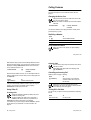
Changing the Active Line
Change the active phone line to make and receive calls
from your other phone number.
Note: This feature is available only for dual-line-enabled
SIM cards.
Find the Feature
M
> "# > !# > $"/ "#
The active line indicator in the display shows the currently active
phone line (see p a g e40).
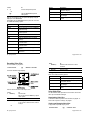
Redialling a Number
Press
1 n
2 S up or down
3 n
To
view the dialled calls list
scroll to the entry you want to call
redial the number
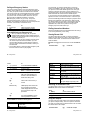
Using Automatic Redial
When you receive a busy signal, your phone displays
' .
Calling Features - 65
With automatic redial, your phone automatically redials the number.
When the call goes through, your phone rings or vibrates one time,
displays the message "
2
, and then connects the call.
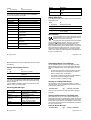
To turn automatic redial on or off
Find the Feature
M
> "# > #""
> $ "
When automatic redial is turned off, you can manually activate the
feature to redial a phone number. When you hear a busy signal and
see ' :
Press
n or 0 key
To
activate automatic redial
Your phone automatically redials the number. When the call goes
through, your phone rings or vibrates one time, displays
"
2
, and then connects the call.
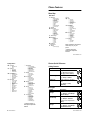
Outgoing Calls
You can show or hide your phone number as an ID for the
calls that you make.
While dialling (with digits visible in the display), press
M > 3" /* .
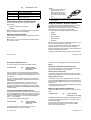
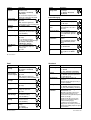
Cancelling an Incoming Call
While the phone is ringing or vibrating:
Press
o or key
To
divert the call to your voicemail or
call divert number, as though your
line was busy
Depending on your phone settings and/or service
subscription, the call may be diverted to another number,
or the caller may hear a busy signal.
Using Caller ID
Turning Off a Call Alert
Incoming Calls
You can turn off your phone’s incoming call alert before answering
the call.
Calling line identification (Caller ID) displays the phone
number for incoming calls.
The phone displays the caller’s name (and picture, if
available) if the name is stored in your phonebook, or
#"# when caller ID information is not available.
Press
either volume key
To
turn off the alert
You can also set your phone to play a distinctive "# for specific
entries stored in your phonebook. For more information, see
page 84.
66 - Calling Features
Calling Features - 67