1
Section
Setting up the video player
18
Some DVD video discs let you use parental
lock to restrict children from viewing violent
and adult-oriented scenes. You can set parental lock to the desired level.
! When you have a parental lock level set
and play a disc featuring parental lock,
code number input indications may be displayed. In such cases, playback will begin
when the correct code number is entered.
! The parental lock level is stored on the disc.
Look for the level indication written on the
disc package, included literature or on the
disc itself. Parental lock of this unit is not possible if a parental lock level is not stored on
the disc.
! With some discs, the parental lock may be active only for certain levels of scenes. The playback of those scenes will be skipped. For
details, refer to the instruction manual that
came with the disc.
Setting the code number and level
Changing the level
A code number must be registered in order to
play back discs with parental lock.
You can change the set parental lock level.
Setting parental lock
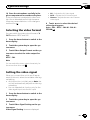
1 Press the home button to switch to the
home display.
2 Touch the video setup key to open the
video setup menu.
3 Touch Parental on the Video Setup
menu.
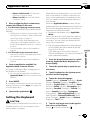
4 Touch 0 to 9 to input a four digit code
number.
# To cancel the entered numbers, touch C.
# To register the code, touch the following touch
panel key.
1 Press the home button to switch to the
home display.
2 Touch the video setup key to open the
video setup menu.
3 Touch Parental on the Video Setup
menu.
4 Touch 0 to 9 to input the registered
code number.
5
Registering the code.
Registering the code.
Registering the code.
This sets the code number, and the level can
now be changed.
The code number is set, and the level can now be
set.
5
Touch 1 to 8 to select the desired level.
6 Touch Enter.
The parental lock level is set.
! 8 – Playback of the entire disc is possible
(initial setting)
! 7 to 2 – Playback of discs for children and
non-adult-oriented discs is possible
! 1 – Playback of discs for children only is
possible
Notes
! We recommend to keep a record of your code
number in case you forget it.
60
En
# If you enter an incorrect code number, the
icon is displayed. Touch C and enter the correct
code number.
# If you forget your code number, refer to If you
forget your code number on page 60.
6
Touch 1 to 8 to select the desired level.
7 Touch Enter.
The new parental lock level is set.
If you forget your code number
% Press RESET.