1
Data Input Format
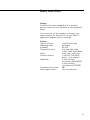
You can connect a computer to your scale to send commands via the scale interface port
to control the functions of the scale and applications (such as counting).
The commands sent are control commands and may have different formats. Control
commands can consist of up to 4 characters. Each of these characters must be sent
according to the settings configured in the menu for data transmission.
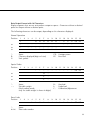
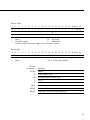
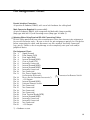
Format for Control Commands
Format : Esc
!
CR
Esc: Escape
!:
Command character
CR: Carriage return (optional)
LF: Line feed (optional)
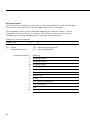
Command character !
36
LF
Meaning
K
Weighing mode 1
L
Weighing mode 2
M
Weighing mode 3
N
Weighing mode 4
O
Block keys
P
Print
R
Release keys
S
Restart
T
Tare and zero (combined)
U
Tare (“Tare only”)
V
Zero
W
External calibration/adjustment