1
P460/P360 Memory Scanners Product Reference Guide
Pressing the <BK> key causes the bar code data to be retained in memory. If this is done,
any subsequent bar codes are appended to the end of the file.
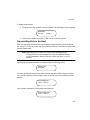
If you press <ENTER>, a confirmation screen appears:
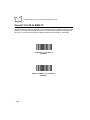
Confirm file erase
<EN>=Y <BK>=N
To confirm the file erase press <ENTER>, or press <BK> to retain the stored data.
Daisy-Chaining Cradles
Multiple cradles can be connected in series (daisy-chained) to communicate through a
single serial port. This out-of-the-box capability is a standard feature of the Phaser memory
scanner’s operating system. To enable it, simply daisy-chain the base stations together
through Com 2. See Setting Up the Cradle on page 2-3 for more details. Each cradle still
requires its own power supply.
To establish which scanner the data originated from, and to prevent a buffer over-write, the
scanner ID of daisy-chained scanners must be changed from the factory default of 001 to
a unique number.
If a scanner is placed in a daisy-chained cradle while another scanner is transferring data
to the host, the second scanner will begin its data transfer after the first scanner’s transfer
is completed.
Scan and Transmit Application
The scan and transmit application allows you to:
•
Display and simultaneously transmit data to a host
•
Eliminate repetitive scanning with a quantity entry feature
•
Manually enter alphanumeric data if no bar code is present.
The scanner automatically switches to scan and transmit operation when a cable is
attached.
3-6