1
M2Tech
marley
DUAL-DRIVE CLASS-A HEADPHONE AMPLIFIER / PREAMP
www.m2tech.biz
REVISION 1.0 – NOVEMBER 2013
INPUT SELECT
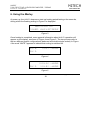
INPUT:1
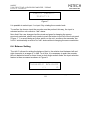
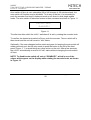
Figure 7
It is possible to select input 1 or input 2 by rotating the encoder knob.
To confirm the chosen input the encoder must be pushed: this way, the input is
selected and the unit reverts to “idle” status.
Note that if the user changes her/his minds and goes for keeping the source
previously selected, she/he only needs to push the button to the left of the front panel
(Figure 1, 1) or avoid doing any other action on the unit, as after a few seconds, the
MARLEY automatically reverts to its “idle” status without changing the source selection.
6.4. Balance Setting
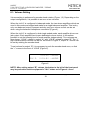
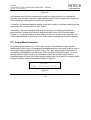
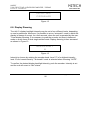
The MARLEY allows for setting the balance (that is, the relative level between left and
right channels) in a range of +/-6dB. To do this, it is necessary to push the encoder
twice in balanced mode or three times in dual single-ended mode: the input selection
feature is then accessed as shown in Figure 8.
CHANNELS BALANCE
L
<>
R
Copyright © 2013, M2Tech Srl
21