1
|
2
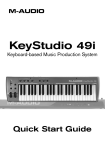
KeyStudio 49i Quick Start Guide
What’s in the Box?
<
M-Audio KeyStudio 49i MIDI controller keyboard / audio interface
<
Printed Quick Start Guide
<
M-Audio KeyStudio 49i CD-ROM containing:
• Software drivers and documentation
• M-Audio GM Module application
<
Ableton Live Lite CD-ROM and registration card
<
USB cable
If any of the above listed items are missing, please contact the retailer where you
purchased the product.
About this Guide
This Quick Start Guide covers:
<
Basic operation of KeyStudio 49i.
<
Driver installation for KeyStudio 49i.
<
Using KeyStudio 49i with M-Audio GM Module software.
Basic Operation of KeyStudio 49i
1.Use the provided USB cable to connect KeyStudio 49i to an available
USB port on your computer. The USB cable not only powers the
keyboard but also transmits MIDI data to and from your computer.
2.Make sure that the power switch on the back of the keyboard is in the “on”
position. KeyStudio 49i is now ready to be used – no additional installation
steps are required for basic operation.
3.Connect the two 1/4" outputs on the rear panel of KeyStudio 49i to
powered monitors, an amplifier, or a mixer.
You may also listen through headphones by connecting one or two sets of
headphones to the 1/4" stereo headphone outputs on KeyStudio 49i.
4. Be sure the Piano Vol. knob is at a reasonable listening level.
5. Play the keyboard.
ON