1
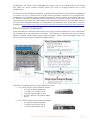
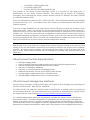
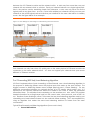
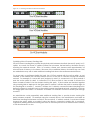
o 2 x 10Gb SR or LR fiber uplinks (XFP)
o 2 x 1Gb fiber uplinks (SFP)
o 4 x 1Gb (1000/100/10)copper uplinks (RJ-45)
The purpose of the Virtual Connect Manager (VCM) is to function as the single point of
administration for the Virtual Connect Domain. This means that all aspects of configuring,
managing, and monitoring the Virtual Connect Domain and all VC Ethernet and Fiber Channel
modules is provided by VCM.
VCM runs embedded on either the HP 1/10Gb or the HP 1/10Gb-F Ethernet modules when installed
in interconnect bay 1 or 2. VCM utilizes its own CPU, memory, and flash resources onboard the VC
Ethernet modules.
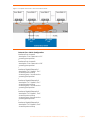
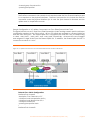
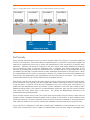
VCM runs in High Availability mode when Virtual Connect Ethernet modules are installed in both
interconnect bays 1 and 2. By default, the Virtual Connect Ethernet module in interconnect bay 1
will be the active VCM and the Virtual Connect Ethernet module in interconnect bay 2 will be the
standby VCM. The Virtual Connect Domain configuration is check pointed from the active VCM to
the standby whenever configuration changes are made. In this way, if the Virtual Connect Ethernet
module functioning as the active VCM fails, the standby Ethernet module can assume the role of
active VCM without loss of Virtual Connect Domain configuration settings.
Note:
Even though VCM is only active on a single Virtual Connect Ethernet module at one time, this has
nothing to do with the Ethernet connectivity functionality provided by the Virtual Connect Ethernet
modules. All Virtual Connect modules in the domain are functionally active at all times and every
port on every Virtual Connect module can be configured to actively carry network traffic at the
same time.
Virtual Connect Technical Specifications
•
•
•
•
•
•
•
•
128-Gbps bridging fabric
2 Mb of dynamic memory (bridging buffer) with head-of-line blocking prevention
Line rate forwarding for all packet sizes and all conditions
Capacity of 16384 MAC addresses
Capacity of 1024 IGMP groups and bridging entries
Maximum transmission units up to 9216 bytes (jumbo frames)
Average single-module latency 3.8us at 64-byte frames
Average single-module latency 3.8us at 1518-byte frames
Virtual Connect Manager User Interfaces
Virtual Connect Manager (VCM) provides three user interfaces for managing and monitoring the
Virtual Connect Domain – Web, SSH CLI, and SNMP.
The Web and SSH CLI interfaces provide nearly an identical set of features used to manage the
Virtual Connect Domain. For more information on the specifics of these interfaces, please consult
the Virtual Connect Users Guide (www.hp.com/go/bladesystem/documentation).
VC’s SNMP implementation allows the administrator to monitor the Virtual Connect domain and
associated modules. The SNMP configuration is controlled by the Virtual Connect Manager and
applies to all modules in the VC domain. The SNMP agent software module residing on a primary
module provides access to managed information using SNMP protocol. The managed information is
presented as a hierarchical database called a MIB. Each element of the managed information is
HP Virtual Connect for Cisco Network Administrators (version 1.2x)
page 10