1
Setting Surface Controls
PREHEATRECOMMENDATmONS
[]
[]
[]
[]
[]
[]
[]
[]
[]
[]
[]
[]
[]
[]
[]
[]
[]
[]
[]
[]
[]
[]
When preheating a pan on the cooktop always watch carefully. Whenever using the
cooktop the user should always pay attention to any items cooking and remain attentive
until the cooking process is complete.
Keep in mind that induction may decrease the amount of time required to preheat a cooking
utensil.
KEEPWARNFEATURE
[]
[]
[]
[]
[]
[]
[]
[]
[]
[]
[]
[]
[]
[]
[]
[]
[]
[]
[]
[]
[]
[]
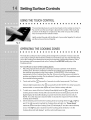
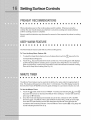
The Warm feature may be used with any of the Cooking Zones.
To Turn the Keep Warm Feature ON:
1.
To select the Keep Warm feature for any Cooking Zone touch the (_)
key pad for the
On/Off
corresponding Cooking Zone.
2.
Touch the ! key
(LOW) indicating
pads are pressed
Zone at the Keep
pad located in the main control area. The Cooking Zone will display L
that the Cooking Zone is properly set to Keep Warm. If no other key
for a period of 5 seconds the control will activate the desired Cooking
Warm setting (See Fig. 16).
MINUTETIMER
[]
[]
[]
[]
[]
[]
[]
[]
[]
[]
[]
[]
[]
[]
[]
[]
[]
[]
[]
[]
[]
[]
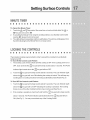
The Minute Timer feature may be useful in the kitchen if a recipe calls for keeping track of
time. This feature will keep track of time from 1 to 99 minutes. The LED display located to
the left of the Timer UP/DOWN arrow key pads will begin to count down minutes once set.
To Set the Minute Timer:
1.
2.
Touch the _:_ listed under the word "TIM ER". Touching and releasing the _ or the
key pads will increase or decrease the Minute Timer setting by 1 minute with each key
press (up to 99 minutes).
Once the Timer LED displays the desired amount of time, release the UP or DOWN
Arrow key pads. The Minute Timer LED will flash the time with a small dot to the right.
Once the LED quits flashing and the dot disappears the MinuteTimer will begin the
countdown with remaining minutes. Once the Minute Timer reaches 00 a long beep will
sound indicating that the time is up.