1
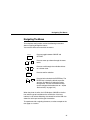
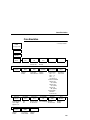
Control Panel Keys
= + ON LINE (IPDS Emulation only)
In offline mode, press = + ON LINE. If there is data in the printer
buffer, the printer will be placed in online mode, print one page, and
return to the offline mode. This action can be repeated until the end
of a print job. Only one page prints each time you press
= + ON LINE. If there is no data in the printer buffer, the printer is
placed in online mode.
In the fault state, = + ON LINE does not work.
= + PAPER ADVANCE (IPDS Emulation only)
In offline mode, press = + PAPER ADVANCE. The printer will
perform a reverse linefeed. If you hold down the = + PAPER
ADVANCE keys for longer than 1/2 second, the printer moves to
the previous top-of-form position. If there is data in the printer
buffer, the data does not print.
In the fault state, = + PAPER ADVANCE does not work.
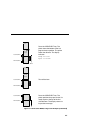
= + VIEW (IPDS Emulation only)
In offline mode, press = + VIEW. If there is data in the IPDS printer
buffer, the printer will be placed in online mode, print one line, and
return to offline mode. This action can be repeated until the end of
the job. This function prints only one line of text. If the data is not
text, only 1/6 inch prints. If there is no data in the printer buffer, the
printer is placed in online mode for one second and then returns to
offline mode.
In the fault state, = + VIEW does not work.
69