1
RANAdvisor TrueSite
Easy-to-Use Network Monitoring Tools
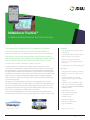
TrueSite is a compact, discreet, highly portable optimization solution that enables engineers
to perform tests in complex indoor environments using a single TrueSite smartphone or
TrueSite tablet-based controller solution. Engineers can test key services, such as voice, FTP,
and web, while monitoring and logging all key network parameters. Devices can even be
configured to start when the device is powered on, enabling engineers with less experience
to also perform tests and collect data.
TrueSite supports a wide variety of smartphones and tablets and collects a wide range
of network information from areas that are difficult to reach using typical drive-test tools.
More importantly, it enables engineers to test the indoor network from the perspective of a
smartphone subscriber. Easy configuration and full integration with the RANAdvisor platform
provides a complete test collection and analysis solution.
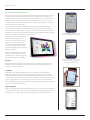
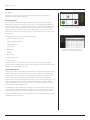
The flexible GUI enables instant access
to all test capabilities with a single touch.
The larger screen size of Android tablets
makes it faster and easier to set up
measurements and analyze results, so
engineers can perform more tests in
less time. The bigger display also shows
measurement results and route maps
simultaneously during replay for simpler,
faster fault resolution.
With three simple operating modes for
testing and user flexibility, TrueSite lets
absolutely anyone conduct tests, giving
providers ultimate resource flexibility.
OneTouch
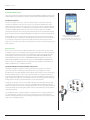
OneTouch mode lets anyone who can power on the phone perform preconfigured tests
without any intervention. Results can be automatically transferred via FTP or HTTPS to a
central server for detailed analysis.
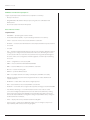
A customizable default screen lets anyone
use the device without any training
and start testing immediately.
TestMeNow
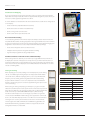
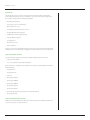
TestMeNow mode offers additional flexibility for users without requiring detailed RF
knowledge. TestMeNow can be configured to perform three tests, a voice test, an HTTP/
HTTPS test (connect to a website), and an FTP (put and get) test, so providers can test their
network the way their customers use it. Users can preconfigure, or amend, these three simple
tests to verify the three key services delivered to customers at the push of a button with
simple pass/fail indicators. All results are captured and stored and transferred via FTP or HTTPS
to a central server for detailed analysis.
Engineering Mode
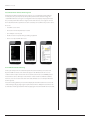
Engineering mode provides ultimate flexibility, letting users execute any test while providing
access to all the measurements and tests being performed. The flexible graphical sequencer
lets engineers preconfigure complex test scenarios for manual or automatic execution.
www.jdsu.com/nse
2