1
Connecting to the Network
3.5.3
Connecting a Fiber Optic Segment to the
FE-100FX and FE-100F3
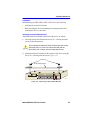
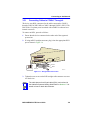
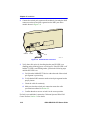
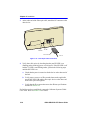
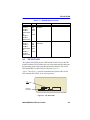
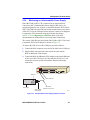
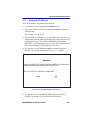
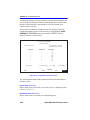
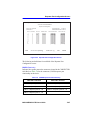
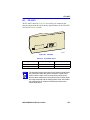
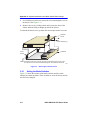
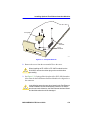
The FE-100FX and FE-100F3 have SC style network ports. See
Figure 3-10. Cabletron Systems offers optional fiber optic cables that use
SC style connectors. The ST connectors are keyed to ensure proper
crossover of the transmit and receive fibers.
NOTES
An odd number of crossovers (preferably one) must be
maintained between devices so that the transmit port of one
device is connected to the receive port of the other device and
vice versa.
If the fiber optic cable being used has SC style connectors that
do not resemble MIC style connectors, or has SC connectors
on one end and a different type on the other, such as ST
connectors, ensure that the proper crossing over occurs.
Fiber Optic Network Connection
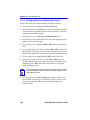
1. Remove the protective plastic covers from the fiber optic ports on the
applicable port on the module and from the ends of the connectors.
!
CAUTION
!
CAUTION
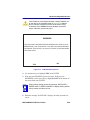
The FE-100F3 uses Class 1 lasers. Do not use optical
instruments to view the laser output. The use of optical
instruments to view laser output increases eye hazard. When
viewing the output optical port, power must be removed from
the network adapter.
Do not touch the ends of the fiber optic strands, and do not let
the ends come in contact with dust, dirt, or other contaminants.
Contamination of the ends causes problems in data
transmissions. If the ends become contaminated, blow the
surfaces clean with a canned duster. A fiber port cleaning swab
saturated with optical-grade isopropyl alcohol may also be used
to clean the fiber optic ends.
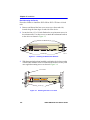
2. Insert the SC connector at one end of the fiber optic cable into the
FE-100FX or FE-100F3 installed in the 2H23-50R. See Figure 3-10.
2H23-50R/2H33-37R User’s Guide
3-13