1
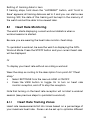
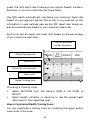
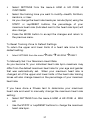
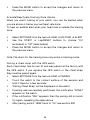
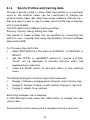
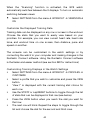
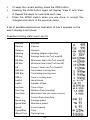
Select SETTINGS from the menu HRM HR ZONE CUSTOMIZE Select the training zone you want to modify—Health, Fat Burn, Aerobics, or User. As you change the heart rate beats per minute (bpm) using the ST/STP or Lap/RESET buttons, the percentage of your maximum heart rate (indicated next to the heart rate bpm) will also change. Press the MODE button to accept the changes and return to the previous menu. To Reset Training Zone to Default Settings To return the upper and lower limits of a heart rate zone to the default setting: Select SETTINGS from the menu HRM HR ZONE RESET To Manually Set Your Maximum Heart Rate As you become fit, your individual heart rate bpm maximum may differ from the default maximum heart rate for your age and gender that was automatically set. When your maximum heart rate is changed, all of the upper and lower limits of the heart rate training zones will also change based on the percentage of your maximum heart rate. If you have done a fitness test to determine your maximum heart rate and want to manually change the maximum heart rate setting: Select SETTINGS from the menu HRM HR ZONE MAX HR Use the ST/STP or Lap/RESET buttons to change the maximum heart rate bpm. 37