1
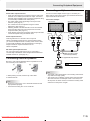
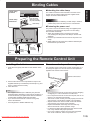
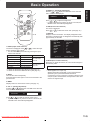
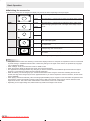
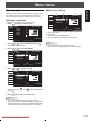
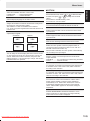
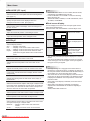
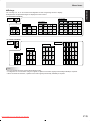
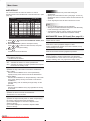
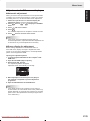
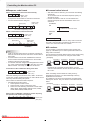
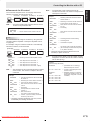
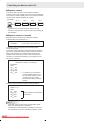
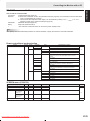
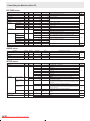
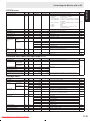
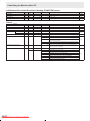
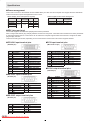
Menu Items Select the installation direction of the monitor. LANDSCAPE ............Horizontal orientation PORTRAIT ...............Vertical orientation LANGUAGE Sets the display language for the menu screen. ID No. SET Assigns ID numbers to monitors connected in a daisy chain (see page 26), using RS-232C cables. The numbers 1 to 255 are available for ID numbers. If “0” is set, the system regards this as the state where no ID number is set. PICTURE FLIP A picture flips to appear. STANDARD MIRROR ABC CBA ENGLISH OPTION MONITOR DATE/TIME SETTING Set the date and time. Press or to select the date and time, and press or to change the numerical values. Set the date in “Year/Month/Day” order. Set the time on a 24-hour basis. SCHEDULE (See page 22.) You can set the time to switch the monitor on and off. DVI SELECT Selects equipment that is to be connected to the PC1/AV1 input terminal. BNC SELECT Selects equipment that is to be connected to the PC3/AV2 input terminals. QUICK SHOOT Reduces the visual lag inherent in fast-motion scenes. ROTATE ABC ABC UPSIDE DOWN POWER ON DELAY You can delay the screen display after the monitor is turned on. The period can be set up to 60 seconds in units of one second. When this function is activated, the power LED flashes (at approx. 1 second interval) in orange. This function is disabled when 0 is specified. COLOR SYSTEM Select the colour system of the AV equipment which is connected to AV3 input terminal. (AUTO / PAL / PAL-60 / SECAM / NTSC3.58 / NTSC4.43) When AUTO is selected, the colour system is automatically set according to the input signal. AUDIO OUTPUT Sets the volume of sound output from the PC/AV audio output terminals. VARIABLE .......... You can adjust the volume using VOLUME. FIXED .................Fixes the sounds. 480LINES (PC2/PC3) If a computer connected to the PC2/PC3 input terminal has a resolution of 640 x 480 or 848 x 480, make a selection according to the resolution. 768LINES (PC2/PC3) If a computer connected to the PC2/PC3 input terminal has a resolution of 1024 x 768, 1280 x 768 or 1360 x 768, make a selection according to the resolution. SELF ADJUST On a PC2/PC3 screen with a resolution of 800 x 600 or higher, specify whether to perform screen adjustment automatically or not. When ON is selected, the screen is automatically adjusted when the timing of input signals varies. “ADJUSTING” appears on the screen during the adjustment. POWER MANAGEMENT POWER MANAGEMENT determines whether or not to switch modes from no signal to the input signal standby mode when the PC screen is displayed. Downloaded From TV-Manual.com Manuals 19 E