1
Installing the VoIP Indoor Intercom 53
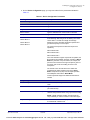
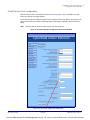
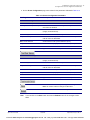
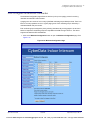
Configure the Autoprovisioning Parameters
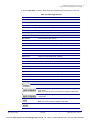
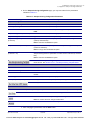
2.4.12.1 Autoprovisioning
Autoprovisioning
File
It is not necessary to set every option found in the autoprovisioning template. As long as the XML is
valid, the file can contain any subset. Options not autoprovisioned will default to the values stored in
the on board memory. For example if you only wanted to modify the device name, the following
would be a valid autoprovisioning file:
<?xml version="1.0" encoding="utf-8" ?>
<specific>
<MiscSettings>
<DeviceName>auto Intercom</DeviceName>
</MiscSettings>
</specific>
Get
Autoprovisioning
from DHCP
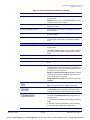
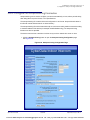
When this option is checked, the device will automatically fetch its autoprovisioning server address
from the DHCP server. The device will use the address specified in OPTION 150 (TFTP-servername) or OPTION 66. If both options are set, the device will use OPTION 150.
Refer to the documentation of your DHCP server for setting up OPTION 150.
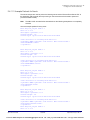
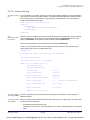
To set up a Linux DHCPD server to serve autoprovisioning information (in this case using both
option 66 and 150), here's an example dhcpd.conf:
# dhcpd.conf
#
# Configuration file for ISC dhcpd (see 'man dhcpd.conf')
#
ddns-update-style ad-hoc;
option option-150 code 150 = ip-address;
subnet 10.0.0.0 netmask 255.0.0.0 {
max-lease-time 120;
default-lease-time 120;
option routers
option subnet-mask
10.0.0.1;
255.0.0.0;
option domain-name
option domain-name-servers
"voiplab";
10.0.0.1;
option time-offset
-8;
option tftp-server-name
"10.0.0.254";
option option-150
10.0.0.254;
# Pacific Standard Time
range 10.10.0.1 10.10.2.1;}
Autoprovisioning Instead of using DHCP to provide the autoprovisioning tftp server address, you can specify an
Server (IP Address) address manually.
Autoprovisioning
Autoupdate
Operations Guide
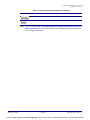
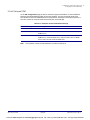
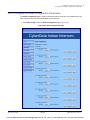
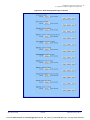
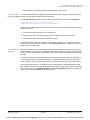
When the device is set to autoprovision either after a period of time, or when idle, or at a time of day,
the device will do the following:
•
Re-download the autoprovisioning file.
•
Compare this new file to the one downloaded on boot, and if it finds differences, force a system
reset.
930943A
CyberData Corporation
VoIPon www.voipon.co.uk [email protected] Tel: +44 (0)1245 808195 Fax: +44 (0)1245 808299